You see, choosing the best hardware wallet is arguably the most important decision for any crypto investor or long-term HODLer.
Well, I have tested dozens of cold storage solutions to see which ones actually handle the multi-chain portfolio. Basically, you need to find a balance between high-end security, pricing, supported assets, and a smooth user experience, and actually, some brands have definitely nailed it.
So, below is my definitive ranking and review for the best multi-chain hardware wallets in 2026…
Quick Summary: The best multi-coin hardware wallets for crypto storage with cross-chain asset support are Ledger Flex, ELLIPAL Titan 2.0, Trezor Safe 5, Tangem, and Ledger Nano X, mainly because they let you manage assets across many blockchains from one secure device while keeping your private keys offline.
Ranking Top 5 Best Multi-Chain Hardware Wallets in 2026
I’ve tested a bunch of crypto wallets, and here are my top five picks for multi-chain hardware wallets going into 2026. These rankings are based on security, coin support, ease of use, and overall value:
- Ledger Flex – It’s a premium touchscreen multi-chain hardware wallet that supports 15,000+ coins and 100+ blockchains.
- ELLIPAL Titan 2.0 – An 100% air-gapped cold wallet to store multiple cryptocurrencies across 50+ chains. It has no WiFi, no Bluetooth, no Cellular, and no NFC; just QR-code based.
- Trezor Safe 5 – Trezor’s latest model with a color touchscreen, secure element chip, and Tor network support. It’s the safest multi-cryptocurrency storage solution with privacy and open-source transparency.
- Tangem Wallet (2-Card Pack) – A super affordable multi-crypto hardware wallet in a credit-card form.
- Ledger Nano X – it’s the oldest classic multi-currency wallet with Bluetooth connectivity. It’s great for managing cross-chain assets.
My In-Depth Review of Best Multi-Coin Hardware Wallets to Store Multiple Cryptos
Okay, now let’s review each of these best multi-crypto hardware wallets and see what makes them stand out. Basically, I’ll share my hands-on impressions and key details (like supported coins, price, pros and cons) so you can eventually decide for yourself which multi-chain wallet fits your needs.
1. Ledger Flex: Best multi-chain hardware wallet in 2026
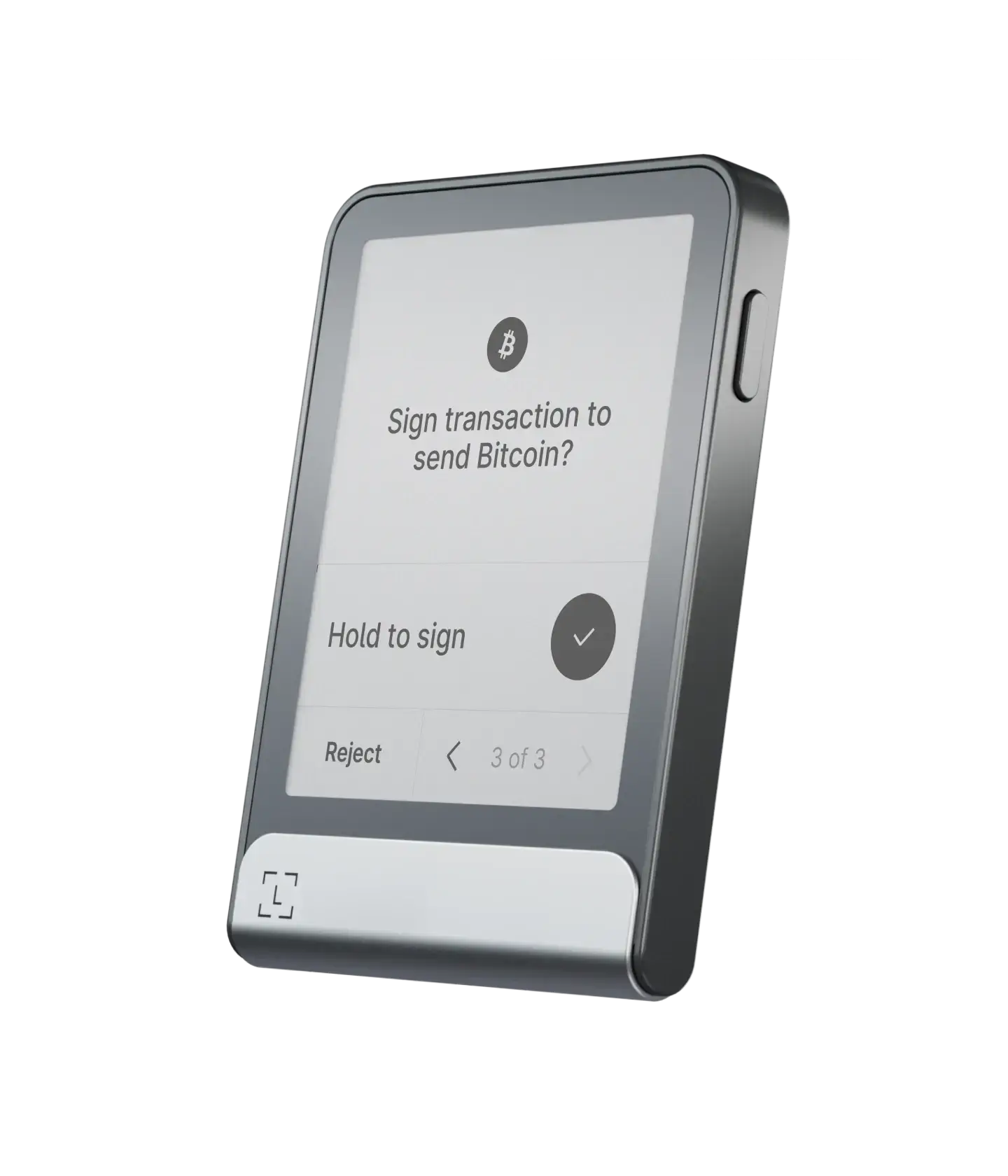
Ledger Flex is Ledger’s flagship touchscreen hardware wallet, and honestly, one of the best multi-chain wallets I’ve ever used. It features a secure E Ink touchscreen that makes reviewing transactions incredibly clear. It uses the same high-grade security chip (EAL6+) that Ledger is famous for, so your private keys never leave the device.
| Type of Wallet | Hardware wallet to store multiple cryptos |
| Supported Cryptos | 15,000+ coins and tokens |
| Fees | About $249 for the device; network fees apply |
| Mobile App | Ledger Live (desktop & mobile) |
| Connectivity | USB‑C, Bluetooth 5.2 |
| Security Chip | CC EAL6+ secure element |
| Display | 2.84‑inch E‑ink touchscreen |
| Battery | Up to 10 hours (weeks on standby) |
Supported Chains and Cryptos
It’s a multi-coin hardware wallet, so yes, you can store practically anything. It supports over 15,000 coins and tokens.
- Major Chains: Bitcoin (BTC), Ethereum (ETH), Solana (SOL), Cardano (ADA), XRP, Polkadot (DOT), Avalanche (AVAX).
- Tokens: All ERC-20 tokens, SPL tokens (Solana), and tokens on Polygon, Arbitrum, Optimism, and Base.
- NFTs: You can visualize your NFTs directly on the screen for Ethereum and Polygon, which is a really nice touch.
Price and Availability
The Flex sits in the premium price range, usually around $249. You can grab it directly from the Ledger website or authorized retailers like Amazon. It is widely available in the US and Europe.
Positives
- Incredible Screen: The E Ink display is readable even in bright sunlight and makes “Clear Signing” much safer because you see exactly what you are signing.
- Bluetooth Connectivity: You can connect it wirelessly to your iPhone or Android.
- Huge Ecosystem: It connects seamlessly to Ledger Live mobile app, which is arguably the best companion software app in the industry.
- NFC Support: It has NFC capabilities for future use cases and quick pairing.
- Security: The flex uses a certified Secure Element (SE) chip, CC EAL6+ to be exact.
- Customizable: You can put your favorite NFT or photo on the lock screen, which just looks cool.
Negatives
- Price: It is definitely on the expensive side compared to entry-level wallets.
- No Backlight: Since it is E Ink, you can’t see the screen in a pitch-black room without an external light source.
- Non-Removable Battery: Eventually, batteries die, and you can’t swap this one out yourself.
- Slightly Slower Refresh: E Ink screens are not as snappy as the LCD screens on your phone.
2. ELLIPAL Titan 2.0: Best multi-chain cold wallet (100% air-gapped)
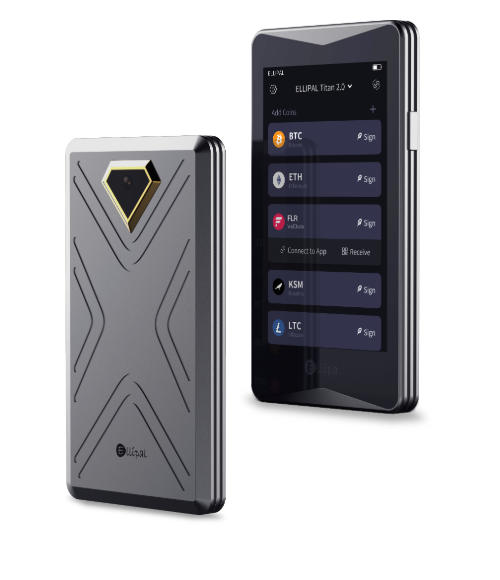
The ELLIPAL Titan 2.0 is a beast of a cold storage crypto wallet. The main selling point here is that it is “air-gapped.” That means it has no USB port, no Bluetooth, and no WiFi. It connects purely through QR codes using its built-in camera. Hence, it is physically impossible for a hacker to connect to it remotely.
| Type of Wallet | Multi-crypto cold wallet (air‑gapped) |
| Supported Cryptos | 10,000+ coins and tokens (BTC, ETH, ERC‑20, NFTs) |
| Fees | Hardware costs around $119; network fees apply per transaction |
| Mobile App | Yes (ELLIPAL App for iOS and Android) |
| Connectivity | QR codes only (no Wi‑Fi/Bluetooth/USB) |
| Security Chip | CC EAL5+ secure element |
| Display | 4‑inch full‑color IPS touchscreen |
| Weight | About 140 g (heavy) |
Supported Blockchains and Cryptocurrency
ELLIPAL supports over 10,000 assets across 50+ blockchains.
- Major Chains: Bitcoin, Ethereum, BNB Chain, XRP, Cardano, Tron, Tezos, Polkadot.
- Tokens: Extensive support for almost every token standard you can think of, like ERC-20, TRC-20, BEP-20, etc.
- Staking: Native support for staking coins like Ethereum, Tezos, and Cosmos directly in the app.
Price & Availability
The Titan 2.0 runs about $169 USD retail (often on sale for ~$149 on ELLIPAL’s website). That price is pretty reasonable given the high-end features, and it’s available through ELLIPAL’s official site and Amazon (usually via the ELLIPAL Official store).
Pros
- Total Isolation: No wireless or wired connections mean zero attack surface for online malware.
- Anti-Tamper: If someone tries to force the device open, a mechanism triggers and deletes the data inside instantly.
- Large Touchscreen: The 4-inch color display feels like a small smartphone, and makes typing your password easy.
- Durable Build: The metal casing feels premium and protects against physical drops.
- QR Code Signing: Scanning codes feels futuristic and makes you verify the data visually.
- Battery Life: Since it doesn’t run Bluetooth or WiFi, the battery lasts a decent amount of time on standby.
Cons
- Bulky: You are not going to carry this in your pocket comfortably; it is heavy and thick.
- No Desktop App: You are pretty much forced to use the mobile app, which might annoy desktop-first users.
- Slow Transactions: Scanning QR codes back and forth for complex transactions (like some DeFi approvals) can get tedious.
- Fixed Camera: The camera is decent, but if you have bad lighting, scanning the QR code on your phone screen can sometimes be finicky.
3. Trezor Safe 5: Safest multi-crypto hardware wallet with Tor browser support
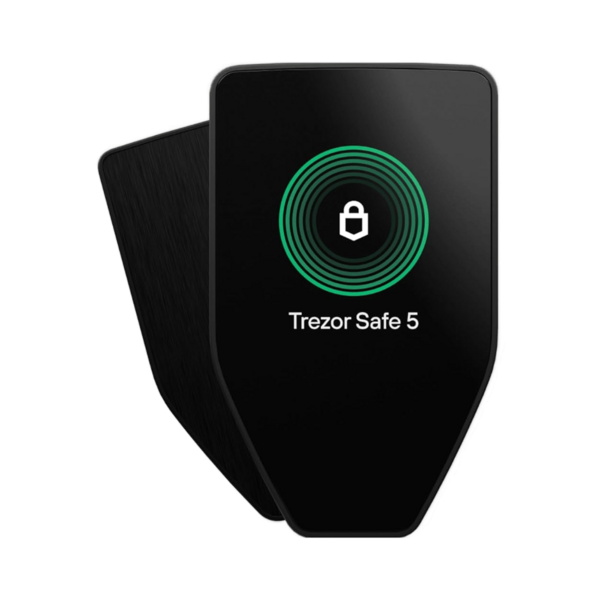
The Trezor Safe 5 is the newest multi-crypto hardware wallet from Trezor (the makers of the original crypto wallet). It’s a touchscreen wallet that focuses on strong security and privacy.
The Safe 5 version ditches the old plastic buttons for a sleek glass front with a color touchscreen and haptic feedback. It feels responsive and modern. It’s open-source code, plus the integration with the Tor network via Trezor Suite gives you serious privacy protection, hiding your IP address while you transact.
| Type of Wallet | Multi-chain crypto wallet with dual secure elements |
| Supported Cryptos | 9,000+ coins and tokens (Bitcoin, altcoins, NFTs) |
| Fees | Device costs around $219; network fees apply per transaction |
| Mobile App | Trezor Suite for desktop and mobile |
| Connectivity | USB‑C, Bluetooth, Qi2 wireless charging |
| Security Chip | EAL6+ secure element |
| Display | 2.5‑inch color touchscreen |
Supported Chains and Coins
Trezor has expanded its support massively over the years. Currently, it supports 9,000+ coins and over 30+ blockchains.
- Major Chains: Bitcoin, Ethereum, Solana, XRP, Cardano, Litecoin, Dogecoin.
- Tokens: Full support for ERC-20 and other EVM tokens.
- Software Compatibility: Works flawlessly with MetaMask, Rabby, and other third-party wallets if you need niche chain support.
Price & Availability
The Trezor Safe 5 is priced around $169 USD. It sits in the mid-to-high range, but notably it’s often on sale or part of bundle deals (I’ve seen it drop to ~$120 during holiday sales). You can buy it from Trezor’s official website or official resellers.
Good
- Open Source: The hardware and software designs are public, so security researchers can verify there are no backdoors.
- Haptic Feedback: The vibration when you touch the screen makes typing your PIN feel reassuring and precise.
- Tor Support: Built-in privacy features in the desktop app help keep your location and identity private.
- Gorilla Glass: The screen is scratch-resistant and durable.
- Secure Element: They finally added a secure element (EAL6+) to protect your PIN, fixing a long-standing criticism of older models.
- Bitcoin-Only Firmware: You can install a version of the OS that only supports Bitcoin if you want to minimize code complexity.
Bad
- Wired Only: There is no Bluetooth. You have to plug it in via USB-C. This is safer but less convenient for mobile users.
- Screen Size: While nice, the screen is smaller than the ELLIPAL or Ledger Flex.
- Pricey for Wired: Some users feel $169 is high for a device that doesn’t have wireless capabilities.
- Backup Complexity: The new multi-share backup is great, but can be confusing for total beginners compared to a simple 12-word phrase.
4. Tangem: Cheapest hardware wallet to store multiple cryptos
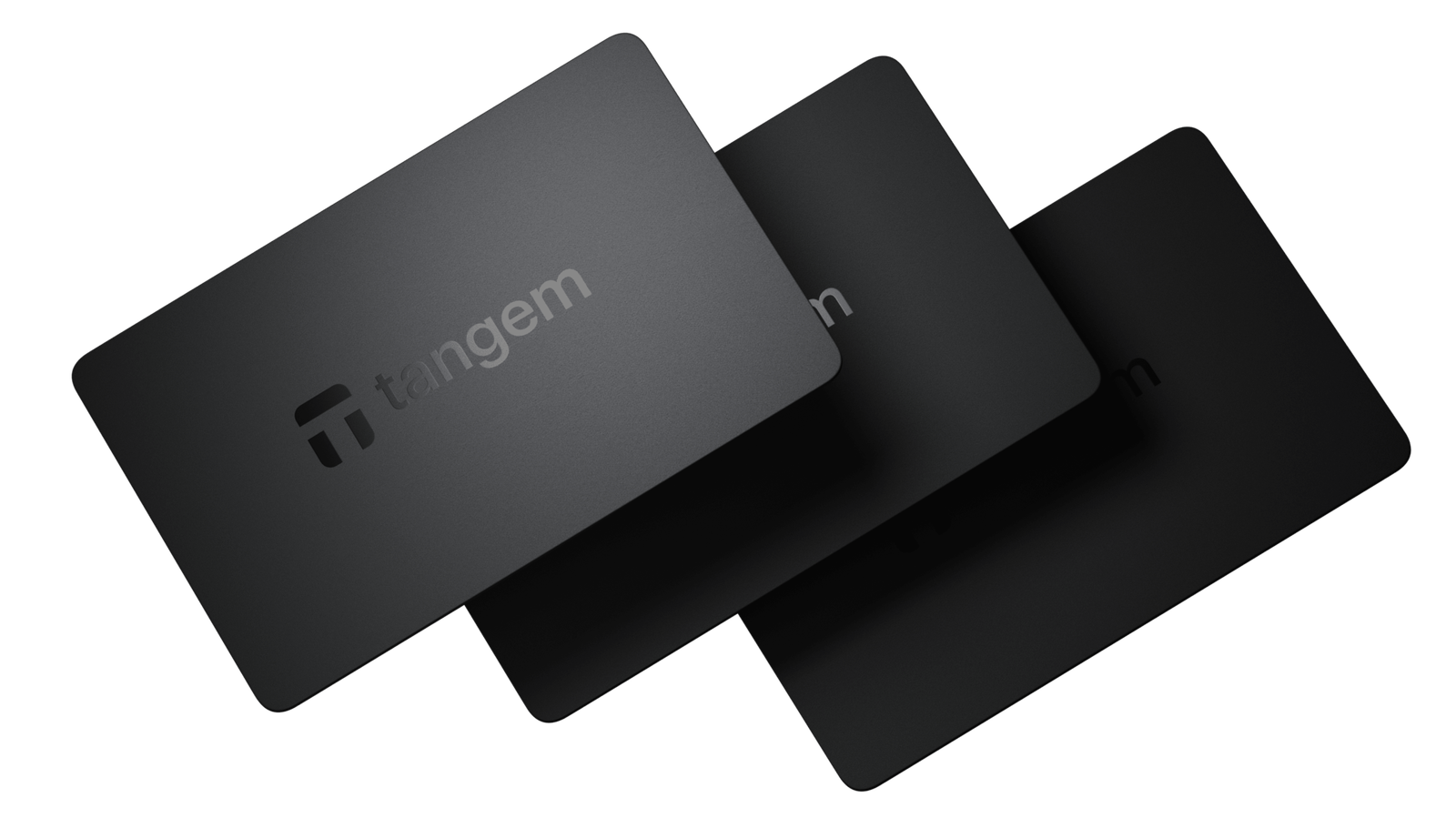
Tangem wallet is probably the cheapest and most user-friendly multi-currency hardware wallet out there. It looks exactly like a credit card. There is no screen, no battery, and no buttons. You just tap it against the back of your phone using NFC (Near Field Communication) to sign transactions. It is incredibly sleek and fits right in your actual wallet.
| Type of Wallet | NFC-based multi-cryptocurrency hardware wallet for crypto |
| Supported Cryptos | 16,000+ coins and tokens |
| Fees | Two‑card set costs about $54.90; three‑card set about $69.90 |
| Mobile App | Tangem app for iOS and Android |
| Connectivity | NFC (tap‑to‑sign) |
| Security Chip | Proprietary secure element |
| Battery | None (25‑year lifespan) |
| Warranty | 25 years |
Supported Coins and Chains
The Tangem Wallet app supports over 85 blockchains and 16,000+ tokens.
- Major Chains: Bitcoin, Ethereum (and all ERC-20 tokens), Binance Smart Chain (BEP-20 tokens), Polygon, Avalanche, XRP Ledger, Solana, TRON, Cardano (I believe support was added via partner integration), and many more.
- Smart Features: Good support for swapping and staking within their app. You can manage NFTs on some chains as well.
Price & Availability
Tangem is very affordable. A 2-card pack costs around $54.90 USD (so roughly $27 per card), and a 3-card pack is about $69.90. You can buy Tangem from their official website, Amazon, or various crypto accessory retailers. It’s widely shipped internationally.
What I like
- Super Affordable: It is the cheapest entry point into secure self-custody.
- Durability: It is waterproof (IP68), dustproof, and temperature-resistant. You could practically run it over with a car.
- Ease of Use: No cables, no charging, no complex menus. Just tap and go.
- Form Factor: Fits perfectly in a standard credit card slot.
- Fast Setup: You can set up a Tangem wallet in less than 3 minutes.
- No Battery Anxiety: Since it has no battery, you never have to worry about pulling it out of a drawer after a year and finding it dead.
What I don’t like
- Blind Signing: Because there is no screen on the card, you have to trust what your phone screen says. If your phone is hacked, you might sign a bad transaction without knowing.
- Phone Dependency: You absolutely need a phone with NFC. You cannot use this with a standard desktop computer easily.
- App Reliance: You are heavily dependent on the Tangem app interface.
- No Seed Phrase (Optional): By default, it manages keys internally without a seed phrase (though you can now choose to generate one).
5. Ledger Nano X: Best hardware wallet for cross-chain assets
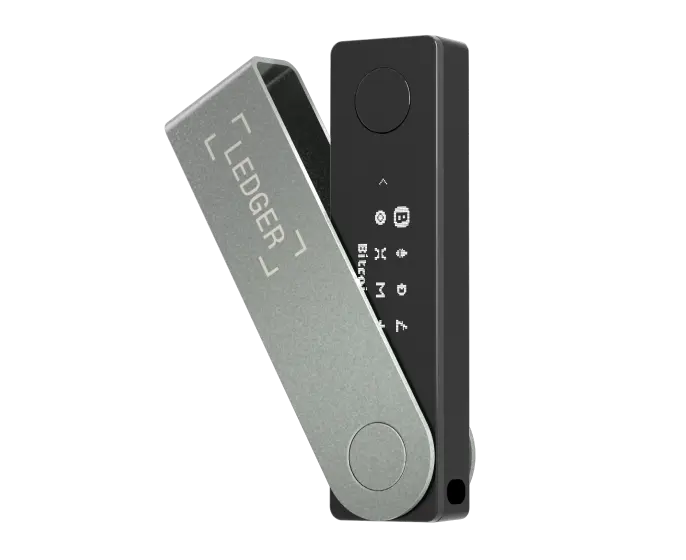
The Ledger Nano X has been a staple in the crypto community for years, and it remains one of the best hardware wallets for managing cross-chain assets. Well, “cross-chain” here basically means it’s great for handling a mix of different cryptocurrencies across various networks, all from one device.
I personally used a Nano X as my daily driver for quite a long time. The big draw of the Nano X is its Bluetooth capability and battery. You can connect it to your iPhone or Android via Bluetooth and manage coins via Ledger Wallet mobile or other apps.
| Type of Wallet | USB-type multi-coin hardware wallet |
| Supported Cryptos | 15,000+ coins and tokens |
| Fees | Costs about $99; network fees apply |
| Mobile App | Ledger Live mobile and desktop |
| Connectivity | USB‑C, Bluetooth |
| Security Chip | CC EAL5+ secure element |
| Battery | 100 mAh (several hours of use) |
| Storage | Up to 100 apps |
Supported Chains and Cryptos
It is one of the best multi-coin hardware wallets because of its age and popularity. It supports 15,000+ coins.
- Major Chains: Practically everything. BTC, ETH, SOL, ATOM, DOT, NEAR, HBAR, ALGO.
- Cross-Chain: Works brilliantly with bridges and DEXs (Decentralized Exchanges) via WalletConnect and Ledger Live app.
- dApps: Connects to everything from OpenSea to Uniswap seamlessly.
Price & Availability
The Ledger Nano X is currently around $119 USD retail. Over time, Ledger has done promos, and sometimes you can find it a bit cheaper (~$99 on sale or if bundled). It’s widely available; official site, Amazon, and electronics stores.
Pros
- Proven Reliability: It has been around for years and has survived countless market cycles without major security breaches.
- Bluetooth: Connects to iOS and Android for wireless management.
- Compact: It is smaller than the Flex and Titan, making it very easy to hide and easily portable.
- App Support: Compatible with more third-party software wallets than any other device.
Cons
- Tiny Screen: The OLED screen is small. So, verifying long addresses requires waiting for the text to scroll, which is annoying.
- Old Tech: It feels a bit dated compared to the touchscreens on the Flex and Trezor Safe 5.
- Navigation: Typing a PIN or passphrase with just two buttons is tedious and slow.
- Bluetooth Pairing: Occasionally, the Bluetooth connection can be finicky and require a reset.
Quick Comparison: Most Secure Multi-Cryptocurrency Hardware Wallet
Well, to make it easier to see how these best multi-chain hardware wallets stack up, I’ve put their key specs side by side.
| Wallet | Price (USD) | Connection | Supported Chains & Tokens | Key Strengths |
|---|---|---|---|---|
| Ledger Flex | ~199 | USB‑C, Bluetooth, NFC | 70+ chains, 10 000+ tokens | Large E‑Ink screen, flexible connectivity, clear signing, high security |
| ELLIPAL Titan 2.0 | ~169 | QR (air‑gapped) | 40+ chains, 10 000+ tokens | Air‑gapped isolation, large touchscreen, unlimited storage, rugged design |
| Trezor Safe 5 | ~169 | USB‑C | Thousands of tokens across multiple chains | Open‑source firmware, Shamir backup, Tor support, secure element |
| Tangem | ~60 (pack) | NFC | 80+ chains, 16 000+ tokens | Cheapest, waterproof, tap‑to‑use, huge network support |
| Ledger Nano X | ~119 | USB‑C, Bluetooth | 500+ via Ledger, thousands via third‑party | Portable, balanced feature set, affordable |
How to Choose a Hardware Crypto Wallet to Store Multi-Chain Assets?
Check the Chain Support First
Well, this sounds obvious, but it is the most common mistake people make. You should not assume every wallet holds every coin. So, for example, if you hold a lot of Solana or Cardano, make sure the wallet supports them natively.
Some of the best multi-chain hardware wallets might support the token but require a third-party app like MyEtherWallet or Solflare to actually see them. Hence, if you hate using multiple apps, you need a wallet that shows everything in its own native app, like Ledger Live or the Ellipal App.
Security vs. Convenience
You see, there is always a trade-off. Multi-chain air-gapped wallets like the ELLIPAL are safer because they never touch the internet, but scanning QR codes for every transfer gets annoying if you do ten transactions a day.
Again, Bluetooth wallets like the Ledger Flex are super convenient but introduce a tiny theoretical attack vector.
So, you need to ask yourself: Am I a target? Now, if you have millions, go air-gapped, but if you have a few thousand and want to trade on the go, Bluetooth is totally fine and much easier to use.
Backup Features
You need to look at how your chosen best multi-chain hardware wallet handles backups. Trezor’s “Shamir Backup” is awesome because it splits your seed phrase into multiple parts.
Also, Tangem is unique because the “backup” is just another physical card. So, you need to think about what happens if your house burns down. Paper burns, but steel (or a distributed backup) doesn’t. Obviously, you need a plan for the worst-case scenario.
Screen Size and Usability
Honestly, screen size matters more than you think, and if you have bad eyesight or fat fingers, a tiny screen like the Ledger Nano X is not good.
Hence, a touchscreen like the Ledger Flex or Trezor Safe 5 makes typing your PIN and verifying addresses so much less painful.
What is a Multi-Chain Wallet?
A multi-chain crypto wallet is a single interface that can connect to many different blockchain networks at once. You know, in the early days, you needed a “Bitcoin wallet” for BTC and an “Ethereum wallet” for ETH. So, no way you can manage them together easily. You had to save different files and run different software for each one.
Today, a multi-chain cryptocurrency wallet acts like a universal translator, as it generates addresses for Bitcoin, Ethereum, Dogecoin, and others, all derived from a single master seed phrase. So, you only have to remember one password (your 12 or 24 words) to control assets across dozens of completely different blockchains.
How does a multi-coin wallet work?
A multi-coin crypto storage solution generates one “master” key (your seed phrase), and from that key, it can create addresses for hundreds of different blockchains.
Basically, your wallet starts with a random 12 or 24-word seed phrase, and this phrase is the “root” of a massive tree. Here, each branch of that tree represents a different blockchain. So, you can say one branch is for Bitcoin, another is for Ethereum, and another is for Solana.
The multi-chain hardware wallet uses something called a “derivation path” to figure out which address belongs to which chain. Even though it is the same seed phrase, the math ensures that your Bitcoin address and your Ethereum address are totally different.
Benefits of multi-coin hardware wallets
- Centralized Management: You don’t want to log into five different apps to see your net worth, as these best multi-coin hardware wallets usually come with a dashboard app (like Ledger Live or Trezor Suite) that aggregates everything. You see one total balance.
- One Seed to Rule Them All: You only have to guard one piece of paper (your recovery phrase). So, if you had separate wallets for every coin, you might have to hide 10 different seed phrases. Well, that is a logistical nightmare and a fire hazard waiting to happen.
- Cross-Chain Swapping: Modern multi-chain hardware wallets for altcoins let you swap assets directly. You can trade Bitcoin for Ethereum without ever sending your funds to a centralized exchange like Coinbase. Generally, this is often done through integrated partners like Changelly or 1inch directly inside the wallet app.
- Reduced Human Error: You see, when you use a unified interface, you get used to the workflow. You are less likely to make a mistake compared to switching between five different poorly designed desktop wallets.
Software vs Hardware Multi-Cryptocurrency Wallets
| Criteria | Software Wallets | Hardware Wallets |
|---|---|---|
| Security | Moderate; exposed to malware & phishing | Very high; private keys stored offline |
| Convenience | Very convenient; instant access via phone/PC | Less convenient; requires physical device |
| Cost | Usually free | Paid (one-time purchase) |
| Ease of Use | Beginner-friendly | Slight learning curve |
| Private Key Control | Stored on device / app | Stored securely on hardware |
| Risk if Device is Hacked | High | Very low |
| Best Use Case | Daily transactions & small balances | Long-term storage & large holdings |
| Recovery Options | Cloud-based backups / seed phrase | Seed phrase required if device is lost |
How to Set Up a Multi-Chain Hardware Cold Wallet?
Step 1: Unbox and Verify
You need to open the box and check for tampering. If the device comes with a piece of paper that already has a seed phrase written on it, DO NOT USE IT. That is a scam. The device must generate the words for you.
Step 2: Firmware Update
Now, you have to plug it into your computer and download the companion app (e.g., Ledger Live). The app will likely ask you to update the firmware. So, you should do this immediately. It ensures you have the latest security patches.
Step 3: Create New Wallet
You need to select “Set up as new device.” The device will show you 12 or 24 words on its screen. Write these words down on the provided card. Do not take a photo of them. Do not type them into a Google Doc. Pen and paper only. Then, double-check them. The device will ask you to confirm specific words to prove you wrote them down.
Step 4: Install Apps
Once initialized, you should use the manager app to install the specific “apps” for the coins you own. So, for example, install the Bitcoin app and the Solana app. Hence, this basically teaches the device how to sign transactions for those chains.
Step 5: Transfer Funds
Finally, you have to generate a receiving address on the device, and then send a small “test amount” (like $10) from your crypto exchange to this address. Once it arrives safely, send the rest. Also, you should never send the full amount blindly the first time.
Conclusion: Top Multi-Chain Wallet Recommendations
To sum up, selecting the best multi-chain hardware wallet in 2026 really comes down to how you live your crypto life. I’ve spent a lot of time with all of these, and they each have distinct features. So, you just need to be honest with yourself about whether you prioritize convenience, security, or price.
- To start, if you want the absolute best all-around experience and don’t mind spending a bit of money, I totally recommend the Ledger Flex. The touchscreen and the massive app support make it a joy to use.
- On the other hand, if you are a person who wants the highest possible security against all odds, the ELLIPAL Titan 2.0 is the best multi-crypto wallet for altcoin HODLers.
- Next, for the open-source fans and privacy crypto users, the Trezor Safe 5 is the clear winner. It’s transparent, easy to use, and respects your anonymity.
- But again, if you are on a tight budget or just want something very simple for your phone, go with Tangem.
- And finally, if you want something that has been around forever and works with every single app out there, the Ledger Nano X is still a fantastic choice.
My personal style is to actually use a combination: I hold long-term holdings on the highest-security devices (like a Titan 2.0, or a Ledger Flex with a passphrase) and use something like a Nano X or Tangem for more day-to-day transacting.
FAQs: Best Multi-Chain Crypto Wallets to Consider
What makes a multi-chain hardware wallet better than a single-chain wallet?
A multi-chain wallet is just way more efficient. You see, instead of having one device for Bitcoin and another for Ethereum, you can easily manage everything in one place in a multi-chain crypto hardware wallet.
Also, it reduces the number of seed phrases you have to hide, which actually makes you safer because there are fewer things that can go wrong or be lost.
Which hardware wallet supports the most chains?
Generally, Ledger wallets support the widest variety of chains because they have a massive ecosystem of both official and third-party apps. They currently support over 100 different blockchains and 15,000+ tokens. But yes, SafePal and ELLIPAL are also very strong contenders in this category.
How do seed phrase backups work in multi-chain crypto wallets?
Your seed phrase is essentially a “master key,” and even though you have many different coins on different chains, they are all derived from that one single set of words.
So, if you lose your hardware wallet, you can put those same words into a new device, and it will automatically recreate all your different accounts across every chain you were using.
Which multi-chain hardware wallet is best for beginners entering crypto?
Tangem is probably the best for absolute beginners because it feels so familiar; it’s just a credit card. You don’t have to worry about batteries or complex settings. However, if you want a device with a screen, the Ledger Flex is also very user-friendly thanks to the excellent Ledger Wallet software app.
What are the best cross-chain wallets with Ledger support?
Well, if by “cross-chain wallets with Ledger support” you mean software wallets or interfaces that support multiple networks and can connect to a Ledger hardware wallet for signing, there are several great options:
- MetaMask (with multiple networks): MetaMask is traditionally for Ethereum, but you can configure it for many EVM-compatible chains (like BSC, Polygon, Avalanche, Fantom, etc.). MetaMask integrates very well with Ledger devices. You connect your Ledger via USB or Bluetooth (on mobile), and MetaMask will let the Ledger sign transactions.
- Rabby Wallet: It’s an alternative to MetaMask that is multi-chain by design. Rabby also supports connecting Ledger and can automatically switch to the right chain for the DApp you’re using. It’s pretty neat and, of course, hardware-wallet friendly.
- XDEFI Wallet: This is the best multi-chain browser extension wallets that support multiple different chain types (not just EVM). It usually allows you to connect a Ledger as well.
- Cosmos Ecosystem Wallets (Keplr): Well, if you’re using Cosmos-based chains (like Cosmos Hub, Secret, Osmosis, etc.), Keplr is another top crypto wallet. Keplr supports connecting to Ledger for each of the Cosmos chains.
- Solana Wallets (Solflare, Phantom): For Solana, the Solflare wallet actually (both web and app) supports Ledger devices. Phantom (popular Solana wallet) also added Ledger support. So you can manage Solana and SPL tokens via those wallets while still using your Ledger as the key manager.
- Ledger Live Wallet + Bridges: Now, I’ll also mention that sometimes the best “cross-chain wallet” is a combination of Ledger Live and external services. So, for example, Ledger Wallet app supports many coins natively and some swapping. Now, if you need to do cross-chain transfers (like swap one coin on Chain A to another on Chain B), you might use a service like Changelly or a DEX aggregator via Ledger Live’s DApp integration, or simply use your Ledger on both sides of a manual swap. So while Ledger Live itself is not a cross-chain wallet in the sense of doing atomic swaps or something, it’s the hub that will work with your Ledger across many chains.
What are the best multi-currency crypto wallets for advanced users?
Advanced users usually like the Ledger Flex or the Trezor Safe 5. These devices offer more granular control over things like custom derivation paths, multisig setups, and advanced DeFi interactions.
You see, the ability to connect to a wide range of third-party dApps is crucial for advanced users, and that’s exactly what these wallets offer.
Is there any cross-chain wallet extension?
Yes, many browser extensions now support multiple chains. MetaMask started as Ethereum-only but now supports many other networks like Polygon, BSC, and Layer 2s.
Plus, there are many other extensions like OKX Wallet or Trust Wallet extension, that are built specifically to handle many different chains (EVM and non-EVM) in one single browser window.
What are the best multi-chain yield aggregator wallets?
Yield aggregators are usually software protocols, but yes, you can access them securely through hardware wallets as well. So, you can use a Ledger or Trezor with an interface like Zapper or Zerion, and it is the best way to manage your yield-farming positions across multiple chains like Ethereum, Polygon, and Arbitrum from one dashboard.