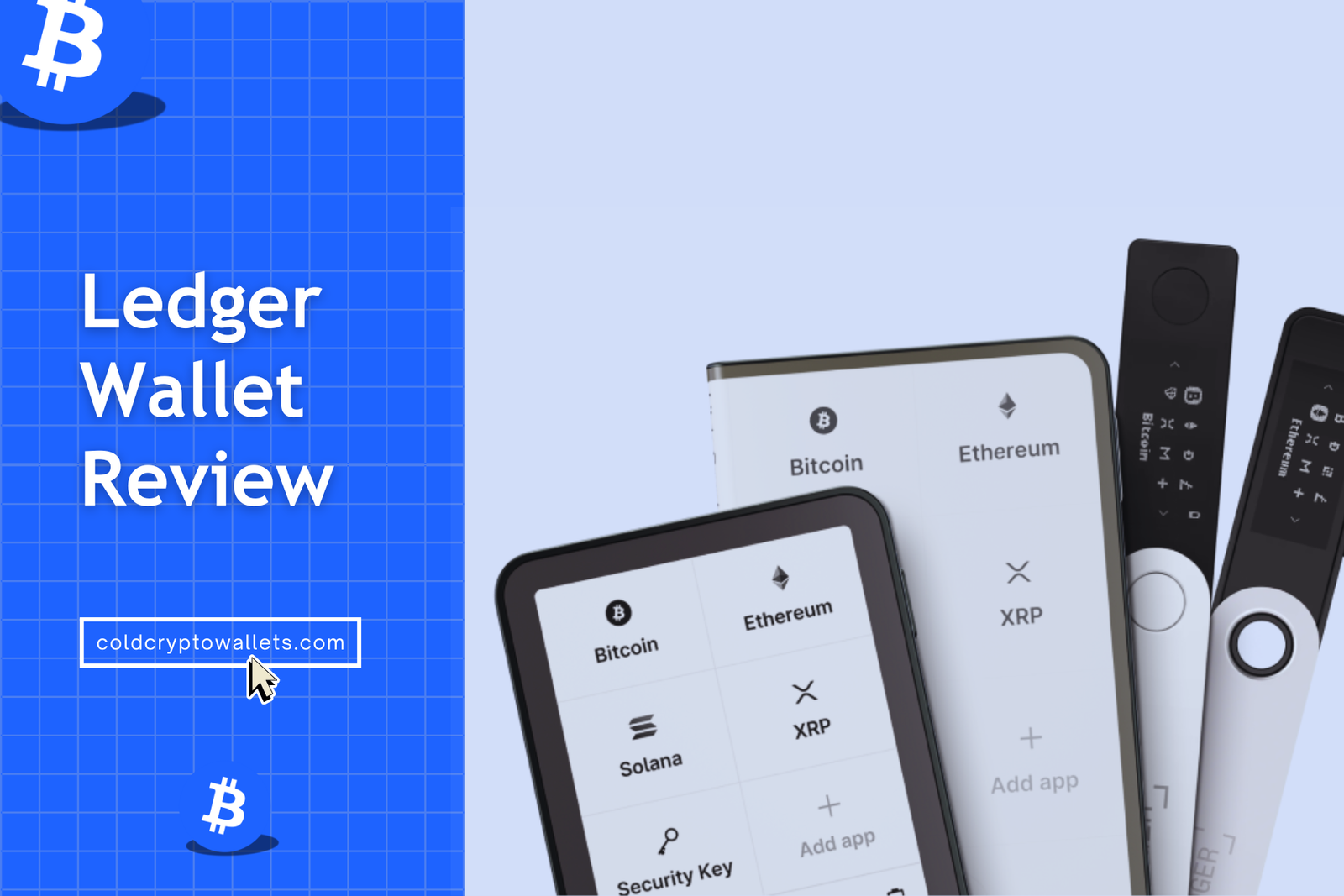
I had used older Ledger wallets (Nano X and Nano S Plus), and now I have tested the new Ledger Nano Gen5, the Flex, and the premium Stax for 2 full months, moving my own Bitcoin and Ethereum to these hardware wallets to see how they handle real-world daily usage. My experience was pretty interesting because the new screens are really nice compared to what we had before.
You can clear sign transactions now on the larger displays, which means you actually see exactly what address and amount you are signing before you click approve. You see, that is a huge deal in the crypto market because blind signing was always a nightmare.
Okay, in my honest Ledger wallet review, I am going to share my personal experience with all Ledger wallet models, their software app, in-app services, and more…
Ledger Wallet Review: What real users say about it
First, here are some real Ledger wallet reviews from real crypto users…
- I moved from a software wallet because hacks scared me. Ledger wallet feels safer since my private keys never touch the internet. I sleep better knowing my funds are not sitting on my phone or browser.
- I thought hardware wallets would be hard. The setup was actually simple. Writing down the 24 words felt stressful, but I get why it matters. You really understand responsibility at that moment.
- Ledger Live works fine, but it sometimes feels slow or buggy: The app does what it should, like sending and receiving crypto. Updates sometimes break small things. Nothing major, but it can be annoying when you just want things to work fast.
- I don’t like the Ledger Recover idea, even if it’s optional. I understand it’s not forced, but I don’t like the idea of recovery linked to identity checks. I prefer full self-custody. I just don’t use the feature and move on.
- It supports almost every coin I own, which is why I stick with it. I hold Bitcoin, Ethereum, Solana, and random altcoins. Ledger supports most of them. I don’t want five wallets. One device doing everything is a big reason I keep using it.
- The device itself feels solid and secure. I trust the secure chip. I don’t fully trust company decisions, but the Ledger hardware wallet still does its job well.
- Ledger is not perfect, but it’s still better than leaving crypto on exchanges. I had funds on an exchange before. That felt risky. Ledger gives me control. It’s not flawless, but it’s a big upgrade compared to centralized platforms.
(Read-World) Pros and Cons of Ledger Wallet
You need to know the good and the bad, specifically before you buy. Here is what I found after using them daily for over 60 days.
Pros of Ledger Hardware Wallet
- Super Easy to Use: The interface is just simple, using clear icons and steps, so you won’t get lost even if you are totally new to crypto.
- Huge Coin Support: It supports over 15,5000 different coins and tokens, including niche ones on chains like Ethereum, Solana, Cardano, and Polkadot.
- User Control: You (and only you) hold the recovery keys, and every transaction needs physical approval on the device, so no one can send your crypto without your permission.
- Great Mobile App: The Ledger Wallet app is really smooth and easily lets you swap, buy, and stake assets directly on your phone via Bluetooth without needing a laptop.
- New Touchscreens: The E Ink screens on the Gen5 and Flex offer 16-level grayscale readability. Hence, this makes them super clear even in bright sunlight.
- Good Build Quality: The devices feel solid in your hand, especially the Stax, which uses real aluminum and glass, weighing a substantial 45 grams.
Cons of Ledger Hardware Wallet
- Not Fully Open Source: You cannot check the code for the firmware yourself because Ledger keeps the Secure Element driver closed for NDA reasons.
- Pricey: The newer models like Stax ($399) and Flex ($249) are kind of expensive compared to simple plastic dongles.
- Upselling: The app tries to sell you extra services a lot, constantly suggesting “Ledger Recover” or expensive exchange partners.
- Bluetooth Concerns: Some people still don’t trust Bluetooth for security, though you can strictly turn it off and use a USB-C cable.
- Small Screens on Some Models: The basic Ledger crypto wallets (like Nano S Plus or Nano X) have tiny screens and only two buttons. So, confirming long addresses or typing a passphrase on a little screen can be quite tedious.
- Recent Controversy: Ledger introduced an optional service called Ledger Recover to back up your seed online (encrypted). It caused some community concern. Well, it’s completely optional, but the announcement made a few people uneasy about the idea (more on this later).
What Is a Ledger Hardware Wallet?
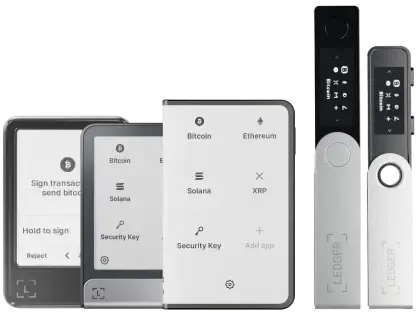
Basically, a Ledger hardware wallet is a small, encrypted device that stores your private keys inside a dedicated security chip. Well, your coins do not store on the device itself; they live on the blockchain network, and the Ledger wallet just holds the password required to move them.
You know, most people keep crypto on exchanges like Binance or Coinbase, but that is incredibly risky because the exchange owns your keys. A Ledger crypto wallet gives you full control by generating and isolating your keys offline. So, hackers cannot steal them through the internet because the device is physically separated from malware.
It looks like a USB drive or a small smartphone, obviously depending on the model you choose. You can easily connect it to your computer or phone via USB-C or Bluetooth to manage your funds through the Ledger Live (Ledger wallet now) interface. But the most important part happens inside the device, where you must physically press buttons or tap the screen to digitally sign a transaction. Also, you need to know that no money moves unless you physically say so by interacting with the hardware.
You can also read my guide on the best Ledger alternatives…
Why Use a Ledger Cold Wallet for Crypto Storage?
Well, according to me, safety is the main reason you should switch to cold storage immediately. You see, online wallets and centralized exchanges get hacked all the time, losing billions of dollars in user funds. You have probably heard the horror stories of FTX or Mt. Gox collapsing. A Ledger cold wallet takes your keys out of that danger zone completely.
Nowadays, you know, computers and phones are full of viruses, keyloggers, and malware that you might not even know about. A hacker can easily see what you type on your laptop or capture your clipboard. But a Ledger hardware wallet is different because it is built to resist these exact attacks. Even if your computer has a nasty virus, your keys stay safe inside the Ledger’s Secure Element chip.
Also, you own your money genuinely for the first time. Generally, in the crypto world, we say “Not your keys, not your coins” for a reason, but with a Ledger, you have the keys and the recovery phrase. Nobody can freeze your account, and nobody can stop you from sending money to anyone in the world. So, it gives you true financial freedom and sovereignty.
Key Benefits of Using a Ledger Hardware Wallet
Here are the main benefits you get with a Ledger hardware wallet:
- Security: It uses a special chip called a Secure Element (ST33). It is the same banking-grade chip used in passports and credit cards. It is rated EAL6+, meaning it has passed the highest level of penetration testing against physical and digital attacks.
- Mobility: You can carry your wealth in your pocket effortlessly. The Ledger Nano X and Flex have encrypted Bluetooth connectivity. So, you can connect to your iPhone or Android anywhere to send funds or check your balance without lugging around a laptop.
- Backup: Well, if you lose the device, your money is not lost because the device is just a remote control. You see, you get a “Secret Recovery Phrase” (24 words) during setup, and now, you can use these exact words to restore your entire wallet on a new Ledger hardware device or any other compatible wallet.
- One App for Everything: You can manage Bitcoin, Ethereum, Solana, and thousands of other coins in one single dashboard. It’s the best multi-chain hardware wallet.
- Privacy Protection: Your identity is not tied to the device. Ledger (the company) does not know who you are or how much money you have when you set up the device locally. Hence, unlike banks, you do not need to provide a passport or ID just to open a wallet.
- DeFi & dApp Connectivity: You can securely connect to Web3 applications like Uniswap, OpenSea, or Aave using the “WalletConnect” feature or browser extensions. Hence, this lets you participate in decentralized finance without exposing your private keys to the browser, of course, which is where most thefts happen.
Types of Ledger Crypto Wallets Review (Tested All Models Myself)
Ledger currently offers 5 different hardware wallet models, and I got hands-on with all the major ones. Below is my take on each Ledger hardware wallet, so you can see which one might suit you best:
| Feature / Model | Nano Gen5 | Ledger Flex | Ledger Stax | Ledger Nano X | Ledger Nano S Plus |
|---|---|---|---|---|---|
| Screen type | Touch e-ink | Touch e-ink | Large curved e-ink | Small OLED | Small OLED |
| Connectivity | USB-C, Bluetooth, NFC | USB-C, NFC, Bluetooth | USB-C, NFC, Bluetooth | USB-C, Bluetooth | USB-C only |
| Secure chip | CC EAL6+ | CC EAL6+ | CC EAL6+ | CC EAL5+ | CC EAL5+ |
| Battery | Yes | Yes | Yes (wireless charging) | Yes | No |
| NFT display | Basic | Yes | Yes | No | No |
| Price | $179 | $249 | $399 | $99 | $49 |
1. Ledger Nano Gen5 Review: Best Ledger Wallet for Beginners
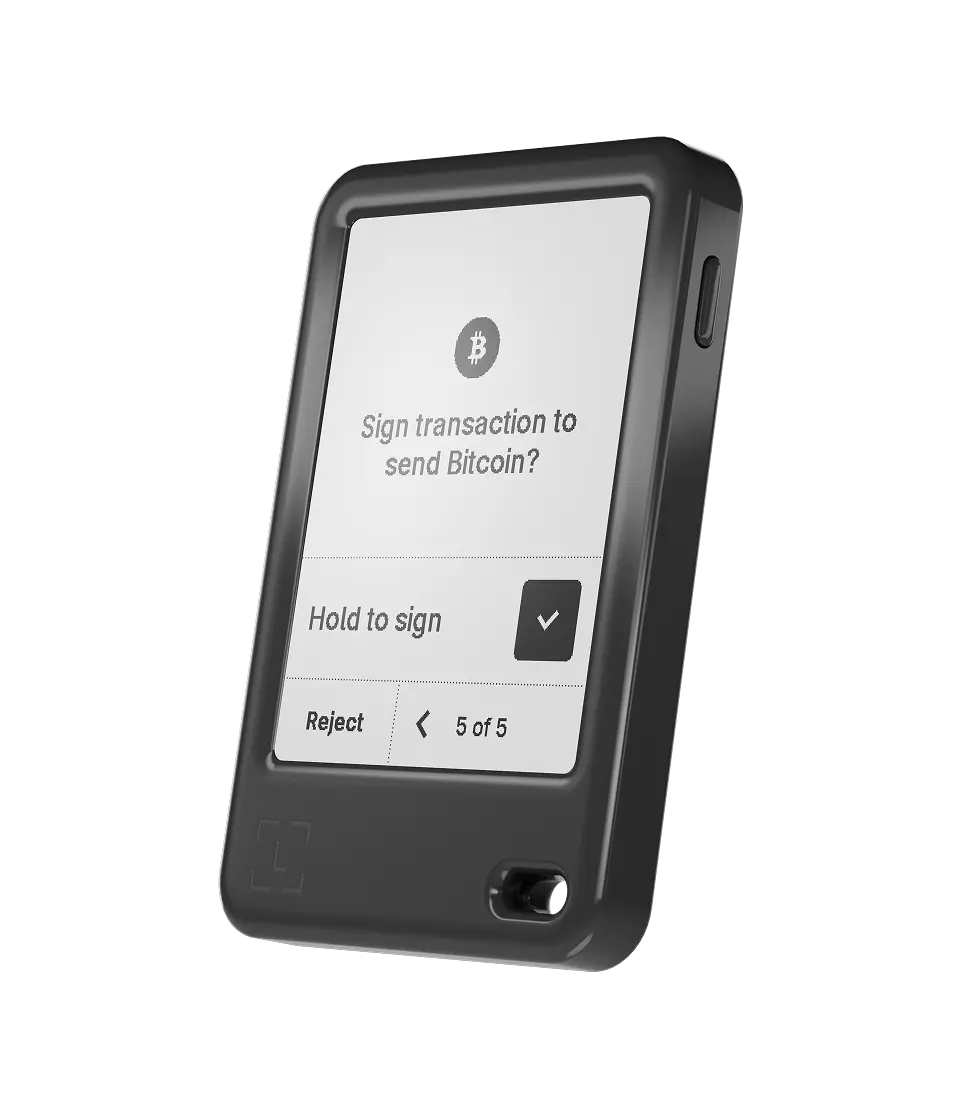
The Ledger Nano Gen5 is the newest addition to the family, released late in 2025 to replace the aging Nano X. I was really excited to try this one because it finally brings touchscreen technology to the entry-level price point.
So yes, it has a touch screen now, replacing those tiny top buttons. The screen is a 2.8-inch E Ink display with a resolution of roughly 400×240 pixels. It looks like paper and is very easy on the eyes, and it consumes very little power. The size is perfect, measuring about 80mm by 50mm, so it fits right in your pocket alongside your keys.
What I like
- Affordable Touchscreen: It is the cheapest way to get a touchscreen Ledger wallet. Hence, it prevents input errors common with button wallets.
- High Readability: The E Ink screen is readable in direct sunlight, unlike OLED screens, which wash out outdoors.
- Fast Typing: Here, entering your seed phrase or PIN is fast because you can tap the numbers directly rather than scrolling.
- Compact Size: It is much smaller than a phone, making it easy to hide in small safe boxes or pockets. I would say it’s highly portable
- USB-C Speed: The data transfer is quite fast, and loading your accounts in Ledger Live is almost instant.
What I don’t like
- Plastic Body: It uses a polycarbonate shell, which feels less premium and might crack if you step on it hard.
- Monochrome Screen: You cannot see your NFTs in color, which takes away some of the fun of collecting digital art.
- No Wireless Charging: You have to plug it in to charge, which is just one more cable to worry about.
- Small Bezel: The bezels around the screen are a bit thick, making the device look slightly dated compared to the Stax.
2. Ledger Flex Review: Best Ledger Wallet for NFTs and Staking
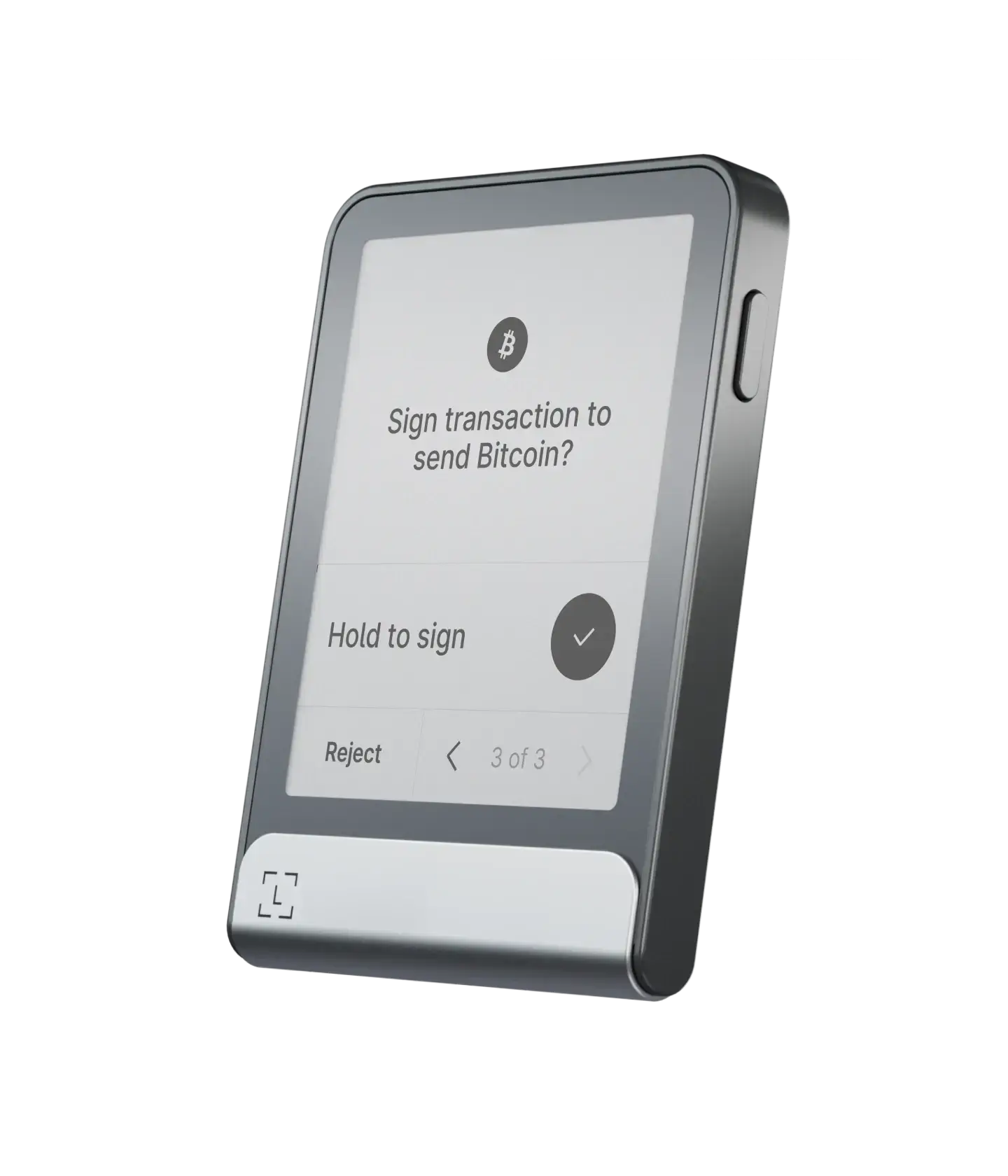
Ledger Flex is another new Ledger Wallet that strikes a perfect balance between features and price. It is the middle child in the lineup and offers the premium E Ink experience without the massive price tag of the Stax.
The screen is slightly bigger than the Gen5, measuring 2.84 inches diagonally. It has a nice aluminum frame that makes it feel premium and cold to the touch. I used it mostly for my NFTs, and the screen shows your NFT art in detailed grayscale, which looks pretty cool as a customized lock screen.
Plus, staking is easy on the Flex because the larger screen allows you to review complex smart contract data easily. The clear signing is great here because you see exactly what contract you are interacting with, unlike the tiny scrolling text on the Nano X.
Positives
- Bluetooth Freedom: You can manage your crypto wirelessly on iOS and Android. It also supports NFC connectivity.
- Premium Build: The aluminum frame protects the device from drops better than the all-plastic Nano Gen5.
- Clear Signing: The screen is wide enough to show full addresses on fewer lines, and it even reduces the risk of phishing attacks.
- NFC Tap: You can just tap it to your phone to trigger actions, which feels very modern and quick.
- Custom Lock Screen: You can put your favorite picture or NFT on the screen even when it is off, and personalize your device.
Negatives
- Very expensive: Stax is by far the most expensive Ledger wallet. It’s likely overkill if you just have a small portfolio or only transact occasionally.
- Not keychain-friendly: While it’s as thin as a few credit cards, it has a larger footprint than the Nano-style devices. It’s super portable, but you’ll carry it in a case or pocket, not on a keyring.
- E-Ink drawbacks: The display is grayscale and not backlit. It looks great in normal lighting (and even sunlight), but you can’t see it in the dark.
- Slight Lag: Also, like any e-ink, the refresh rate is slower than an LCD, obviously not a big deal for a crypto wallet, but worth noting.
3. Ledger Stax Review: Best Ledger Hardware Wallet for Advanced Users
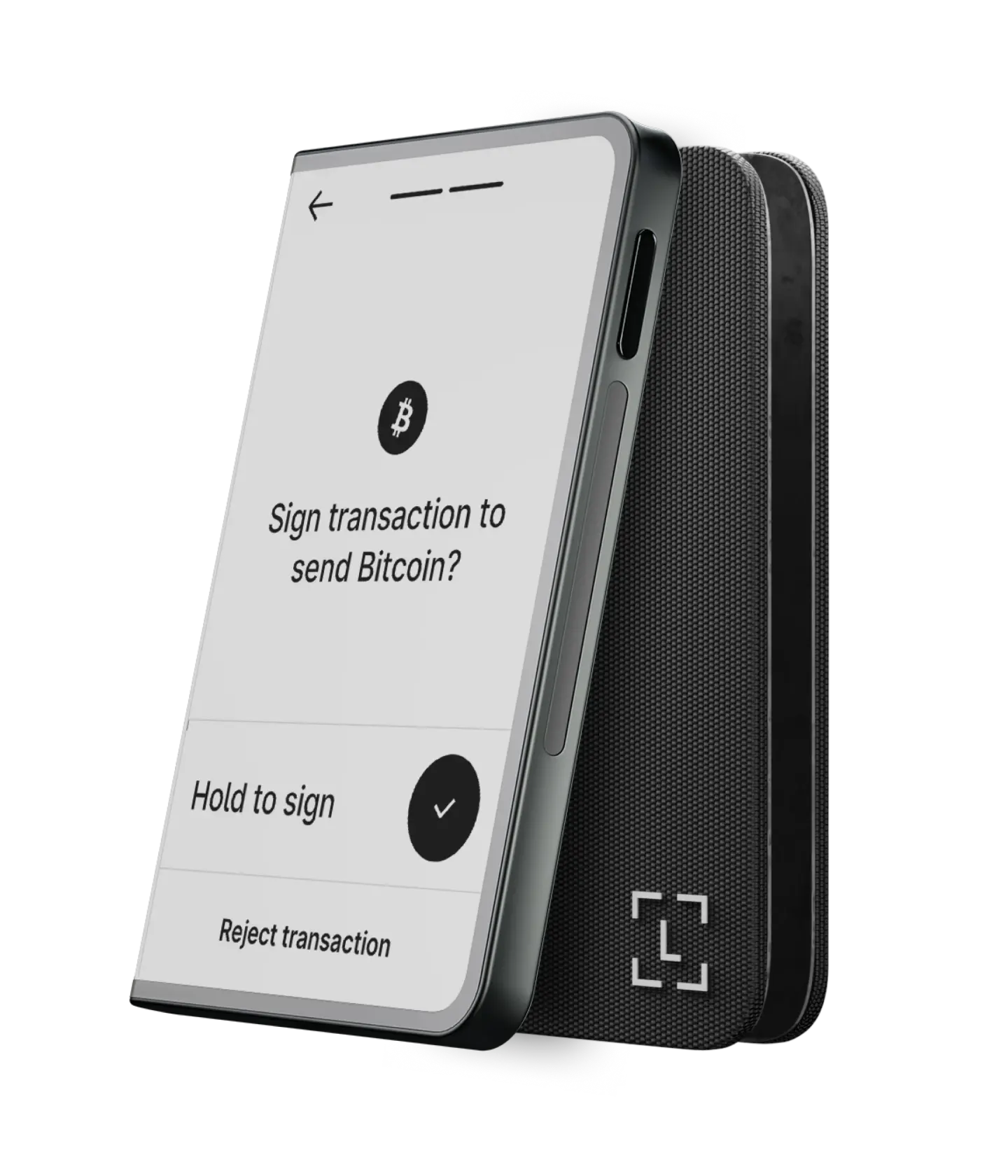
Ledger Stax is the premium cold wallet by Ledger. It was designed by Tony Fadell, the guy who made the iPod, and you can tell immediately by the curves and magnetic integration.
The screen curves around the side, showing the name of your wallet on the spine like a book on a shelf. It has strong magnets, so you can stack multiple of them together efficiently.
It has wireless charging, which is a game-changer for me personally. I just put it on my desk’s Qi charging pad, and it stays full without me hunting for cables. The screen is huge at 3.7 inches with a resolution of 400×672 pixels. You can see everything, including full wallet addresses, without scrolling much at all.
Good
- Large curved touchscreen: Ledger Stax has a credit-card sized curved E-Ink touch display (400×670 pixels). It’s the first wallet of its kind with a big curved screen.
- Wireless Charging: It supports Qi wireless charging in addition to USB-C. Hence, you can charge it by simply placing it on a charging pad.
- Secure Element (EAL6+): It has the same top-level secure chip and firmware as other Ledgers, plus a certified “secure screen” feature (meaning the screen output is trusted).
- Bluetooth & NFC: You can easily connect to your phone via Bluetooth; it also includes NFC for tap-to-login functions or to use with the Recovery Key card.
- Premium build with magnets: It’s ultra-slim (about 6mm thick) with an aluminum frame and plastic body.
Not so good
- Very Expensive: At $399, you are paying a lot for luxury features that don’t technically add more security than a cheaper model.
- Portability: It is the size of a credit card but thicker, so it creates a bulge in slim wallets or pockets.
- Glass Fragility: While tough, glass is still glass, and dropping it on concrete is riskier than dropping a plastic Nano.
- Slight Lag: Again, E Ink screens have a tiny refresh delay when tapping.
4. Ledger Nano X Review: Best Ledger Wallet for Altcoins
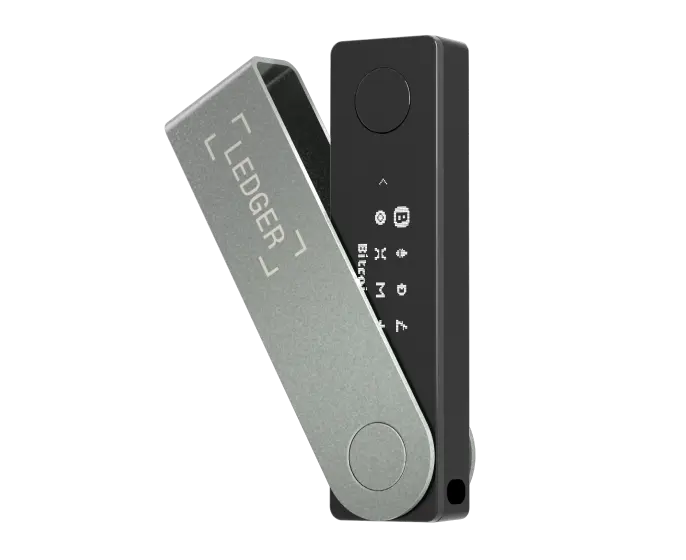
The Nano X is an older Ledger wallet model now, released back in 2019, but it is still widely sold and supported. It is the classic USB stick shape that many people recognize instantly. I have used this specific unit for years before the new ones came out.
It has Bluetooth, which was a big deal when it launched, allowing it to connect to iPhones despite Apple’s restrictions. The buttons are on the side, and they are clicky and nice to press. The screen is small, though, being just a tiny OLED strip with 128×64 pixel resolution.
Also, it holds a lot of apps, managing up to 100 different crypto applications at once, thanks to its 2MB of storage. That is great if you hold many different altcoins and hate uninstalling apps constantly, like on the old Nano S.
Pros
- Proven Reliability: It has been field-tested by millions of users for years, so we know it lasts.
- Pocketable: It is the lightest option with Bluetooth.
- Good Battery Standby: The simpler screen consumes less power, so the battery holds a charge well when off.
- Balanced feature set: Well, for the $99 price now, it offers a great mix of security and convenience (mobile access, decent app storage, etc.). It remains a good middle-ground option.
Cons
- Small interface: The screen is tiny and only shows a couple lines of text. Hence, using two buttons to scroll through long addresses or enter a passphrase can be a bit slow and clunky.
- No NFC: You see, the Nano X doesn’t have the NFC feature that the newest Ledgers have, so you can’t use it for tap-based actions or with the new backup card.
- Battery wear over time: It has a battery that will slowly degrade after a few years of use. Obviously, if the battery becomes weak, you can still use the Nano X by plugging it in, but it’s something to keep in mind for long-term ownership.
- Dated Tech: It feels very old-school compared to the snappy touchscreens of competitors.
5. Ledger Nano S Plus Review: Best Ledger Cold Wallet for Budget Users
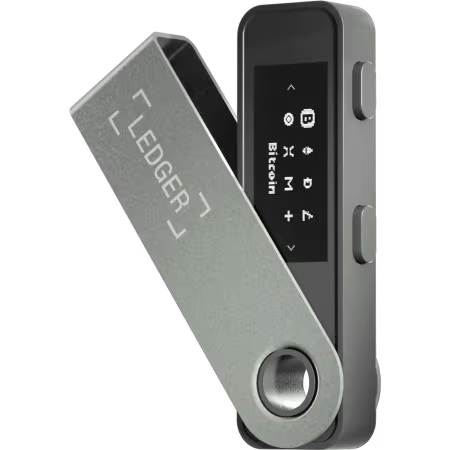
The Nano S Plus is the updated entry-level Ledger wallet that replaced the original Nano S. It has no battery inside, meaning you must plug it in via USB-C to use it every single time.
I think this is great for long-term storage because batteries can degrade over the years. You can actually put your funds in, put it in a safe, and forget it exists. Since it has no battery, you don’t worry about swelling or failure over a 5 to 10-year period.
It has the same screen as the Nano X (128×64 OLED) but lacks Bluetooth connectivity completely. It is very secure because it is air-gapped until you physically plug it into a computer or Android phone.
Like
- Simple OLED display: The Nano S Plus has the same small screen and two-button setup as the Nano X.
- No Bluetooth (USB only): This model must be plugged into a computer or an Android phone (with an OTG adapter) to use, since it lacks any wireless connectivity.
- No battery: The Nano S Plus is powered by the USB connection. It doesn’t have an internal battery, so it only turns on when plugged in. (One less thing to worry about in terms of battery life.)
- Ample memory: It offers 1.5 MB of storage, which allows up to about 100 apps at once (a huge improvement over the old Nano S). It’s the most affordable Ledger, priced at around $49.
Dislike
- No wireless convenience: This Ledger crypto wallet lacks Bluetooth, so you always need to plug it in.
- iOS Issues: You cannot easily use it with an iPhone because iOS blocks wired data connections for many devices.
- Basic interface: The two-button navigation is old-school. Obviously, it works, but entering anything more than a PIN (like a long passphrase) with just two buttons can be tedious.
Key Features of Ledger Hardware Wallets Explained
The best features of the Ledger hardware wallet are the CC EAL6+ secure element chip, custom-built BOLOS operating system, user-friendly Ledger Wallet app, PIN, passphrase, 50+ third-party software wallet compatibility, and multiple connectivity options like Bluetooth, NFC, and USB-C.
CC EAL6+ Security Chip
You see, every Ledger has a secure chip, specifically the ST33K1M5 Secure Element. It is rated EAL6+ (Evaluation Assurance Level 6+). Means the highest grade of security possible.
Well, this matters because generic microcontrollers used in some cheaper cryptocurrency hardware wallets (older Trezor models) can be hacked by measuring their power usage or timing. The ST33 chip is designed to leak zero information.
It withstands voltage glitches, laser fault injection, and temperature tampering. Basically, even if a hacker steals your device and takes it to a lab with a million dollars of equipment, they likely cannot extract the key.
Custom BOLOS Operating System
Ledger uses its own proprietary operating system called BOLOS (Blockchain Open Ledger Operating System). You know, most other wallets just use a generic monolithic system, but BOLOS allows Ledger to do the safest things with app isolation.
The importance of BOLOS is “Memory Isolation.” It lets you install distinct “apps” for each coin, where the Bitcoin app is totally separate from the Ethereum app.
Now, if the Bitcoin app crashes or has a bug, it cannot access the memory space of your Ethereum keys. It keeps everything in its own little cryptographic box, which is excellent for security, stability, and prevents one bad app from ruining your whole hardware wallet.
Ledger Wallet App (Previously Ledger Live Mobile App)
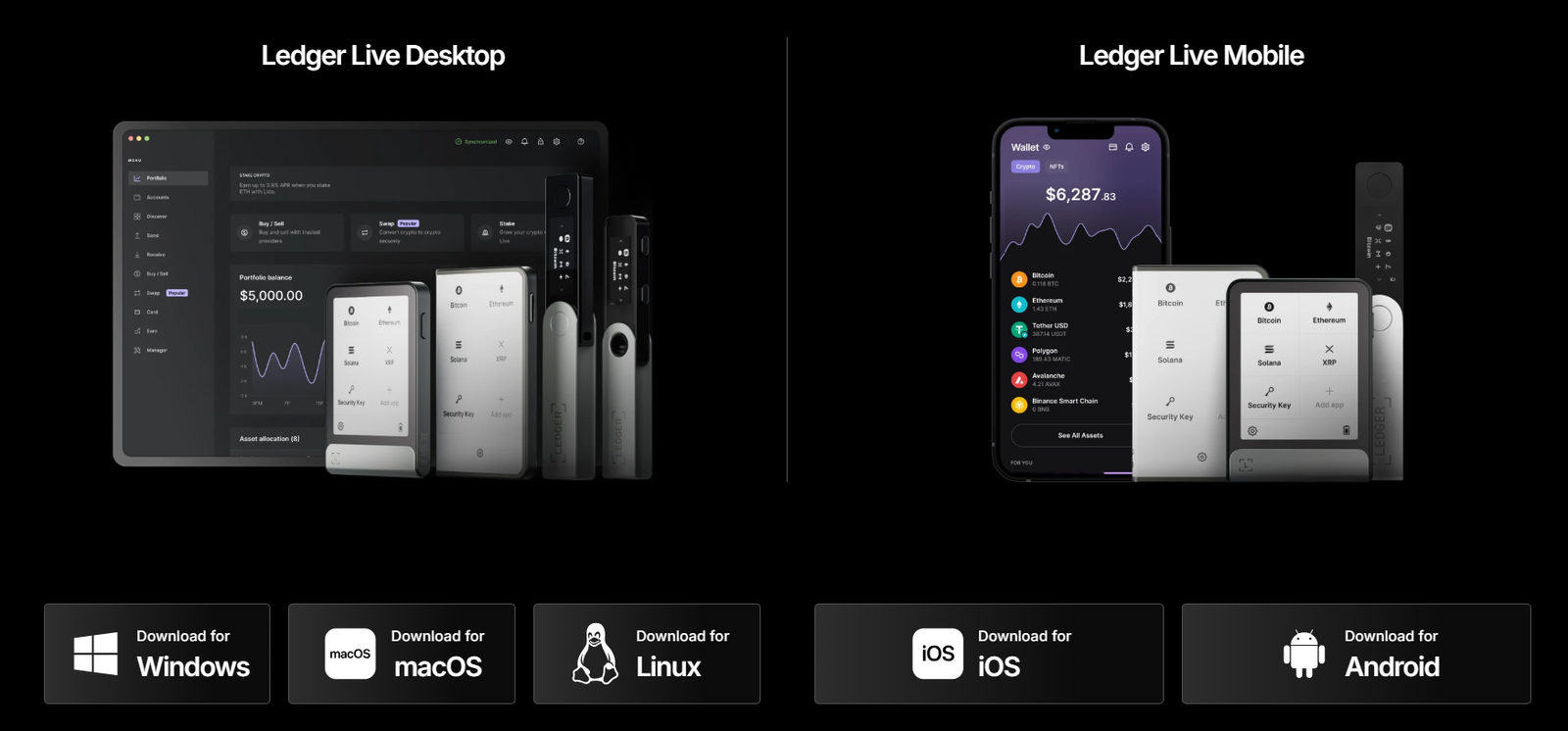
Ledger’s software companion is now called the Ledger Wallet app. It used to be called Ledger Live. This app acts as the bridge between your hardware signer and the blockchain. It lets you view your portfolio, install apps, send and receive coins, stake assets, swap tokens, and connect to DeFi.
The app is available for Windows, Mac, Linux, Android, and iOS. It supports cross‑chain swaps, on‑ramp (buy with fiat), off‑ramp (sell for fiat), stablecoin cash deposits, and even gift cards in some regions. You can also connect to decentralized applications via a built‑in browser or through WalletConnect.
PIN and Passphrase Protection
You need to set a PIN code when you start, which can be anywhere from 4 to 8 digits long. I recommend using the full 8 digits for better safety against brute force attacks. Also, if you enter the wrong PIN 3 times, the device automatically factory resets itself, wiping everything to protect you if a thief tries to guess your code.
You can also add a “Passphrase,” which we often call the “25th word.” It creates a completely hidden wallet inside your Ledger wallet that is mathematically separate from your main account. Well, this is a critical feature for physical safety.
You can put a small amount ($500) in the main wallet as a decoy and your real savings ($50,000) in the hidden one. Hence, if someone physically forces you to unlock it, you give them the main PIN, and they won’t even know the hidden funds exist.
Third-Party Compatibility and Ecosystem
Ledger wallet works with almost everything in the Web3 world. Today, you can use it with over 50 compatible third-party wallets like MetaMask, Phantom, Rabby, or Electrum.
I personally use my Ledger with MetaMask for DeFi transactions. I connect the Ledger, and then MetaMask just acts as a viewer or interface. The keys stay on the Ledger, and every time I do a swap on Uniswap, I have to approve it on the physical device.
You see, it is the best way to use DeFi securely because you get the easy interface of MetaMask with the unhackable safety of a Ledger hardware wallet.
Multiple Connectivity Options
You have multiple choices depending on your device, as the Nano X and Flex use Bluetooth 5.0+, which is end-to-end encrypted.
Also, hackers cannot steal keys over the air because only public data is transmitted via Bluetooth; the keys never leave the secure chip. The Gen5, Flex, and Stax also have NFC. It you just tap them to your phone like paying with Apple Pay to sign a transaction.
Of course, you can always use a good old USB-C cable if you prefer a wired connection. It is supported on all Ledger wallets.
Ledger Wallet Security Review: Is Ledger Safe to Use?
Generally, yes, Ledger crypto wallet is extremely safe. The hardware is top-notch, and the ST33 Secure Element is the best in the business. Also, no Ledger wallet device has ever been physically hacked remotely to extract keys without the user making a mistake.
But you might remember the “Ledger Recover” controversy from 2023. Ledger released a feature where you can back up your seed phrase online by encrypting it and splitting it into three shards. Well, people were mad because they thought the keys could never leave the device, but Ledger clarified that the firmware can access the keys to shard them if you explicitly authorize it.
But again, here is the deal, though. You do not have to use Ledger Recover at all. It is totally optional and requires a physical confirmation on the device to activate. So, if you don’t turn it on and pay the subscription, your keys never leave the device. But again, for some people who are scared of losing their paper, it might be a useful fail-safe.
So, the Ledger hardware wallet is safe. The main risk is you. Never type your 24 words on a computer keyboard. Never take a digital photo of them. If you follow these strict rules, Ledger is virtually unhackable.
Ledger Crypto Wallet Supported Assets: Coins, NFTs, Staking, etc.
Ledger officially supports over 15,000 coins and tokens across more than 70 different blockchains. It even offers cross‑chain swaps and bridging services. So, if you want to move funds from Ethereum to Polygon or from Avalanche to Arbitrum, you can do so directly in the app.
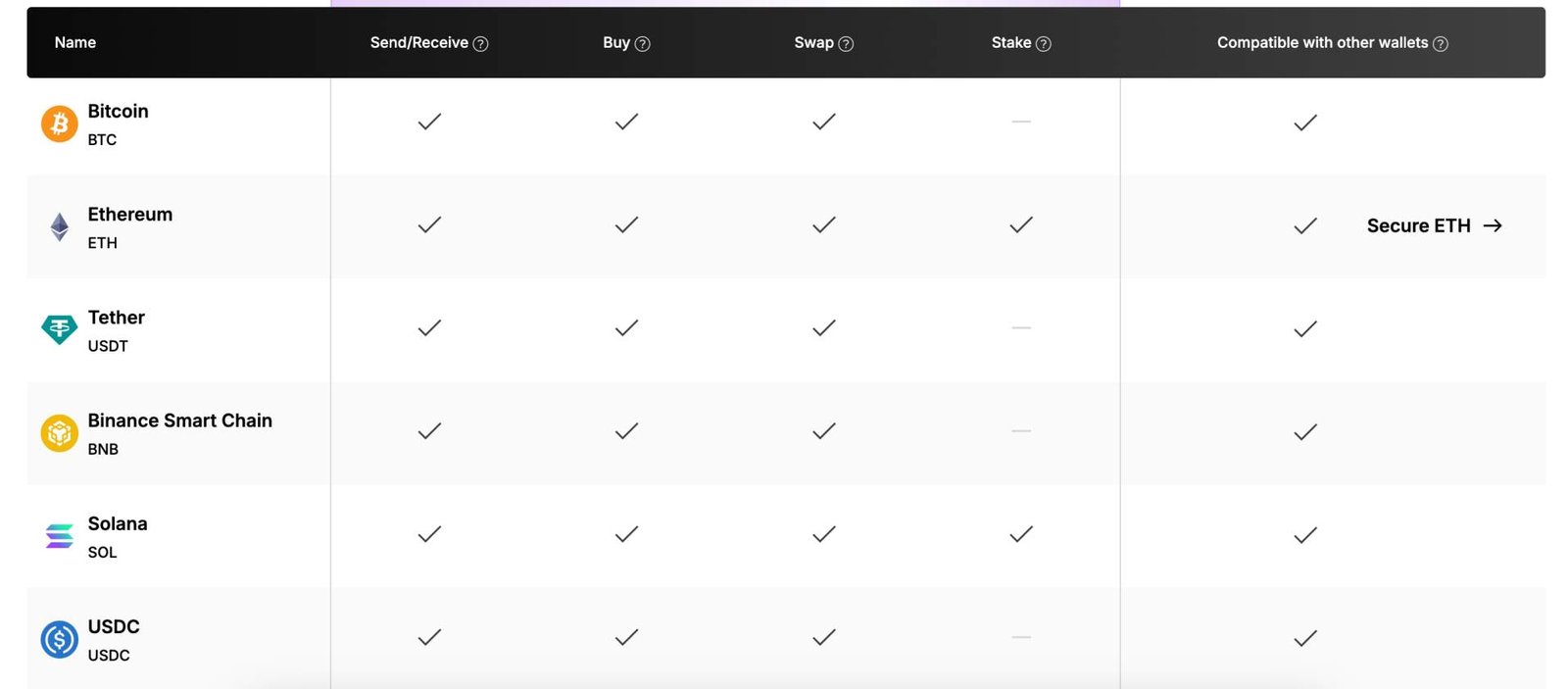
You can also top up your wallet with fiat via partners, cash out to your bank, and buy gift cards. Obviously, the services available vary by country, but the range of options is eventually growing.
Ledger Wallet Supported Coins
- Bitcoin (BTC) – Full Native Segwit and Taproot support.
- Ethereum (ETH) – Plus all ERC-20 tokens.
- Solana (SOL) – Including SPL tokens.
- Cardano (ADA)
- XRP
- Dogecoin
- And thousands more through third-party apps.
Ledger Wallet Supported NFTs
It supports Ethereum, Polygon, Solana, and Cardano NFTs natively. You can view them in the “Gallery” section of the app. The Flex and Stax can even show the picture on their E Ink screen.
You can connect to NFT marketplaces through the Ledger Wallet browser or via WalletConnect. Now, when you buy, sell, or transfer an NFT, you will really see the details clearly on your signer’s screen.
Ledger Wallet Staking
You can stake coins to earn specific rewards directly. You can easily stake your ETH (via Kiln or Lido), SOL, and ATOM through Ledger Live.
It is very easy: you just need to click “Earn” and follow the steps. You don’t need to send your coins to a crypto exchange. They stay in your wallet while earning 3% to 7% APY interest.
Step-by-Step Setup Guide: How to Use a Ledger Wallet?
Step 1: Unbox and Inspect
You need to open the box and check the contents. You should find the device (Ledger wallet), a USB cable, and some blank recovery sheets. Also, you should make sure the sheets are blank; if there are words already written on them, do not use the device as it is compromised.
Step 2: Download the Official App
Next, you have to go to your computer and navigate to “ledger.com/start”, and then download the Ledger Live app for your operating system. But you should remember that you should never download the app from random paid Google ads, as those are often fake phishing apps.
Step 3: Connect and Initialize
You need to plug the Ledger into your computer, and then select “Set up as new device” using the navigation buttons or touchscreen. Actually, this tells the device to generate a brand new set of private keys just for you.
Step 4: Set a Strong PIN
The device will ask you to choose a PIN code. You should choose a code between 4 and 8 digits. I strongly recommend using the full 8 digits because it makes it statistically impossible for a thief to guess it before the device resets itself.
Step 5: Record the Recovery Phrase
Now, the screen will display 24 words in a specific order (Word #1, Word #2, etc.). Write these down carefully on the provided paper card with a pen, and you should never take a photo. Do not save them in a text file as well.
Step 6: Verify the Phrase
The device will now test you. It will ask, “What was Word #7?” and give you choices. You must select the correct word. You have to do this for every word to prove to the device that you wrote them down correctly.
Step 7: Genuine Check
Now, once the phrase is verified, you can open the Ledger Live app on your computer. The app will perform a “Genuine Check.” It cryptographically challenges the device to ensure it was made by Ledger and hasn’t been tampered with.
Step 8: Update Firmware
Before adding coins, check the “My Ledger” tab for a firmware update. Also, you should always update to the latest version to ensure you have the latest security patches and features.
Step 9: Install Apps and Accounts
In the “My Ledger” tab, you should click “Install” next to Bitcoin. Then, once installed, click “Add Account” to generate your Bitcoin address. Repeat this for Ethereum or any other coin you own.
Best Security Practices for Ledger Wallet Cold Crypto Storage
- Keep the Firmware Updated: Ledger releases updates often, usually every couple of months. They fix bugs and add security patches. So, you should update your device immediately when the app tells you to.
- Check the Address: You should always check the address on the physical device screen when you send crypto. Actually, malware on your PC can change the address on your monitor (Clipboard Hijacking). Hence, I would say, always trust the device screen, not the computer screen, because the Ledger wallet screen cannot be hacked.
- Use a Passphrase: As I mentioned, add a 25th word for plausible deniability. It makes your wallet unhackable.
- Don’t Buy Used: You should always buy from the official store, and not even an official reseller like Best Buy. A used device might have been tampered with or pre-seeded by a thief. It is not worth the risk to save $20 on a device meant to secure your life savings.
- Store Your Seed Phrase Safely: You literally put your paper backup in a fireproof safe or a bank deposit box. Or better, verify it on a metal plate (like Cryptosteel) that can withstand fire and flood. Paper can burn or get wet, but metal lasts forever.
How Ledger Compares to Other Hardware Wallets?
- Ledger vs. Trezor: Trezor is fully open source. Some people trust open source more because anyone can audit the code. However, Ledger feels more premium physically and has vastly better mobile support with iPhones thanks to Bluetooth, whereas Trezor usually requires a cable adapter for phones.
- Ledger vs. Tangem: Tangem is a card-shaped wallet that looks like a credit card. It is very cheap (around $55 for a pack) and easy to use via NFC. But it doesn’t have a screen, which is a major downside. You have to trust what your phone screen says. Ledger has a screen, which I think is much safer because you can independently verify what you are signing.
- Ledger vs. Ellipal: Ellipal is the best cold storage crypto wallet that is completely air-gapped. It uses QR codes to communicate, and it is secure, but it can be a bit clunky and slow to use for frequent trades. Ledger is faster, smaller, and easier for daily use while maintaining high security.
| Criteria | Ledger Flex/Stax | Trezor Safe 5 | Ellipal Titan 2.0 | Tangem 2.0 |
|---|---|---|---|---|
| Connection Type | Bluetooth + USB-C | USB-C Only | Air-Gapped (QR Code) | NFC Only |
| Security Chip | EAL 6+ (ST33) | EAL 6+ (Optiga Trust M) | EAL 5+ | EAL 6+ |
| Open Source | No (Firmware Closed) | Yes (Fully Open) | No (Partially Closed) | No (App Open) |
| Screen Type | E-Ink Touch | OLED Touch | LCD Touch | No Screen |
| Battery | Yes (Rechargeable) | No (USB Powered) | Yes (Rechargeable) | No (Passive NFC) |
| Mobile Support | iOS & Android | iOS & Android | iOS & Android | iOS & Android |
| Coin Support | 5,500+ | 9,000+ | 10,000+ | 6,000+ |
| Staking | Native in App | Native in App | Native in App | Basic in App |
| NFT Visuals | Yes (Grayscale) | No (Text Only) | Yes (Color) | No |
| Air-Gapped | No (Bluetooth active) | No (USB connected) | Yes (Total isolation) | No (NFC) |
| Material | Aluminum/Glass | Plastic/Gorilla Glass | Metal Alloy | Plastic Card |
| Setup Time | ~10-15 Minutes | ~10-15 Minutes | ~5 Minutes | ~2 Minutes |
| Backup Type | 24 Words | 12/24 Words (Shamir) | 12/24 Words | Additional Cards |
| Price | $249 – $279 | ~$169 | ~$169 | ~$50 (3-Pack) |
| Origin | France | Czech Republic | Hong Kong | Switzerland |
Final Verdict of my Ledger Wallet Review
To sum up my Ledger hardware wallet review, these wallets are excellent cold storage products that set the standard for the industry. The new Ledger Nano Gen5 and Flex are fantastic upgrades that finally fix the usability issues of the old button-based models.
The security is solid, backed by the ST33 Secure Element, which is the best in the business. Plus, the mobile app is polished, stable, and easy for beginners to navigate without confusion.
Yes, the closed-source firmware is a downside for open-source purists. And the “Recover” service scared some people away. But for the average user, Ledger offers the best balance of security, ease of use, and coin support.
- If you are just starting, get the Ledger Nano Gen5 because it has the new screen and is a great value at under $200.
- If you want Bluetooth and NFTs, get the Ledger Flex for the larger display and mobile connectivity.
- If you have a big budget and want the absolute best experience, the Ledger Stax is a joy to use and looks amazing.
FAQs: Ledger Hardware Wallet Review
What is a Ledger Recover?
Ledger Recover is an optional ID-based key recovery service that costs about $9.99 per month. It works by splitting your private key into three encrypted shards and sending them to three different custodian companies.
Now, if you lose your device and your paper backup, you can easily use your passport or ID to prove who you are, and these companies will send the shards back to your device to reconstruct your key. Yes, it is controversial, but it is strictly optional and requires your physical consent to activate.
What is a Ledger Recovery Key?
The Ledger Recovery Key is a new physical backup tool included with the Gen5 and Flex. Basically, it is a secure NFC card that works with your Ledger hardware wallet.
Now, instead of writing down your 24 words on paper, you can actually tap this card to your Ledger to securely copy an encrypted version of your seed phrase onto the card. It makes restoring your wallet very fast, as you just tap the card to a new device rather than typing in 24 words manually.
How do Ledger wallet work?
A Ledger signer holds your private keys in a secure chip. And, when you want to send crypto or interact with a smart contract, you need to create a transaction on your computer or phone.
The unsigned transaction is sent to the signer. You review the details on the signer’s screen and approve. The signer then signs the transaction with your private key and returns the signature to your computer or phone to broadcast. The private key never leaves the device.
Is Ledger wallet safe in 2026?
Yes, Ledger crypto wallet is considered very safe and remains the industry standard for cold storage. The secure element, BOLOS operating system, Clear Signing, Transaction Check, PIN, and passphrase protections combine to secure your funds. Also, the company has a good track record, although no system is perfect.
Is Ledger right for you and worth it?
Well, if you have more than $5000 in crypto, yes, you should absolutely get one. Leaving money on an exchange is too risky because you don’t own the keys, and exchanges can pause withdrawals at any time.
A Ledger gives you full ownership and prevents you from losing everything in an exchange collapse or hack. It is easy enough for beginners to learn in an hour, but powerful enough for experts to use for years.
Can I use the Ledger hardware wallet for daily use or for long-term storage?
You can use it for both efficiently, which is why it is so popular. It is great for long-term “HODLing” because it keeps keys offline and requires no battery maintenance if you get the Nano S Plus.
But with the mobile app and Bluetooth connectivity on the Flex or Nano X, it is also easy to use daily for transfers or interacting with DeFi apps like Uniswap without compromising security.
Where can you buy a Ledger crypto wallet?
You should buy it only from the official Ledger website (ledger.com) to guarantee it is authentic. Do not buy from eBay, Craigslist, or unauthorized sellers on Amazon. You want to be 100% sure it is a genuine device that hasn’t been tampered with or pre-seeded by a middleman looking to steal your funds later.
Which is the best Ledger wallet for beginners?
The Ledger Nano Gen5 is the best for beginners now in 2026. The touchscreen makes it much easier to understand than the older button-based models, and the price is very accessible. It guides you through everything clearly on the E Ink display and reduces the anxiety of setting up your first cryptocurrency hardware wallet.