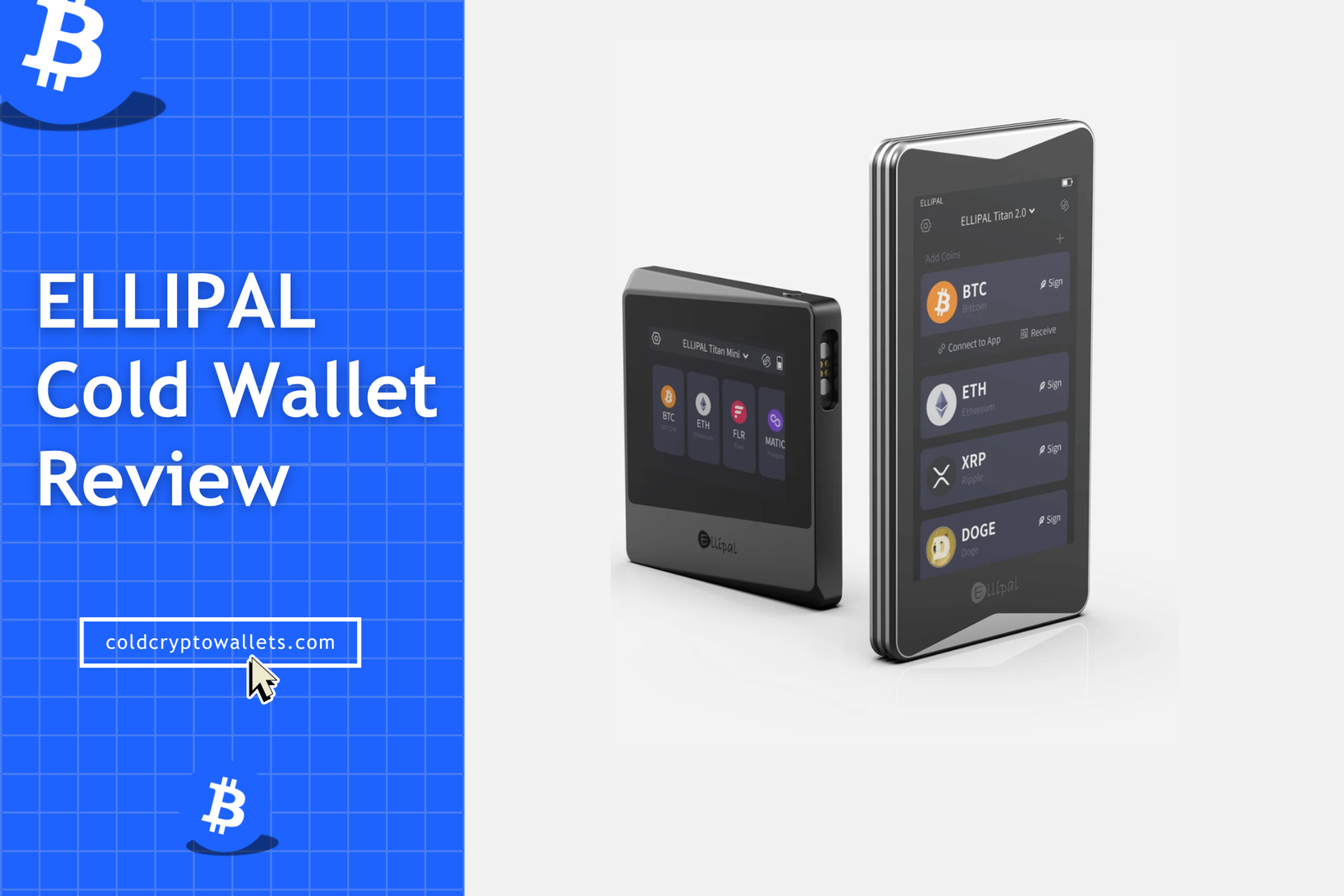
Today, I am going to share my full, in-depth ELLIPAL wallet review where I will break down the technical specifications of the Titan 2.0, the compact Titan Mini, and even the credit-card-styled X Card.
ELLIPAL Wallet Review: My Honest Experience
Generally, when you buy a hardware wallet, you expect a small, lightweight USB stick or something that looks like a cheap car key fob, but the ELLIPAL Titan 2.0 is completely different. It feels like a small, heavy, premium smartphone because it is constructed with a fully sealed aluminum alloy body that measures exactly 118 x 66 x 9.7mm.
It feels genuinely cold and solid when you touch it, which I suppose is quite fitting for something we call a “cold wallet,” though that term usually refers to its offline status rather than its temperature.
Honestly, setting it up was a totally different experience compared to the standard process you go through with a Ledger or Trezor cold storage hardware wallets. You do not plug it into a computer via USB, nor do you connect it via Bluetooth, which initially feels strange but is actually the core of its security model. You simply use the 5MP auto-focus camera on the device and your smartphone to communicate via QR codes.
The screen is massive for a crypto wallet, measuring a full 4 inches with a decent HD resolution of 1280 x 720 pixels. You can see everything clearly, including full transaction details, and I really liked that I did not have to squint my eyes to read the long wallet addresses like I do on tiny monochrome screens.
However, I did notice that sometimes in low-light conditions, the camera takes a few extra seconds to focus sharply on the QR code, so you have to hold your phone steady to ensure a quick scan.
Pros and Cons of ELLIPAL Cold Wallet
Pros of ELLIPAL Wallet
- 100% Air-Gapped Security: The device has zero connectivity ports: no USB, no Bluetooth, and no WiFi; meaning it is physically impossible for online hackers to reach your private keys.
- Large Touchscreen Display: The Titan 2.0 features a spacious 4-inch IPS display. This makes it incredibly easy to navigate menus and type your password without making mistakes.
- Solid Metal Body: The casing is made from a single piece of aluminum alloy, which not only feels premium but also protects the internal components from physical attacks and tampering.
- Mobile First Experience: You can manage your entire portfolio using just your smartphone and the device. The app supports altcoins, NFTs, and staking as well.
- Massive Coin Support: It officially supports over 10,000 coins and tokens across 40+ different blockchains, so you are almost guaranteed to find support for your specific assets.
- Self-Destruct Mechanism: The device features active anti-tamper detection that will automatically delete all data and private keys if the sensors detect that the case is being forced open.
Cons of ELLIPAL Wallet
- No Native Desktop App: You cannot plug it into a computer to use a native app; instead, you have to use WalletConnect to bridge it to desktop DApps, which can be a slight hassle for desktop-only users.
- QR Code Scanning Latency: In poor lighting conditions, the camera might hunt for focus for a moment, making the transaction process slightly slower than a quick USB click.
- Heavier Form Factor: Weighing in at roughly 140 grams, the Titan 2.0 is noticeably heavier in your pocket compared to the featherlight plastic wallets you might be used to. But yes, you can use X Card as a portable cold wallet.
What Is a ELLIPAL Crypto Wallet?
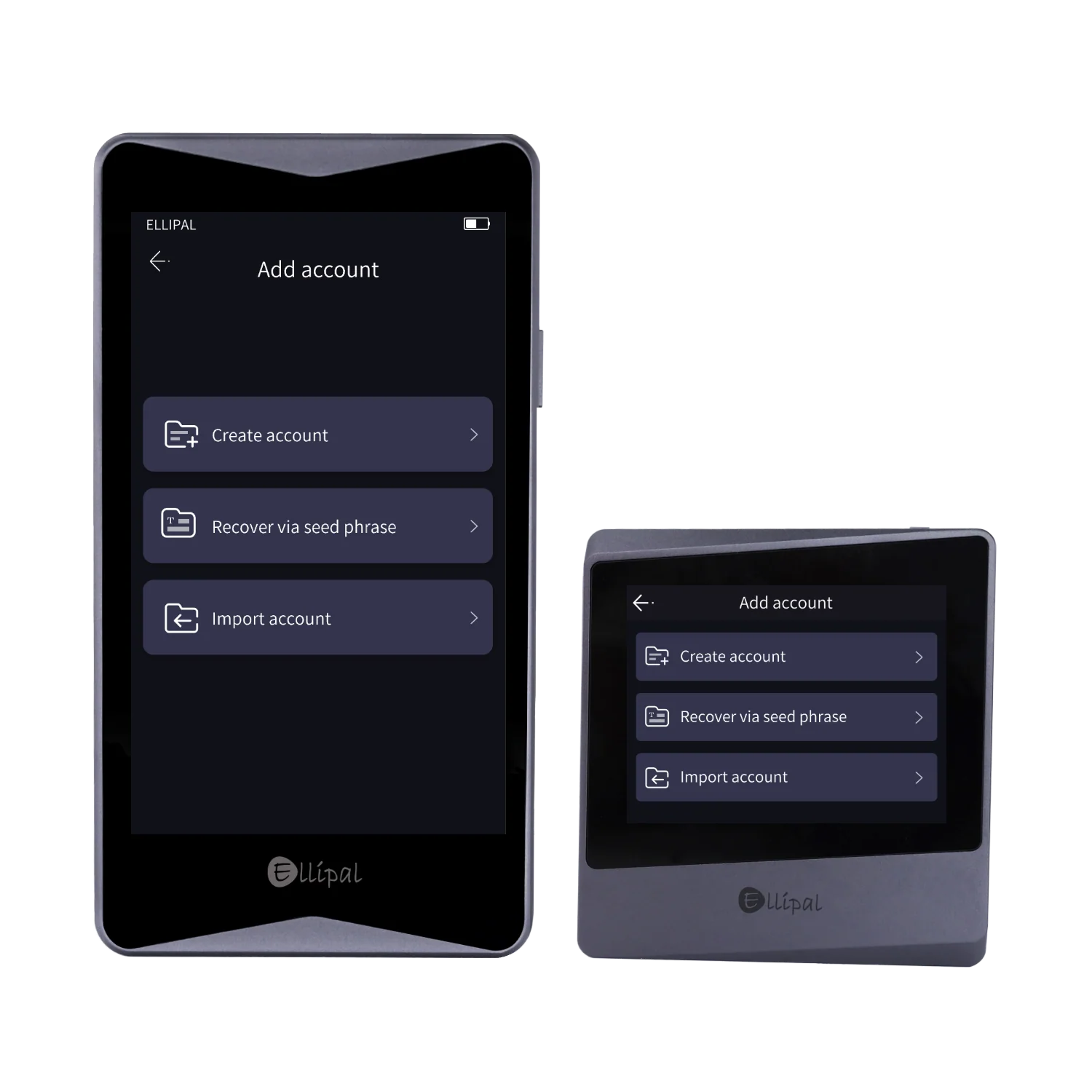
The ELLIPAL wallet is a hardware cold wallet designed to store cryptocurrencies offline. It is a physical device (or in the case of the X Card, a smart card) that keeps your private keys safe from internet threats.
Well, while most wallets use USB cables or Bluetooth signals to communicate with your phone or computer, ELLIPAL completely eliminates these transmission methods to close off potential attack vectors. Instead, it relies entirely on visual data transmission via QR codes. Since it never touches the web and has no physical ports that could transmit data, hackers cannot reach it remotely, no matter how sophisticated their malware is.
It works with the ELLIPAL mobile app on your phone, where the app acts as a “watch-only” interface that prepares unsigned transactions. You initiate a transaction on the app, the app generates a QR code containing the transaction details, you scan that code with the wallet’s camera, the wallet signs it internally using your private key, and shows a new signed QR code, which you then scan back with your phone to broadcast the transaction to the blockchain. It sounds complicated when you read it, but in practice, it is just a simple game of scanning back and forth.
More Guides: Best cold storage wallets
Types of ELLIPAL Wallet: All Models Compared
1. ELLIPAL Titan 2.0 Review: Advanced Cold Storage Wallet
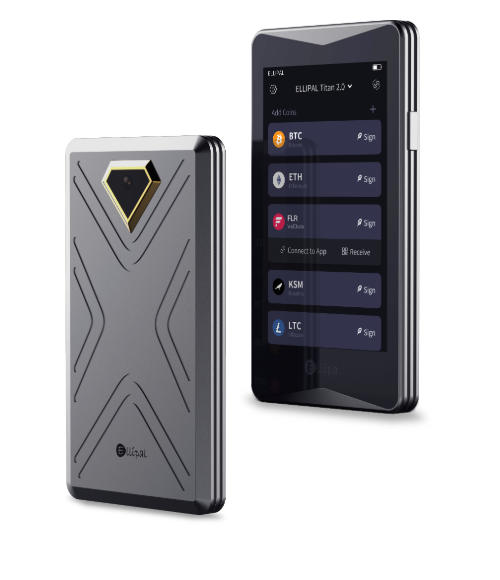
The ELLIPAL Titan 2.0 is the flagship model that offers the most premium experience. It is the upgraded version of the original Titan. The first thing you notice is the beautiful 4-inch IPS LCD screen, feeling very much like a modern Android smartphone.
The device weighs roughly 140 grams. There are absolutely no ports on the device; charging is handled via a magnetic contact point on the bottom that connects to a special “Security Adapter,” which also has the SD card slot for offline firmware updates.
Security: The Titan 2.0 uses a CC EAL5+ certified secure element chip. Plus, the anti-tamper self-destruct mechanism is active; if the sensors inside the metal casing detect a physical breach (like someone trying to open it), the circuit will trigger a wipe of all sensitive data, including the seed phrase and reset the wallet, rendering the device useless to the thief.
What I don’t like
- Heavy and Bulky: It weighs around 140 grams; it feels like a brick in your pocket. This will feel significantly heavy in terms of portability.
- Proprietary Magnetic Charger: You cannot just use any USB-C cable to charge it. It requires a specific magnetic adapter that snaps onto the device. Now, if you lose this small adapter, you are completely unable to charge or update the device until you buy a replacement.
- No Native Desktop App: There is no software like “Ledger Live” for your PC or Mac. To use it on a computer, you must rely on WalletConnect to bridge to web interfaces.
- Slower Workflow: Since you have to physically scan two different QR codes for every single transaction (one to sign, one to broadcast), it is inherently slower than clicking “confirm” on a USB-connected device.
2. ELLIPAL Titan Mini Review: Best ELLIPAL Wallet Model for Budger Users
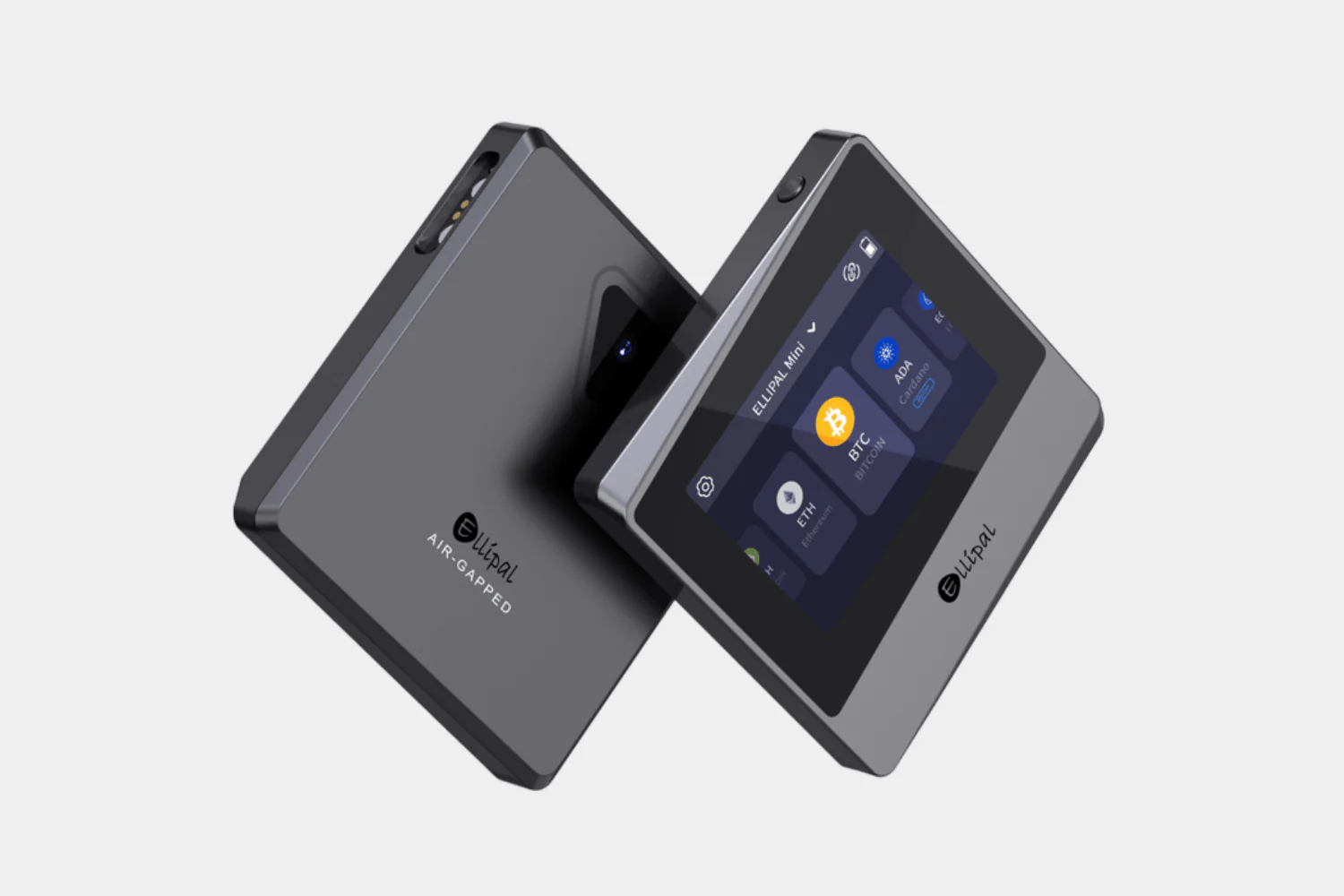
The Mini is significantly more portable and has a lighter weight of about 120 grams. It features a smaller 2.4-inch HD LCD screen, which is still crisp and clear. While the screen is smaller, making typing the password slightly more cramped than on the Titan 2.0, the device fits extremely easily into any pocket or small bag.
Now, despite its size, it actually does not compromise on security and features the same air-gapped architecture and fully metal-sealed body. It also uses the same CC EAL5+ secure element and QR code transmission system.
So, what is the difference between Totan 2.0 vs Mini? Well, Mini has a small battery, a small display, and is more portable due to its lower weight.
What I don’t like
- Tiny Keyboard Issues: The smaller 2.4-inch screen makes the full QWERTY keyboard very cramped. If you have large fingers, you will likely make frustrating typos when entering your password or passphrase.
- Awkward Camera Angle: You see, because the device is small and square, holding it at the correct angle to scan a phone screen can feel a bit awkward compared to the longer, phone-shaped Titan 2.0.
- Same Proprietary Adapter Risk: It uses a similar magnetic adapter system to the Titan 2.0. Losing this small plastic dongle renders the device useless for charging or updates.
- Screen Visibility: The smaller screen means QR codes generated by the device are denser and smaller. If your phone has a poor camera, it might struggle to scan the high-density QR codes produced by the Mini.
3. ELLIPAL X Card Review: Best ELLIPAL Wallet for Beginners (Credit-Card Type Tap-and-Go)
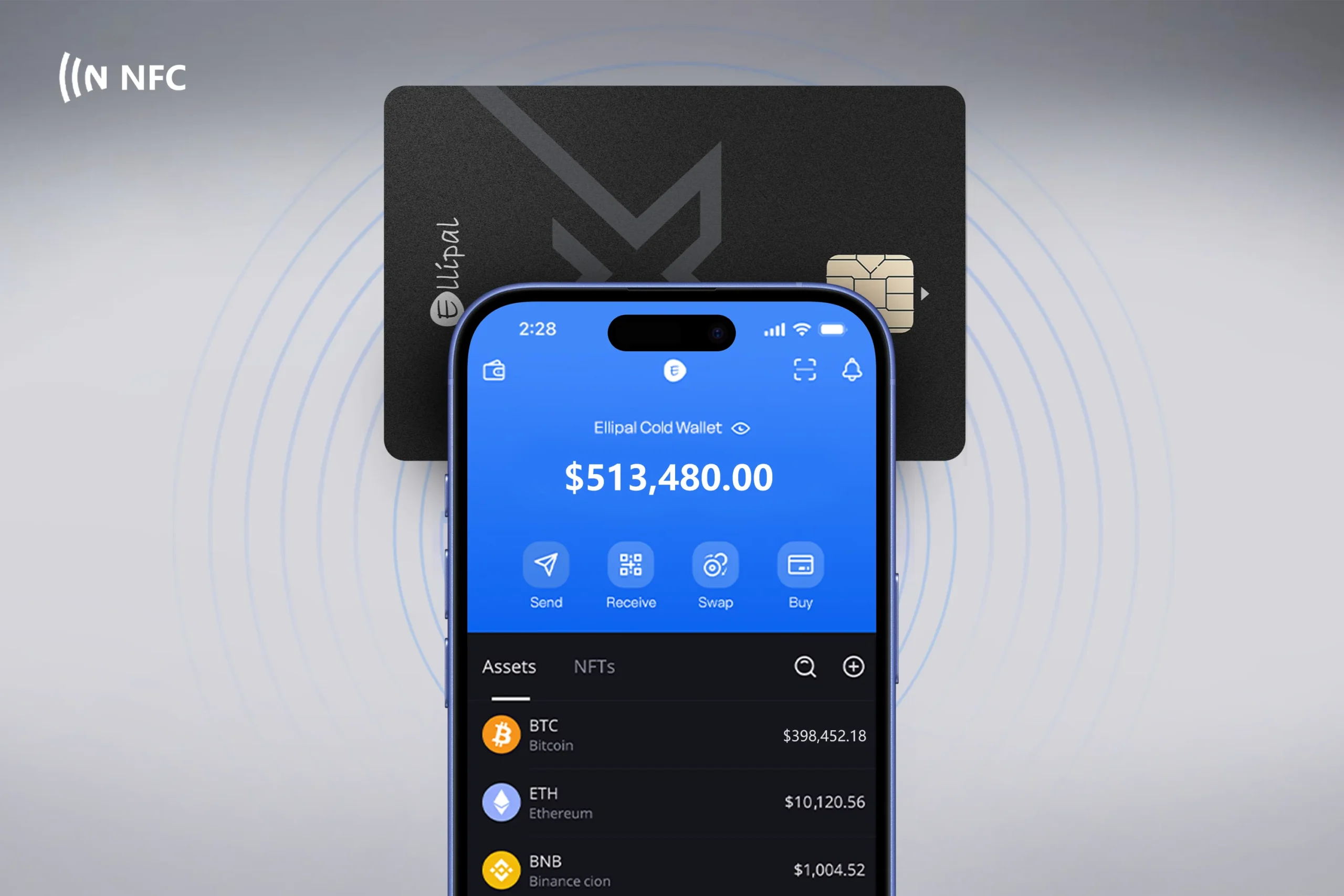
The ELLIPAL X Card takes a completely different approach, shrinking the cold wallet concept down to the size of a standard credit card. The X Card is ultra-thin and light, designed to slip into your physical wallet alongside your credit cards.
It works somewhat differently from the Titan series; while it can work with the app, it relies more on being a quick-access device or a backup solution.
Even with its slim profile, it contains a secure chip to manage keys offline. However, because it lacks a screen for verifying transaction details independently, you are placing slightly more trust in the phone app’s display compared to the verify-what-you-see approach of the Titan models.
What I don’t like
- No Screen (Blind Signing): The biggest flaw is that the card has no screen to verify transaction details. You are trusting the phone app’s display entirely, which defeats the purpose of “verify what you sign” on the hardware wallet itself.
- Requires “Starter” Dongle: To set it up, you need a separate “Starter” device (a small clip-on adapter). This is just another piece of hardware to lose, and it makes the “ultra-portable” card feel less portable during setup.
- Single Wallet Limit: Each card can only hold one single seed phrase (wallet account). Well, if you want to manage multiple secret recovery phrases, you literally need to buy multiple physical cards.
- NFC Reliability: It relies on NFC (Near Field Communication) to talk to your phone. So, if your phone has a thick case or a weak NFC antenna, the connection can be finicky and fail during signing.
- Not Water Submersible: While the Titan is IP65 rated, the X Card is not designed for rugged exposure. Hence, if you accidentally put it through the washing machine, it is likely game over.
Key Features of ELLIPAL Hardware Wallet Reviewed
Passphrase Protection (Hidden Wallet)
The most powerful security feature is the support for a “Passphrase,” often called the 25th word. This allows you to create a completely hidden wallet behind your main wallet.
So, if you are ever forced under duress to unlock your device, you can enter your standard PIN to show a “decoy” wallet with a small amount of funds. However, if you enter your secret passphrase, it unlocks your real, hidden wallet with the bulk of your assets.
Anti-Tamper & Self-Destruct Mechanism
The physical security of the ELLIPAL wallet is intense. The metal casing is built without screws, and inside, the circuit board is equipped with pressure and light sensors.
Now, if a thief tries to crack the case open with a drill or a screwdriver, the change in pressure or the exposure to light immediately triggers the circuit to self-destruct. Well, this process wipes all the encrypted data and private keys in milliseconds, and leaves the attacker with a useless piece of metal, keeping your funds safe (provided you have your seed phrase backup!).
Native NFT Management
The ELLIPAL Titan offers rich, native support for NFTs (Non-Fungible Tokens). You can actually view your JPEG and PNG art collections directly on the device’s screen for Ethereum and Polygon chains.
The app organizes your collectibles in a visual gallery, and then allows you to send, receive, and manage your digital art without needing to connect to a third-party marketplace like OpenSea just to see what you own.
Native Staking Support
You do not need to be a technical wizard to earn passive income with the ELLIPAL Wallet. The wallet has built-in staking modules for popular Proof-of-Stake coins like Cardano (ADA), Polkadot (DOT), Tezos (XTZ), and Cosmos (ATOM).
You can delegate your coins to validators directly from the “Finance” tab in the app. The interface shows you the current APY (Annual Percentage Yield) and lock-up periods clearly, so you can start earning rewards with just a few taps while your keys remain cold and offline.
Ellipal Security Measures Review: Is It Safe to Use?
ELLIPAL crypto wallet is a highly secure crypto cold storage solution for Bitcoin and altcoins. The device never faces any hack in the past. It is so secure that currently it manages over $10B in user assets.
Air-Gapped Cold Storage
Ellipal wallets are 100% air-gapped. There is literally no hardware component inside the ELLIPAL that allows for a connection to the outside world—no WiFi antenna, no Bluetooth module, and no USB data pins. You use QR codes (or NFC for the X Card) to sign transactions.
This means any transaction data goes through scanning codes between your phone and the device, and also, hackers cannot remotely access your keys; you physically need to tap or scan on the device to approve any transfer. Even if your phone or computer is hacked, the Ellipal wallet stays safe on its own.
CC EAL5+ Secure Element Chip
You see, both the Titan 2.0 and Titan Mini come with a CC EAL5+ certified secure element chip inside, and the Ellipal X Card uses a CC EAL6+ chip. These are the same kinds of chips used in banks and passports.
They generate and store your private keys internally and are extremely tamper-resistant. In fact, if someone tried to physically break into the device, the chip would destroy the keys. Put simply, even if someone stole your ELLIPAL crypto wallet and opened it up, they wouldn’t get your private key.
How to Set Up and Use Your Ellipal Wallet?
Step 1: Power On and Language Selection
Press and hold the power button on the right side of the ELLIPAL wallet for about 3 seconds until the logo appears. Once it boots up, tap your preferred language on the touchscreen to proceed.
Step 2: Download the App
Take your smartphone and go to the Apple App Store or Google Play Store, and then search for “ELLIPAL” and download the official application. You will need this ready for the pairing process later.
Step 3: Create Your Account
On the Titan device, tap the big blue button labeled “Create Account”. You will be asked to enter an Account Name and a strong Password, and then, this password will be used to approve transactions later, so make it secure but memorable.
Step 4: Backup Your Seed Phrase (Critical)
The device will now generate your recovery phrase. You need to select “Back up now”. You will see a series of 12, 18, or 24 words displayed on the screen. Write these down immediately on the metal mnemonic plate or the paper cards provided in the box. Also, do not skip this step, and never take a photo of these words.
Step 5: Verify the Seed Phrase
To prove you wrote them down correctly, the device will ask you to verify the seed. Tap the “Verify Now” button. You will see a jumbled list of words; tap them in the exact order they appeared in the previous step. Once confirmed, your ELLIPAL wallet is officially created.
Step 6: Pair with the Mobile App
Now, tap the “Connect to App” icon in the top right corner of the Titan’s screen. A QR code will appear. Open the ELLIPAL app on your phone, tap “Connect to Cold Wallet”, and use your phone’s camera to scan the QR code on the Titan. Your account and all supported coin addresses will instantly sync to your phone view.
Step 7: How to Send a Transaction
- Open the ELLIPAL app on your phone and select the coin (e.g., Bitcoin) you want to send. Tap “Send” and enter the recipient address and amount.
- Tap “Submit”. The app will generate a QR code representing the unsigned transaction.
- Pick up your Titan device and tap the “Sign” icon (it looks like a scanner). Use the Titan’s camera to scan the QR code on your phone.
- The Titan screen will show the transaction details (Amount, Fee, Destination). Verify them carefully. If they are correct, tap “Ok” and enter your password.
- The Titan will now display a Signed QR Code.
- Finally, use your phone app to scan this signed code from the Titan’s screen. The transaction is now broadcast to the blockchain.
ELLIPAL Desktop App: How to Use It With Your PC or Laptop?
It is important to clarify that ELLIPAL is a “mobile-first” solution and does not have a native Windows or Mac application like Ledger Live. However, you are not completely cut off from desktop usage.
You can interact with desktop-based decentralized applications (dApps) using the WalletConnect protocol. For example, if you want to trade on Uniswap on your PC, you would select “WalletConnect” as the login option on the website.
Now, this will display a QR code on your computer monitor. You then open the ELLIPAL app on your phone, scan that code, and your phone acts as a secure bridge, relaying the transaction request to your offline Titan device for the final signature. Well, it is a workaround, but it effectively keeps your key storage cold while allowing you to use desktop interfaces.
How do I transfer crypto from Binance or Coinbase to Ellipal Wallet?
- Get Address: Open the ELLIPAL app on your phone (you don’t need the device for this part). Select the asset you want to receive, like Bitcoin, and tap “Receive.”
- Copy Address: You will see your public address and a QR code; copy the alphanumeric string to your clipboard.
- Go to Exchange: Open your Binance or Coinbase account, navigate to your spot wallet, and select “Withdraw.”
- Paste Details: Paste your ELLIPAL wallet address into the recipient field. Crucial Step: Ensure you select the correct network (e.g., ensure you select the “Bitcoin” network for BTC, or “ERC20” for Ethereum tokens) to avoid losing funds.
- Confirm: Enter the amount you wish to withdraw and confirm the transaction with your exchange’s 2FA.
- Wait: Blockchain transfers take time depending on network congestion. Once confirmed, the funds will appear in your ELLIPAL app balance.
Is ELLIPAL Wallet Beginners Friendly?
Well, “yes,” but with a slight learning curve regarding the workflow…
Yes: The large, smartphone-like interface is incredibly intuitive for anyone who has used an Android device. Here, you will see that menus are clear, buttons are large, and the setup process is guided step-by-step.
No: The concept of air-gapped QR code scanning can be initially confusing for absolute beginners who are used to “one-click” solutions. You see, having to scan a code to send, then scan a code to sign, then scan a code to broadcast adds friction, though this friction is exactly what provides the security.
ELLIPAL Wallet Comparison With Ledger, Trezor, and Keystone
- ELLIPAL vs Ledger: Ledger (Nano X) relies on Bluetooth and USB, which are convenient but theoretically more vulnerable than an air gap. Ledger has a tiny screen and requires navigating with two buttons, whereas the ELLIPAL wallet offers a rich touchscreen experience. However, Ledger has a much more robust desktop software ecosystem. You can read my full Ledger wallet review.
- ELLIPAL vs Trezor: Trezor devices connect via USB. The Trezor Safe 5 has a touchscreen, but it is much smaller than the Titan’s. Trezor’s software is open-source, while ELLIPAL’s firmware is proprietary. However, the ELLIPAL’s metal build is far more durable than the plastic casing of the Trezor.
- ELLIPAL vs Keystone: Keystone is the most direct competitor, also featuring a 4-inch screen and QR code air-gapping. Keystone includes a fingerprint scanner and a removable battery pack, which ELLIPAL lacks. However, the ELLIPAL wallet generally supports a wider variety of altcoins natively without needing third-party wallet integration.
| Feature / Criteria | ELLIPAL Titan 2.0 | Ledger Nano X | Trezor Model T | Keystone 3 Pro |
|---|---|---|---|---|
| Price | ~$169 | ~$149 | ~$179 | ~$129 |
| Connection Type | 100% Air-Gapped (QR Code) | Bluetooth & USB-C | USB-C Only | Air-Gapped (QR Code) |
| Screen Size | 4-inch HD Touchscreen | Tiny Monochrome OLED | 1.54-inch Color Touch | 4-inch Color Touch |
| Mobile Support | Excellent (Native App) | Excellent (Ledger Live) | Limited (Web/3rd Party) | Excellent (Native App) |
| Battery Life | 1400mAh (Standby ~259h) | 100mAh (Standby ~8h) | No Battery (USB Power) | Rechargeable Battery |
| Material Build | Aluminum Alloy (Metal) | Plastic & Steel | Plastic | Fiberglass / Plastic |
| Secure Element | CC EAL 5+ | CC EAL 5+ | None (General Purpose) | CC EAL 6+ |
| Open Source | No (Proprietary) | No (Proprietary) | Yes (Fully Open) | Yes (Fully Open) |
| NFT Support | Native (View on Screen) | Native (Ledger Live) | via 3rd Party Apps | Native (View on Screen) |
| Staking | Native In-App | Native In-App | via 3rd Party Apps | via 3rd Party Apps |
| Biometrics | None | None | None | Fingerprint Scanner |
| Self-Destruct | Yes (Anti-Tamper) | No | No | Yes (Anti-Tamper) |
| Dimensions | 118 x 66 x 9.7 mm | 72 x 18.6 x 11.75 mm | 64 x 39 x 10 mm | 118 x 68 x 12 mm |
| Weight | ~140g (Heavy) | ~34g (Light) | ~22g (Featherlight) | ~115g |
| Country of Origin | Hong Kong | France | Czech Republic | Hong Kong |
Conclusion: Is ELLIPAL Wallet Worth It?
Well, to sum up my ELLIPAL wallet review, it is definitely worth considering. It offers strong offline security, a large touchscreen, and a user-friendly experience that many other wallets don’t match.
You get a fully air-gapped device that keeps your crypto safe from hackers, and the app lets you manage thousands of coins, NFTs, staking, swaps, and more without exposing your keys. The Titan 2.0 and Mini have a great rugged build, and the X Card is so easy that even non-technical users can handle it.
But again, it’s not perfect for everyone. The Titan 2.0 is relatively expensive, and using QR codes or NFC can be slower than just plugging in a USB wallet. Also, Ellipal’s software isn’t open-source, so you need to trust the company’s security.
Those issues might bother you – in that case, you may prefer a Ledger or Trezor instead. But if you value complete offline protection and a simple mobile-driven interface, I think the ELLIPAL hardware wallet is a great choice. Overall, I would say the ELLIPAL wallet is worth it for anyone who prioritizes top-level security and ease of use.
More Guides: Best mult-chain hardware wallet for crypto
FAQs: ELLIPAL Review
Is Ellipal a cold wallet or hot wallet?
The ELLIPAL is definitely a cold wallet because it keeps your private keys offline at all times. A “hot wallet” is software that lives on a device connected to the internet, like an exchange app or a browser extension.
Because the ELLIPAL device has no physical capability to connect to WiFi, Bluetooth, or cellular networks, your keys are cold and isolated from online threats. It only uses the internet indirectly through your phone to broadcast public data, never private data.
Which cryptocurrencies are supported by Ellipal Wallet?
The ELLIPAL wallet supports over 10,000 assets, covering almost every major blockchain you can think of. It natively supports Bitcoin (BTC), Ethereum (ETH), XRP, Cardano (ADA), Polkadot (DOT), Solana (SOL), and all tokens on networks like ERC-20, BEP-20, TRC-20, and Polygon.
They are also very fast at adding support for new meme coins and trending layer-2 networks via firmware updates.
Does Ellipal Wallet support NFT storage and DeFi apps?
Yes, the ELLIPAL wallet has robust support for both NFTs and Decentralized Finance (DeFi). For NFTs, you can visualize your collections on the device itself for Ethereum and Polygon chains.
For DeFi, the ELLIPAL wallet uses the WalletConnect standard. This means you can connect your cold wallet to popular DApps like Uniswap, PancakeSwap, or OpenSea by simply scanning a QR code on your computer screen.
Can I stake crypto using the Ellipal Wallet?
Yes, you can stake certain cryptocurrencies using Ellipal. The Ellipal app has built-in staking features for supported proof-of-stake coins (for example, Tezos, Cosmos, Tron, and others).
Now, to stake, you simply need to hold the coin in your Ellipal account and then use the app’s staking option. Your coins remain secured by the wallet while earning rewards. But again, not all coins are available to stake, but if staking is important to you, Ellipal offers it for many popular networks.
Is the Ellipal app available on iOS and Android?
Yes, the official companion ELLIPAL app is available for free on both the Apple App Store and the Google Play Store. It is updated frequently to fix bugs and add new coin support. The app is the interface where you will view your balance, check prices, and initiate transactions.
Is Ellipal Crypto Wallet anonymous, and does it require KYC?
The ELLIPAL wallet is completely anonymous and respects your privacy. You do not need to provide your name, email address, phone number, or government ID (KYC) to buy or use the device.
Also, when you set it up, you are not creating an account on a server; you are generating a mathematical key pair on the device itself. ELLIPAL, the company, has no way of knowing who owns which wallet or how much crypto is stored on it.
Where can I buy Ellipal hardware wallet, and what is the price?
You should basically only buy the device from the official ELLIPAL website or their verified Amazon storefront to ensure you get a genuine, untampered unit.
The flagship Titan 2.0 generally costs around $169, while the smaller Titan Mini is a budget-friendly option at approximately $79. They also sell bundles with metal seed phrase plates or the X Card.