I have tested a lot of crypto wallets for NFTs, altcoins, Bitcoin, DeFi, and more tasks over the years. Some were great, some were just okay, and a few were total disasters because they were so hard to use. But today, I am going to talk about the ones that actually work and keep your digital collectibles (NFTs) safe.
So, let’s get into the best hardware wallets for NFTs collection in 2026…
List of 7 Best Hardware Wallets for NFTs in 2026
Here is my quick list of the best crypto hardware wallets for NFTs…
- Ledger Flex – Overall best hardware wallet for NFTs in 2026 (trusted by 10M users)
- ELLIPAL Titan 2.0 – 100% air-gapped cold wallet for NFTs (no WiFi, no Bluetooth, no Cellular; QR-code based)
- Ledger Nano Gen5 – Best NFT wallet for iPhone and mobile users (Bluetooth connectivity support)
- Trezor Safe 5 – Anonymous and safest hardware wallet for NFTs (Tor browser support for IP hiding)
- Ledger Stax – Best premium wallet for displaying NFTs (e-ink display and NFT wallpaper)
- Keystone 3 Pro – Best wallet for multi-chain NFTs (supports 50+ blockhains multiple software apps)
- Tangem – Best NFT wallet for beginners (credit-card style tap-and-go)
(My Recommended) Most Secure NFT Cold Wallets
You might be asking, “Which NFT hardware wallet do you actually use?” Well, for me, it is the Ledger Flex and ELLIPAL Titan 2.0…
7 Top NFT Wallets for Collectors: Best NFT Hardware Wallets Reviewed
1. Ledger Flex: Overall best hardware wallet for NFTs in 2026
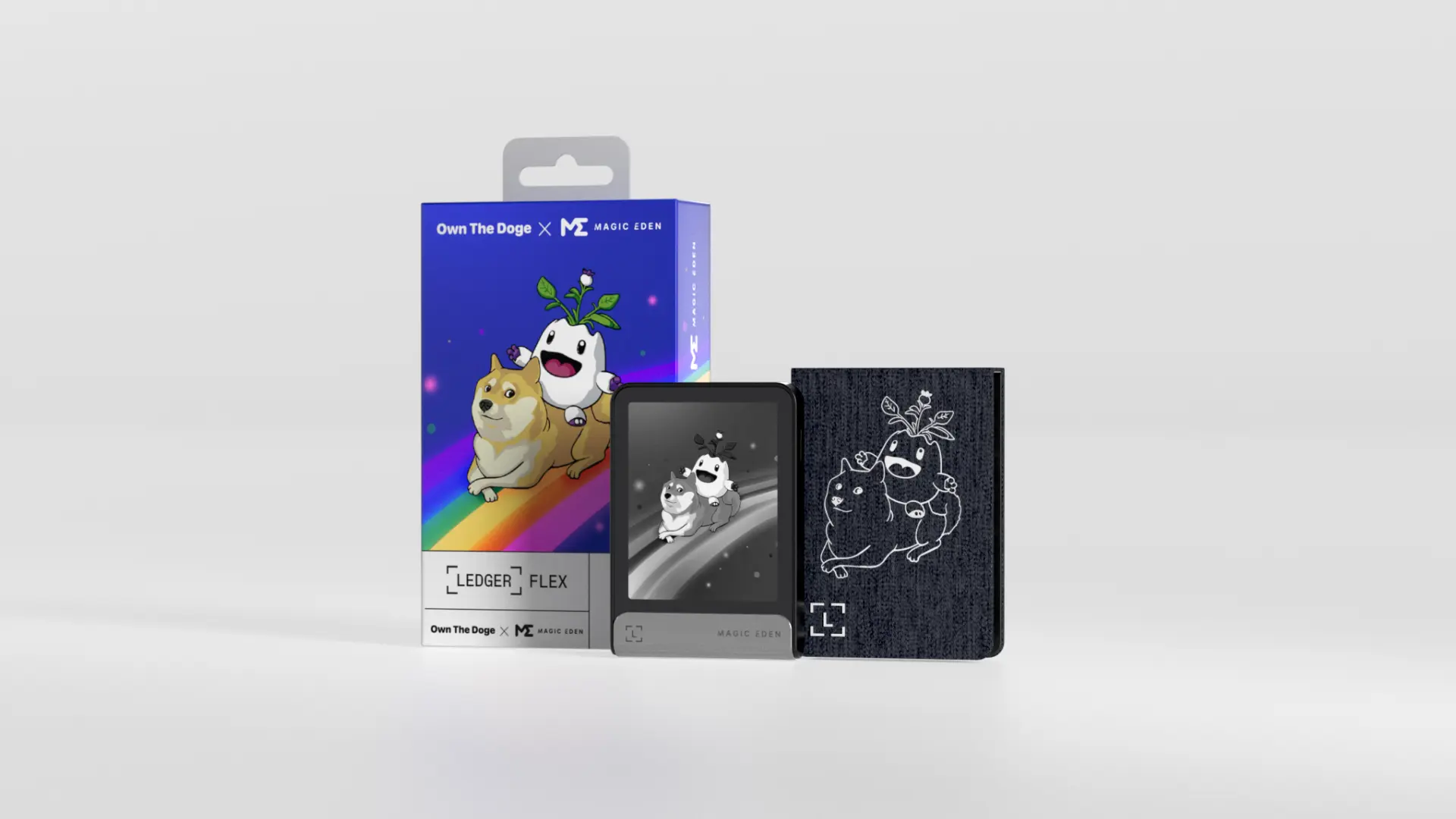
Why is it the best wallet for NFTs: Ledger Flex is our #1 choice as the best hardware wallet for NFTs. The Flex supports sending, receiving, and storing your NFTs and collectibles. Actually, it supports NFTs across all popular blockchains like Solana, Ethereum, Polygon, BNB chain, Bitcoin, and 20+ more. You can even use your NFTs as wallpaper on its E-ink display.
You see, you need to see exactly what you are signing to be safe in any NFT wallet. The biggest problem with old wallets was that you would just see a hash like “0x48…39A” and press a button, which is terrifying when you are moving a high-value asset. But with the Flex and its large touchscreen display, you can actually read the full contract interactions clearly on the sharp E Ink display.
What I like
- Excellent security (secure element chip CC EAL6+ and Ledger’s trusted OS, called BOLOS)
- Intuitive E-Ink touchscreen; easy to read and operate
- It can display NFT artwork on the device’s screen.
- Bluetooth enabled for smooth use with mobile (iOS/Android) and USB for desktop
- Supports multiple blockchains and thousands of assets (great multi-chain NFT support)
What I don’t like, actually
- Grayscale display (no color), so NFT images are in black-and-white on the device
- It is a bit pricier than the basic NFT wallets, costing around $219
2. ELLIPAL Titan 2.0: Best cold wallet for NFTs
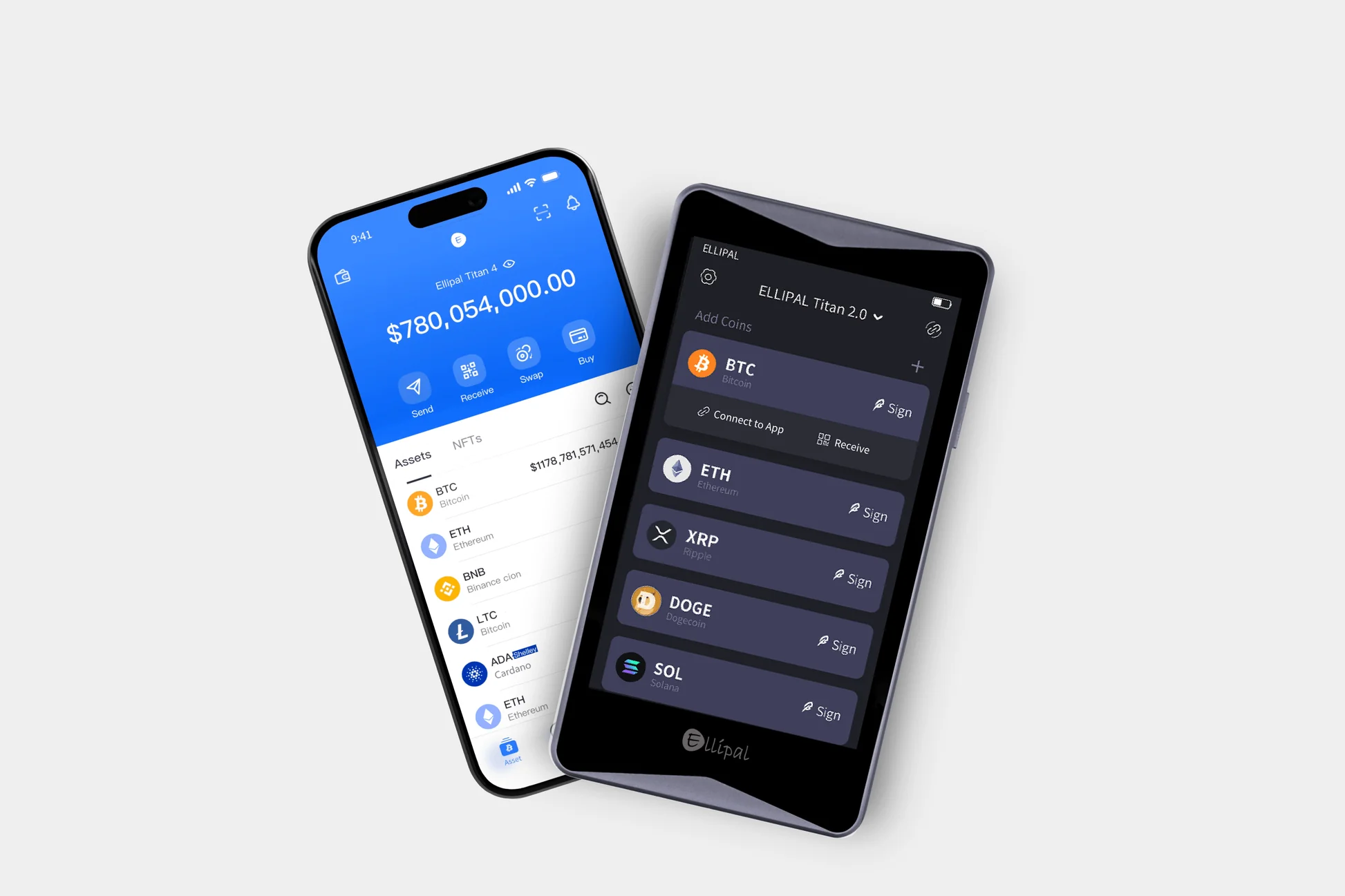
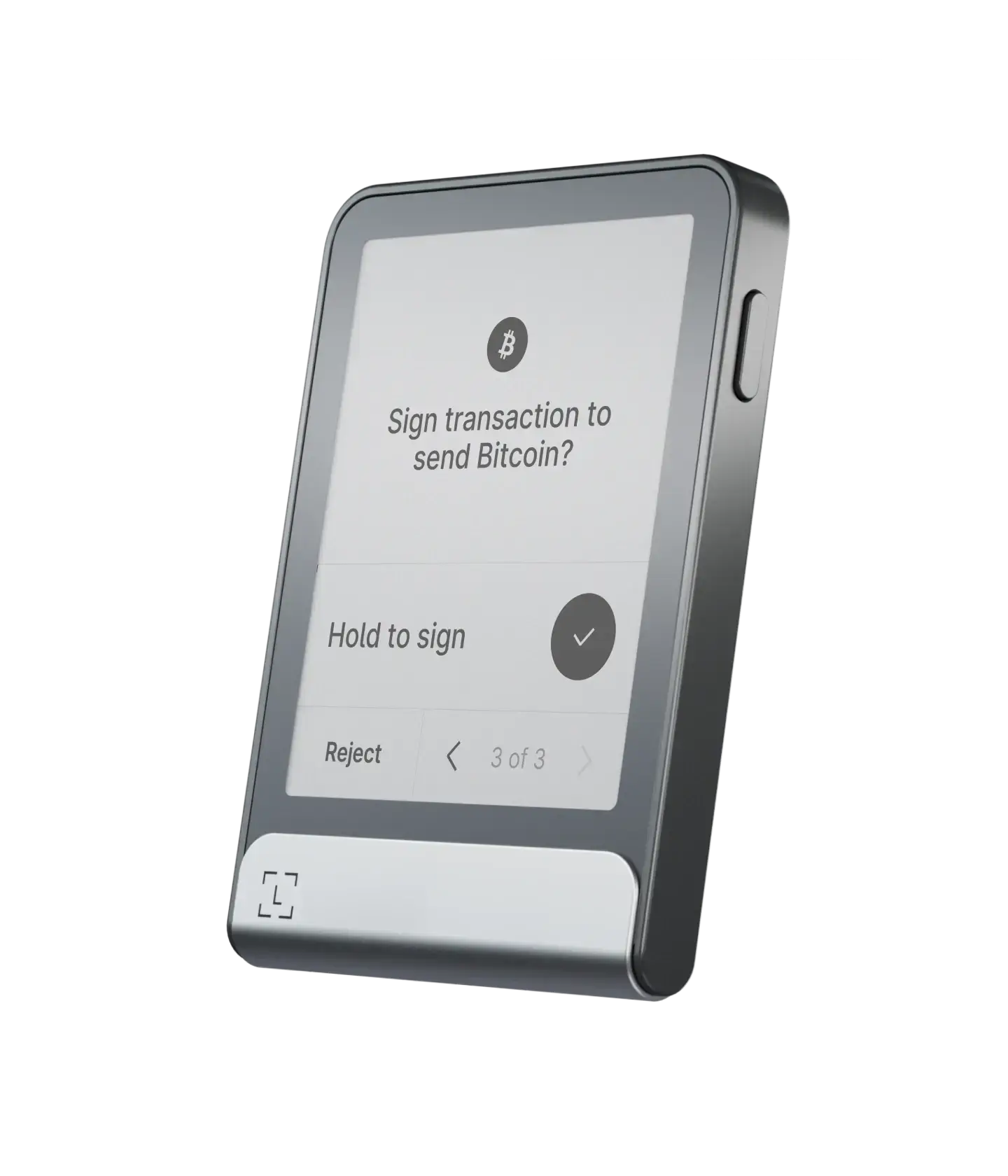
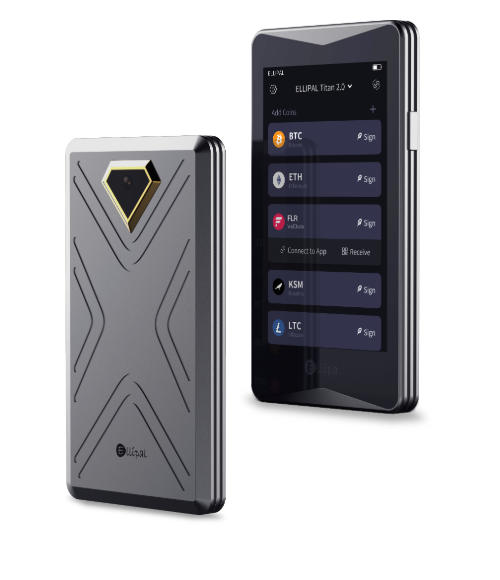
Why is the best NFT wallet: ELLIPAL Titan 2.0 is the best cold storage wallet for NFTs because it operates entirely offline without any cellular connection. You see, the main selling point here is that it is “air-gapped.” Basically, it has no USB port for data, no Bluetooth, and no WiFi.
It uses QR codes. You use the camera on the wallet to scan a code on your phone, and then you use your phone to scan the wallet. It sounds like a hassle, but it is actually pretty fast once you get used to the flow.
The Titan 2.0 features a big 4-inch color touchscreen for your NFTs. So, it’s like a smartphone experience. Now, unlike the Flex, you can actually see your NFTs in vibrant color. That is a really nice touch for collectors who want to show off a bit or just admire their collection offline.
It supports a huge range of coins and NFTs (over 10,000 assets and many NFT-compatible networks). This even includes integration with MetaMask via QR, so you can use Titan 2.0 to approve NFT trades you’re doing in MetaMask.
Note: If you want a cold storage for all: Bitcoin, altcoins, NFTs, DeFi, staking, you can check out my guide on the best cold storage wallets.
What I like
- 100% offline (air-gapped); no USB, no Bluetooth, no WiFi
- Large color touchscreen with clear transaction detail display
- Full metal, tamper-proof design (and self-erase function if breached)
- Wide support for different blockchains and NFT types
- Allows multiple accounts and even hidden passphrase-protected wallets for extra security
- Compatible with MetaMask and other apps via QR code scanning
What I really don’t like
- A bit less convenient for everyday use due to QR code signing steps, but still best for long-term HODLers
- Bulkier device; not as pocket-friendly as smaller USB-style wallets
- Scanning QR codes can be annoying in bad lighting
3. Ledger Nano Gen5: Best NFT wallet for iPhone or Mobile users
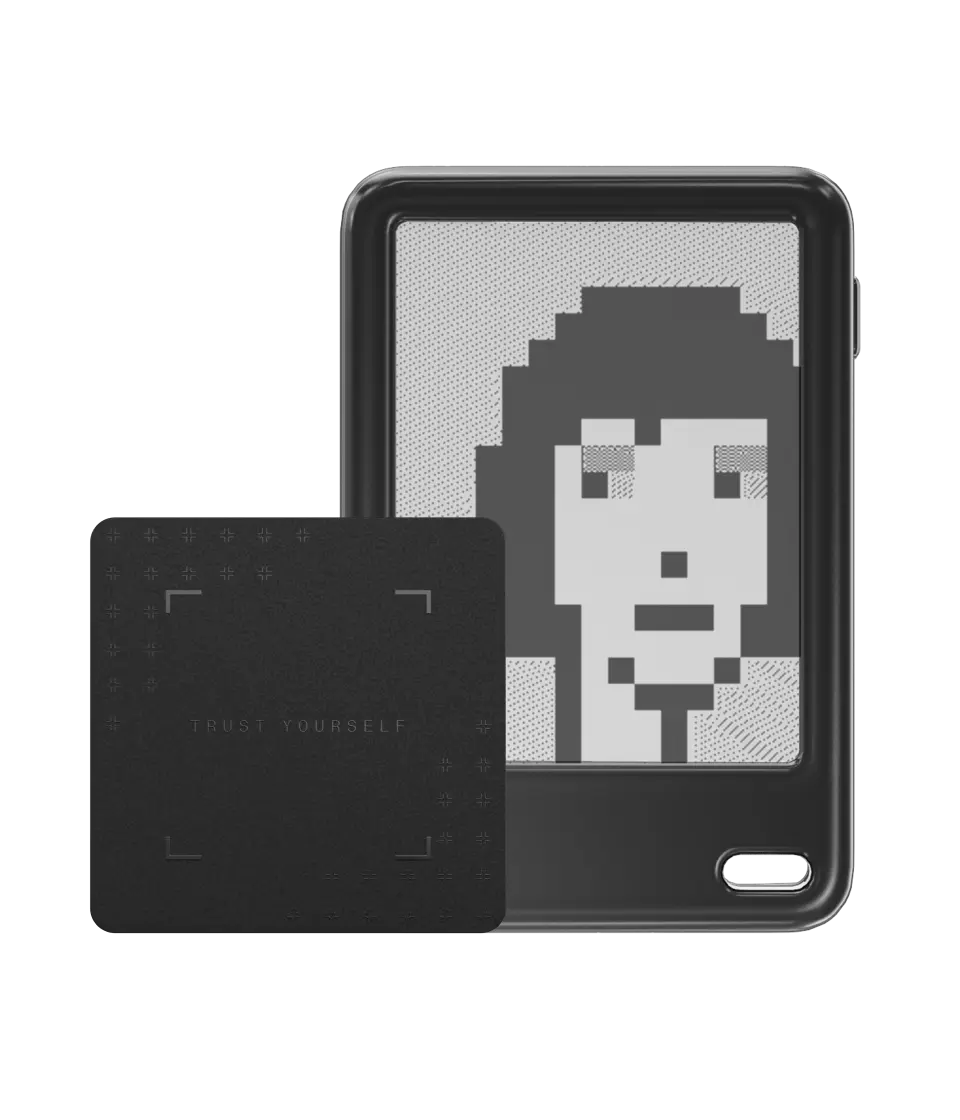
Why is the best hardware wallet for NFTs: Ledger Nano Gen5 is the best NFT wallet for iPhone users because it pairs wirelessly with iOS devices using Bluetooth or NFC. You know, for years, the Nano S Plus and Nano X were the best Ledger devices. But in late 2025, we got the Nano Gen5. It keeps that familiar stick shape but adds a much better interface. It finally has a touchscreen.
Also, you see, Apple has always been a bit weird about USB connections. But the Gen5 has improved Bluetooth 5.3. It connects to the Ledger Live app on your iPhone instantly. You can manage your Polygon or Ethereum NFTs right from your phone.
The Nano Gen5 supports 15,000+ digital assets (and all the main NFT chains like Ethereum). It’s also relatively affordable (around $179) for a hardware wallet with these features. It is basically the “everyday carry” crypto wallet. It is small enough to go on your keychain, although I don’t recommend that for security reasons.
Pros
- Instant Bluetooth pairing with smartphones (great for iPhone and Android users)
- Touchscreen interface for easier use compared to older USB-kind NFT wallets
- Strong security (secure element + PIN protection)
- Supports NFTs on Ethereum, Polygon, and more via Ledger Live and WalletConnect
Cons
- Kind of small screen (good for confirmations, but not for viewing artwork in detail)
- Limited app storage on the device (you may install ~10-20 chain apps at once; fine for most users, but heavy multi-chain users might juggle apps)
- Bluetooth can sometimes be finicky (I had reported some connectivity issues, but not so often)
4. Trezor Safe 5: Anonymous and safest hardware wallet for NFTs
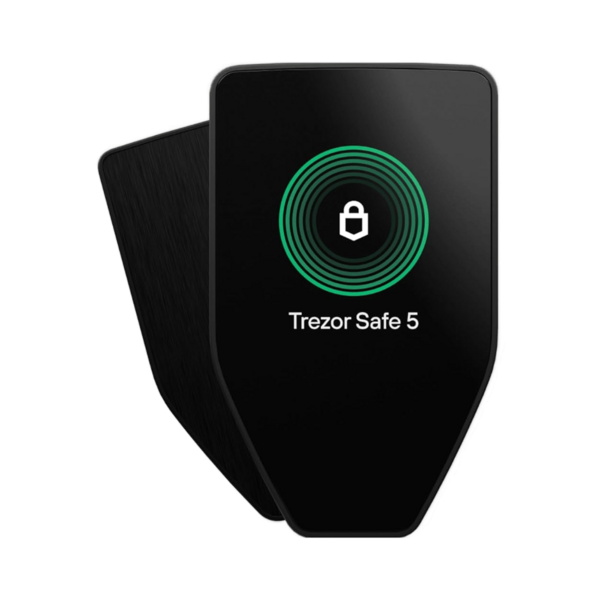
Why is the most secure NFT wallet: Trezor Safe 5 is actually a top choice for those who prioritize privacy and open-source security while managing NFTs. It has no physical buttons on the front anymore. The whole display is a glass touchscreen with haptic feedback.
Trezor used to be slow on NFTs, but the Safe 5 handles them well now via the Trezor Suite app. You can verify the contract address on the device screen. Also, I really like the “Secure Element” they added. You see, older Trezors didn’t have this specific chip, but the Safe 5 uses the EAL6+ chip. This protects your PIN and seed phrase better than before against physical attacks.
Now, for NFTs, Trezor Safe 5 supports standard Ethereum-based NFTs (ERC-721, ERC-1155) via Trezor Suite or by connecting to wallets like MetaMask or Rabby. You can use more than 20+ software wallets along with MetaMask.
Positives
- Fully open-source firmware and software (auditable and transparent security)
- No account or KYC needed, total privacy in usage
- Bluetooth enabled, so it works with phones and tablets now (big improvement in convenience)
- Easy-to-use color touchscreen for confirming transactions
- Supports a wide range of crypto assets and NFTs (especially Ethereum-based) and integrates with Trezor Suite for management
- Advanced backup and security options (passphrases, Shamir seed splitting)
Negatives
- NFT support for non-Ethereum chains requires using external apps (no direct Solana or Tezos NFT support in Trezor Suite, as of now)
- Trezor Suite (desktop/mobile app) is excellent for coins, but its NFT interface is still basic for now (mostly just showing tokens in Ethereum accounts)
- Mobile apps (especially for iOS) are still somewhat limited
5. Ledger Stax: Best cross-chain wallet for NFTs
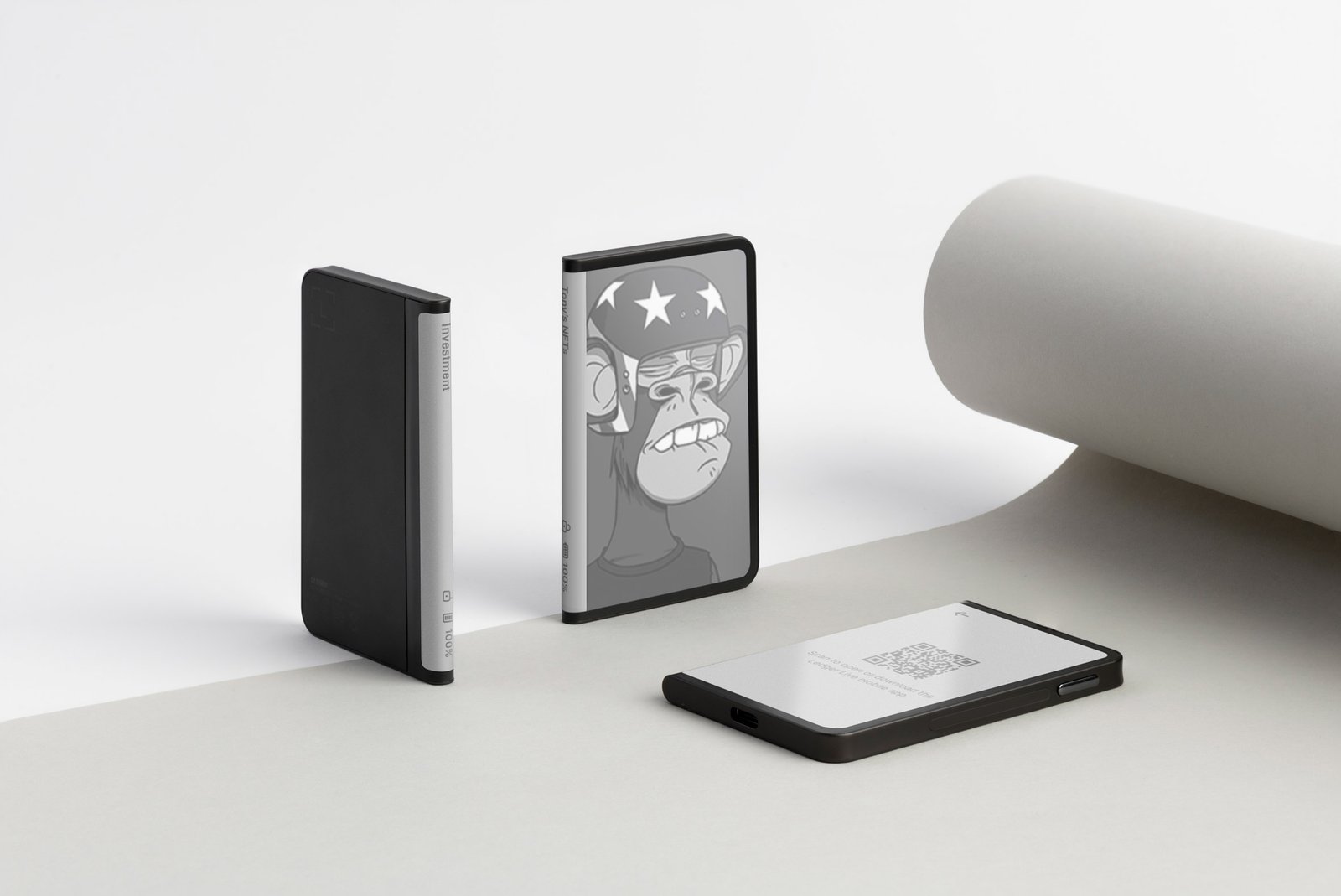
Why is it the top NFT wallet for cross-chain NFTs: The Ledger Stax is basically the luxury car of hardware wallets because it offers a level of polish you just don’t see elsewhere. You probably know it was designed by Tony Fadell, the guy who invented the iPod, and you can really feel that premium influence when you hold it. It features a massive 3.7-inch curved E Ink touchscreen that wraps around the spine like a real book.
It supports 100+ blockchains, and you can swap assets across chains on the Ledger Live app. You can set your favorite NFT as the lock screen image, which turns the device into a mini digital photo frame. The image stays there even when the device is turned off because E Ink doesn’t use power to hold a static picture.
Also, wireless charging is a huge plus for me because I hate looking for cables. It has the same security features I discussed for other Ledger wallets: CC EAL6+ chip, BOLOS operating system, PIN, Passphrase, etc.
You can read my full Ledger wallets review as well, or about the best Ledger alternatives…
What I like
- The curved 3.7-inch E Ink screen is beautiful
- Wireless Qi charging is super convenient
- Customizable lock screen for your NFTs
- Highly secure with multiple advanced safety features
What I don’t like
- It costs a lot more than a Nano or Flex, $399 to be exact
- It’s less portable compared to other Ledger devices
- You can only see NFTs in black-white screen; no color display
6. Keystone 3 Pro: Best wallet for multi-chain NFTs
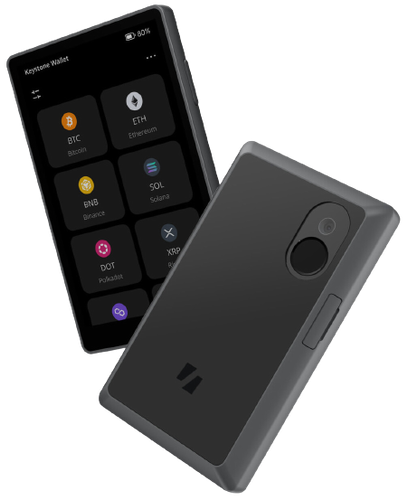
Why is it the best wallet for multi-chain NFTs: The Keystone is an air-gapped hardware wallet (like the Ellipal) that uses QR codes to sign transactions. It supports over 100 blockchains and more than 50 software wallets for storing NFTs across multiple blockchains.
It has three separate security chips, all CC EAL5+ rated. You see, most wallets have one. Keystone put in three to separate different processes like biometric data, seed phrases, and signing. It is overkill, but in a good way. You can also unlock it with your fingerprint in under a second. It makes accessing your NFTs fast while staying secure.
The 4-inch screen is beautiful. You can check your signing details easily. It decodes the transaction data so you can read “Approving OpenSea to spend 1 ETH” instead of random code. Now, in terms of NFT usage, I’ve had a great experience using Keystone with different networks: Ethereum, Binance Chain, Polygon, and even connecting it with Solana’s Solflare wallet via QR.
Good
- Air-gapped QR code signing for maximum security (no USB/Bluetooth)
- Large color screen and intuitive interface.
- Wide multi-chain compatibility (works with MetaMask, WalletConnect, Solflare, and more)
- Fingerprint sensor adds an extra layer of security and ease
- Open-source firmware elements and community audited (adds trust)
Bad
- Being a separate device (like a small smartphone), it’s not as tiny or portable as a USB-style stick wallet.
- Requires using companion apps (like MetaMask) for full functionality; can be slightly technical for beginners to set up those connections.
- QR signing for every transaction can be a little slower than a direct connect (a minor trade-off for security).
7. Tangem: Best NFT wallet for beginners
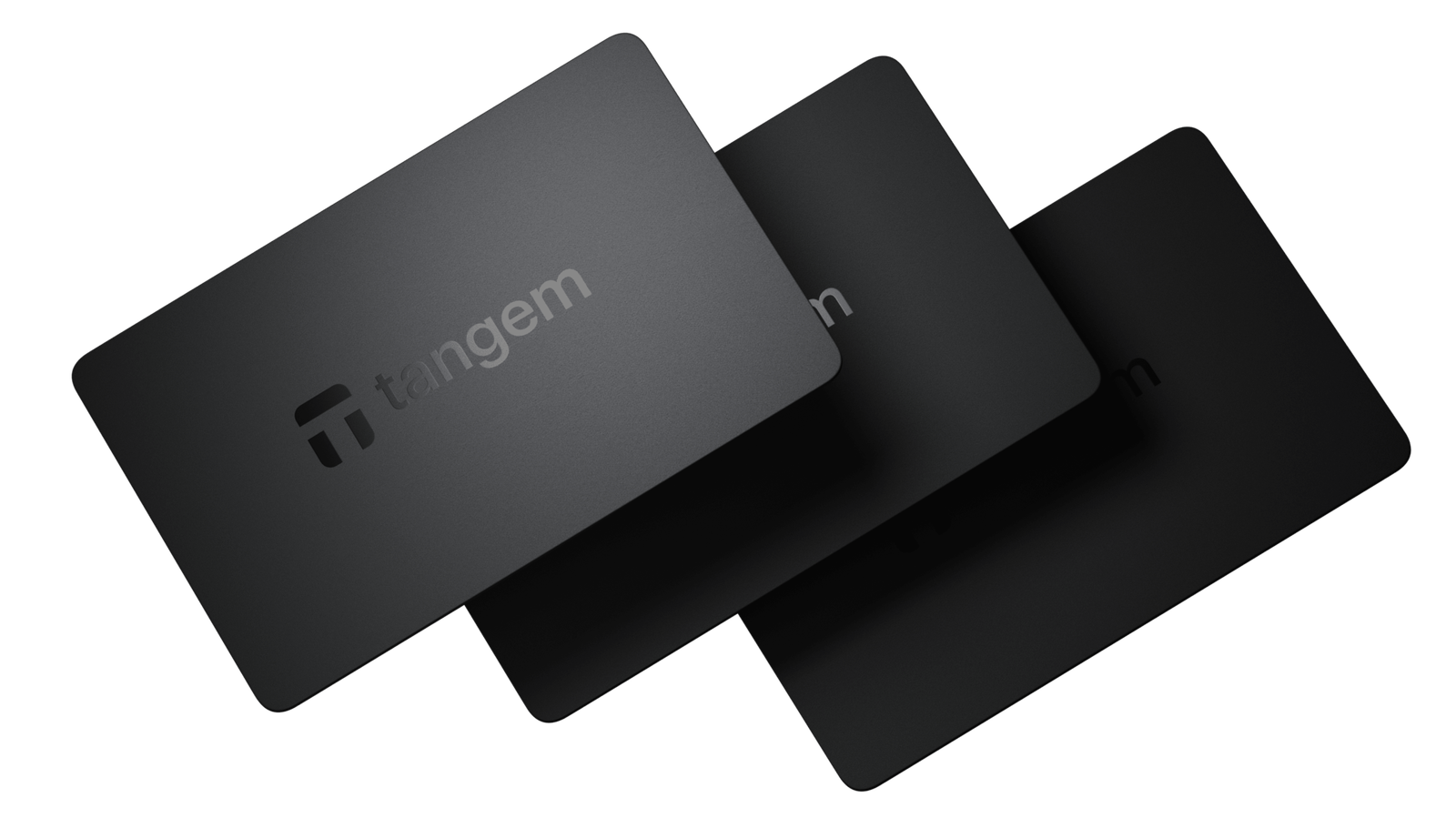
Tangem Wallet is the best NFT wallet for beginners because it makes secure storage as easy as tapping a card on your phone. Well, it’s a hardware wallet in the form of a smart NFC card. There’s no screen or buttons; instead, you use the Tangem mobile app and simply tap the card to your phone when you need to sign a transaction or unlock the wallet. The EAL6+ chip inside the card signs the transaction on your phone app.
It is so simple. You don’t have to worry about firmware updates or charging batteries. It is IP68 rated, meaning it is waterproof and dustproof. For NFTs, you view everything on your phone screen. The card just acts as the key to sign NFT transactions.
Tangem supports NFTs on multiple networks. The app currently supports Ethereum, Polygon, Binance Smart Chain, and many others (over 85 blockchains). Tangem is affordable, $55 to be exact. It’s one of the most affordable hardware wallets for NFTs.
Pros
- Very beginner-friendly (simple tap-and-go usage with a smartphone)
- No need to manage long seed phrases if using backup cards
- Supports over 16,000 assets on 85+ networks, so it’s very versatile
- No charging or cables required (the card is powered via NFC)
- Extremely portable (just a card in your wallet)
- Low-cost entry to NFT hardware wallet security
Cons
- No screen on the card itself, so you rely on the phone app’s interface (you must trust that the app is showing the correct transaction details)
- The Tangem app, while improving, might not have all the bells and whistles that some other NFT wallet apps have for NFT management (you can always use WalletConnect though)
Comparison Between Best Hardware Wallets for NFTs
Now, I have put together all the key specs here so you can easily compare these best NFT wallets side-by-side…
| Wallet | Type | Supported NFTs | Security | Price | Supported Crypto |
|---|---|---|---|---|---|
| Ledger Flex | Touch E Ink | Eth, Poly, Sol, etc. | EAL6+ Chip | $219 | 15,000+ |
| ELLIPAL Titan 2.0 | Air-gapped | Eth, Poly, BSC, Tezos | CC EAL5+, Anti-disassembly | $129 | 10,000+ |
| Ledger Nano Gen5 | Touch Stick | Eth, Poly, Sol, etc. | EAL6+ Chip | $179 | 15,000+ |
| Trezor Safe 5 | Touch Haptic | Eth, Sol, Poly | EAL6+, Open Source | $179 | 9,000+ |
| Ledger Stax | Curved E Ink | Eth, Poly, Sol, etc. | EAL6+ Chip | $399 | 15,000+ |
| Keystone 3 Pro | Air-gapped | Eth, Sol, Near, etc. | 3 Secure Chips, all CC EAL5_ | $149 | 5,500+ |
| Tangem | NFC Card | Eth, Sol, Poly | EAL6+ Chip | $55 | 16,000+ |
How to Choose a Secure NFT Wallet?
Ok, now, how to choose a secure NFT wallet? Well, you need to consider some criteria’s befores selecting your safest hardware wallet for NFTs…
- Screen Size and Clarity: I cannot stress this enough because screen size is your first line of defense. You need to read the smart contract details before you sign anything. A tiny screen on an NFT wallet forces you to click “next” blindly, which is obviously dangerous. Large screens, like on the Flex or ELLIPAL Titan 2.0, let you see exactly where your NFT is going.
- Connection Method: You need to decide how you will connect to your hardware devices. Bluetooth NFT wallets like Ledger are amazing for iPhone users who trade on the go. But, USB-only wallets like Trezor are better for desktop users who sit at a desk, and then air-gapped NFT wallets use QR codes, which are quite safer but slower.
- Blockchain Compatibility: Make sure your best NFT wallet actually supports the networks you use. You see, most support Ethereum, but if you collect Solana, Tezos, or Cardano NFTs, you need to check specifically. Also, don’t assume every cryptocurrency wallet supports every chain because they often don’t. I have also covered an in-depth guide on the best multi-crypto hardware wallets. Check out this too for more info.
- Security: You should buy a non-custodial NFT wallet (you control your keys) and have a strong security track record. Hardware NFT wallets are generally the most secure since they keep keys offline. You can check for things like secure element chips, biometric locks, or open-source code (depending on what you value). For example, Ledger and Tangem use secure chips, while Trezor uses open-source firmware with other safeguards.
- Ease of Use: Okay, if you are a total beginner, a complex device like the Keystone might overwhelm you with options. A simple card like Tangem might be better. You won’t use a security device if it is too annoying to set up.
- Price vs. Value: I would strictly say don’t just buy the cheapest one. Basically, you are protecting assets that might be worth thousands of dollars, so spending an extra $50 for a better screen or security that saves you from a scam is a very smart investment.
Best NFT Wallet Security Measures
You see, buying the top-rated NFT wallet is only step one because you can still lose everything if you use it wrong. So, here are the best NFT wallet security measures:
- Keep Seed Phrase Physical: Never type your 12 or 24 words into a computer or phone. Those words should only exist on paper or a metal plate. If you type them into a website or take a photo of them, a hacker can find them.
- Use a “Burner” Wallet System: I recommend you split your assets. Keep your high-value “blue chip” NFTs in a Vault address that never connects to anything. Use a separate Burner address with small funds for minting new, risky projects. If the Burner gets drained, your main NFT wallet is safe.
- Verify Smart Contracts: Always read the screen on your device before clicking confirm. A common scam is a “Set Approval for All” transaction that looks like a normal mint. If the device says you are approving all access, reject it immediately.
- Beware of Social Engineering: Hackers will try to trick you by pretending to be support staff. Ledger or Trezor will never ask for your seed phrase. If someone DMs you offering “help” with a sync error, block them instantly.
- Update Firmware Regularly: You must keep your device updated. Manufacturers release updates to patch security holes and add new chain support. Always download updates directly from the official app, never from a link in an email.
- Use a Passphrase (25th Word): Advanced users should add a passphrase. This acts as a hidden wallet. Even if someone finds your 24 words, they still can’t access your hidden funds without this extra password. It is like an invisible safe inside your safe.
- Disconnect from dApps: Make it a habit to disconnect your wallet from websites after you are done. While this doesn’t revoke permissions, it stops websites from seeing your balance or prompting unwanted transactions next time you visit.
- Buy Only from Official Sources: Never buy a hardware wallet from eBay or a random reseller. A middleman could tamper with the device before you get it. Always order directly from the manufacturer’s website to ensure it is clean.
How to Set Up and Use an NFT Wallet?
I will walk you through the setup process using the Ledger Flex as our example, but the same logic applies to most devices we discussed in this most secure NFT wallet guide…
Step 1: Unboxing and Verification
First, open the box and check the contents. You should see the device, a USB-C cable, and some recovery sheets. There should be no pre-filled recovery sheet. If there is a paper with codes already written on it, stop immediately because it is a scam device.
Step 2: Powering On and Navigation
Turn on the Ledger Flex by holding the side button. The E Ink screen will refresh and welcome you. Swipe on the touchscreen to navigate through the intro tutorial. The screen is responsive, so just tap to select “Set up as new device.”
Step 3: Generating the Seed Phrase
This is the most critical part. The device will generate 24 random words. The E Ink screen makes these very easy to read compared to the old tiny screens. Write down word #1 on your paper, then swipe to see word #2. Do this for all 24 words. Verify them when asked.
Step 4: Pairing with Mobile
Turn on Bluetooth on your phone and open the Ledger Live app. Select “Pair Device” and choose the Ledger Flex code that appears. Confirm the pairing code on both screens. Now your phone and wallet are talking securely without cables.
Step 5: Installing Apps
In the Ledger Live app on your phone, go to the “My Ledger” tab. Install the apps for the chains you need, like the Ethereum app or the Polygon app. The Flex has plenty of memory, so you can install many apps at once.
Step 6: Receiving Your First NFT
Click “Receive” in the app and select your Ethereum account. The app will show an address. Look at your Ledger Flex screen. Does the address on the E Ink display match the one on your phone? If yes, then you can tap verify. Copy that address and send your NFT to it from your exchange or hot wallet.
What is an NFT Art?
NFT stands for Non-Fungible Token, which sounds technical, but it is actually a simple concept for digital ownership.
- “Fungible” means something is interchangeable. A $10 bill in my pocket is worth exactly the same as a $10 bill in your pocket. We can swap them, and nothing changes. Bitcoin is fungible. One Bitcoin is always equal to another Bitcoin.
- “Non-fungible” means unique. A painting by Picasso is non-fungible. You can’t just swap it for a poster and say it is the same thing. It has specific properties that make it one-of-a-kind.
NFT art is digital content that is linked to a unique token on a blockchain. This token proves who created it and who currently owns it. So, when you buy an NFT, you are not just downloading a JPEG, but you are actually buying the digital certificate of authenticity that lives permanently on the internet database.
This metadata includes the link to the image, the creator’s signature, and the history of every person who has ever owned it. Hence, this makes it perfect for collectibles, gaming items, and digital art, where proof of ownership is everything.
What is a Crypto NFT Wallet?
A crypto NFT wallet is a wallet (application or device) that can store and manage NFTs in addition to regular cryptocurrencies. Or, in other words, it’s your digital wallet that holds not just coins like ETH or BTC, but also your non-fungible tokens (NFTs), which could be artwork, collectibles, game items, etc.
Now, people often get confused by the word “wallet” because they think it works like a physical leather wallet. Well, it doesn’t. Your NFT wallet does not store your collectibles. It does not store your Bitcoin. It does not store any files inside the plastic or metal casing.
Your NFTs live on the Blockchain network. They are sitting in a digital database that is shared across thousands of computers worldwide. Your best NFT crypto wallet is actually a Key Manager. it only stores private keys to access those NFTs on the blockchain.
The wallet’s job is to protect that key. It keeps the key hidden inside a secure chip so that even when you connect to a computer, the computer never sees the key.
How does a wallet work for digital collectibles?
A wallet for digital collectibles (NFTs) works by securely managing the cryptographic keys that control those collectibles on the blockchain. The process of using a wallet is all about “Signing”.
When you go to a marketplace like OpenSea or Magic Eden and click “Sell,” the website creates a digital contract. This contract says, “I, the owner, agree to sell this NFT for 1 ETH.”
But the website cannot finalize this deal on its own. It needs your permission. The website sends this unsigned contract to your NFT hardware wallet. Your wallet screen lights up and shows you the details. “Do you agree to this?”
When you press the physical buttons on your Ledger or Trezor, the device uses your hidden Private Key to mathematically “sign” the transaction. The device sends this signed digital seal back to the computer, and the computer broadcasts it to the network. The blockchain network sees the valid seal and approves the transfer.
Types of NFT wallets
There are several types of NFT wallets, each with its own use-case and level of security:
- Hardware Wallets for NFTs (Cold Wallets): These are physical devices (like Ledger, Trezor, Keystone) that store your keys offline. They are considered most secure since your private keys never touch an internet-connected device. You can also use them in combination with a software interface to manage NFTs.
- Software Wallets for NFTs (Hot Wallets): These are apps or programs on your phone or computer. They are called “hot” because the device is connected to the internet, so keys are potentially at more risk (though still encrypted). They are very convenient for day-to-day NFT trading and interactions with dApps. Examples include MetaMask (browser extension and mobile app for NFTs), Trust Wallet (mobile app for NFTs), Coinbase Wallet (mobile NFT app), Phantom (for Solana NFTs, available as extension and mobile).
- Custodial Wallets for NFTs: These are wallets where a third-party (like an exchange or marketplace) holds the private keys for you. For instance, if you keep an NFT in your Binance account’s wallet or on Nifty Gateway’s hosted wallet, those are custodial.
- Multi-sig Wallets / DAO Wallets: These are wallets that require multiple approvals to move assets. They’re often used by groups or for extremely high-value collections. A popular example is Gnosis Safe (now Safe Global), which can be set to require, say, 2 out of 3 designated private keys to approve an NFT transfer. Well, it’s an advanced setup and primarily used for organizational control or extra security through redundancy.
FAQs: Best Crypto Wallets for NFT Collectors
What are the best multi-chain NFT wallets for beginners?
The ELLIPAL X Card or Tangem card and the Ledger Flex are the absolute best choices for beginners who want multi-chain support. Tangem is incredibly easy because you just tap it on your phone like a credit card, and it supports NFTs across Ethereum, Solana, and Polygon instantly.
The Flex is also great because it connects via Bluetooth to an iPhone app that manages everything visually. You don’t need to be a coder to use these; they just work right out of the box for almost any network you are likely to use.
Which is the best hardware wallet for NFTs?
The Ledger Flex is the best hardware wallet for NFT collectors. While the Stax is fancier, the Flex offers that critical E Ink touchscreen, which lets you clearly read smart contract data before signing, but it does so at a much more reasonable price point.
You see, security is useless if you can’t see what you are doing, and the Flex solves the blind-signing problem perfectly while remaining portable and durable enough for daily use.
Is it safe to store NFTs on hardware wallets?
Yes, storing your NFTs with a hardware wallet is the safest method currently available to collectors. You know, when you use a hardware wallet, the private keys that control your NFTs never touch the internet, meaning online hackers cannot reach them.
Also, even if your computer is completely infected with malware, the attacker cannot drain your wallet because they cannot physically press the buttons on your device to authorize the transaction. It is the only way to truly own your digital assets.
What are the best mobile wallets for NFTs?
The Ledger Flex and Ledger Nano Gen5 are the best mobile wallets for NFTs due to their robust Bluetooth connectivity. They sync easily with the Ledger Live mobile app on iOS and Android, and allow you to view and manage your NFT gallery anywhere.
What are the best NFT bridging wallets?
For bridging NFT assets between chains, the Keystone 3 Pro is great because of its large screen and decoding capabilities. You see, bridging is a high-risk activity where you interact with complex smart contracts, and Keystone does a great job of translating that code into readable English on its 4-inch display.
However, remember that the wallet itself doesn’t bridge; you usually connect it to a service like MetaMask or a bridge dApp. The hardware wallet just secures the authorization of that bridge transaction.
Is there a digital wallet for NFT trading?
Well, for high-speed NFT trading where seconds matter, you might find hardware wallets a bit cumbersome due to the physical approval steps. In that specific case, traders often use a “hot” wallet interface like Rabby or Phantom for the actual trading session.
However, the smart move is to use these only with a small “trading stack” of funds. Once you finish your trades or score a big profit, you should immediately transfer your NFTs back to your cold hardware wallet for long-term safety.