I have collaborated and tested over 30+ crypto hardware wallets so far, which gives me a clear idea of what really works and what only looks good on paper.
In my list of the best crypto hardware wallets, I decided the rankings based on important factors such as private key security, firmware transparency, ease of daily use, mobile and desktop app quality, altcoin and NFT support, staking features, recovery and backup options, and the overall build quality of the device.
So, let’s review the best hardware wallets for altcoins and beginners, along with key features, pros, and cons. I will thoroughly discuss what I don’t like so you get a complete idea.
Top 10 Best Crypto Hardware Wallets for 2026 (My Safest List)
Here is my ranking of the best cryptocurrency hardware wallets for beginners with support for Bitcoin and thousands of altcoins…
- ELLIPAL Titan 2.0 – Overall best hardware wallet for 2026 (no WiFi, no Bluetooth, no Cellular; QR-code based)
- Ledger Nano Gen5 – Most popular crypto hardware wallet brand right now (trusted by 10M HODLers)
- Trezor Safe 7 – Anonymous crypto hardware wallet for crypto (open-source, Tor browser, and transaction mixing for anonymity)
- ELLIPAL X Card – Most user-friendly hardware crypto wallet (NFC-based credit card style)
- SafePal S1 Pro – Affordable and cheapest crypto hardware storage solution
- Ledger Flex – Best crypto hardware wallet for staking (store and stake altcoins with touchscreen display)
- Tangem – NFC-based best hardware wallet for crypto (Tap-and-go)
- SecuX Wallet – Best hardware wallet for NFTs
- NGRAVE ZERO – Most secure crypto hardware wallet with EAL7 OS (highly pricy, not recommended)
- BitBox02 – Best hardware storage option for Bitcoin (BTC-only firmware option available)
Top-Rated Best Hardware Wallets for Altcoins (Recommended)
These are the 2 best cryptocurrency hardware wallets for altcoins and beginners you should use without any doubt (trusted by millions of users and no security issues so far)…
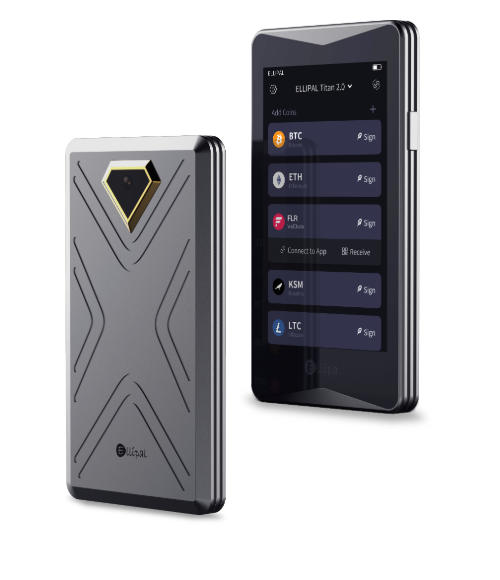
ELLIPAL Titan 2.0
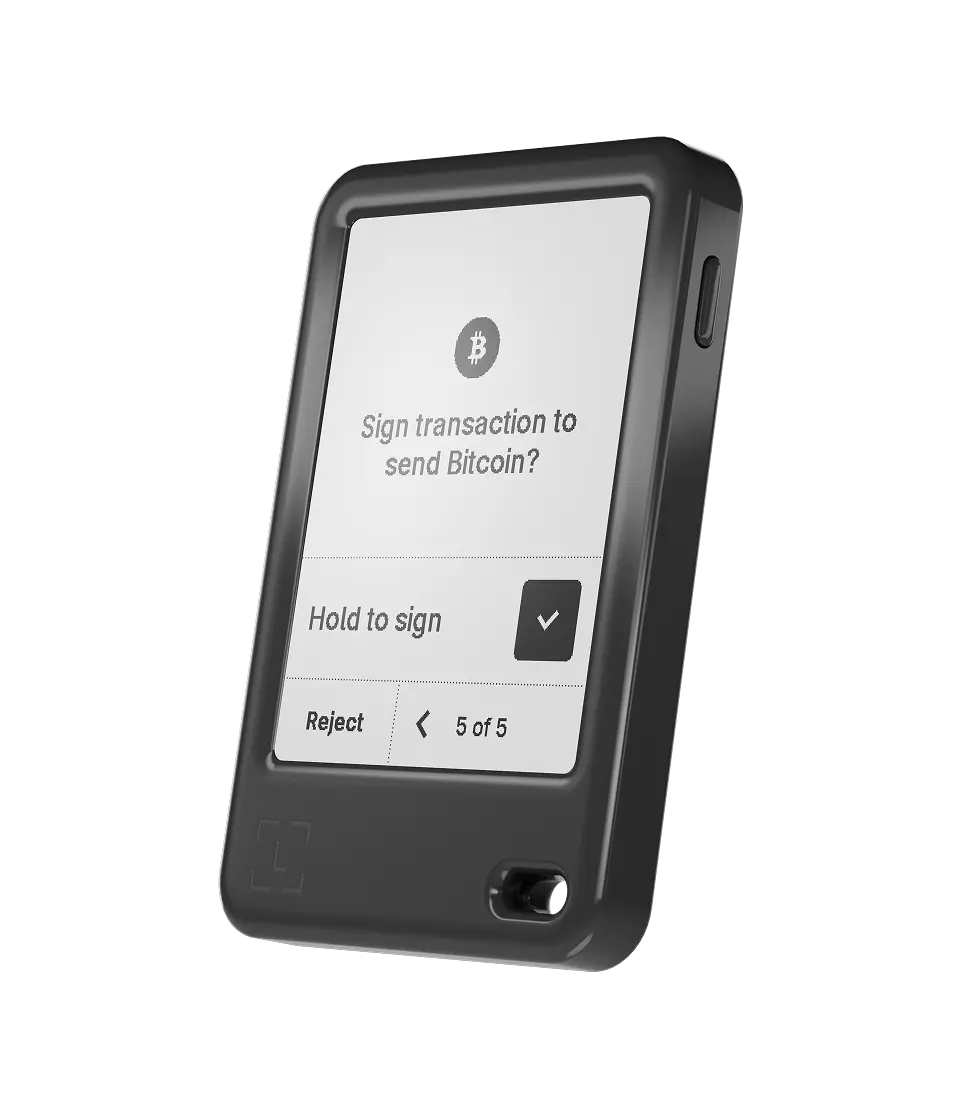
Ledger Nano Gen5
The Best Crypto Hardware Wallets for Altcoins and Beginners (In-Depth Guide)
1. ELLIPAL Titan 2.0: Overall best hardware wallet for 2026
Why is it the best hard wallet: The ELLIPAL Titan 2.0 is my #1 best crypto hardware wallet I’ve used, with military‑grade security and a friendly interface. Well, it is 100% air‑gapped: it doesn’t have Wi‑Fi, Bluetooth, USB, or NFC. So, it communicates only by scanning and displaying QR codes.
The 4‑inch HD touchscreen makes it easy to view and confirm transactions, and the CC EAL5+ secure element chip provides hardware‑level protection. It supports more than 10,000 cryptocurrencies, including Bitcoin, Ethereum, most altcoins, and NFTs.
Also, I like that it self‑destructs if tampered with and that firmware updates are done offline using an SD card. Hence, in my opinion, this is the best hardware wallet for crypto for someone who wants to store their coins 100% offline. (Read: best cold storage wallets)
Key Features of ELLIPAL
| Type of Wallet | Cold wallet crypto (air‑gapped) |
| Supported Cryptos | 10,000+ coins and tokens (BTC, ETH, ERC‑20, NFTs) |
| Fees | Hardware costs around $119; network fees apply per transaction |
| Mobile App | Yes (ELLIPAL App for iOS and Android) |
| Connectivity | QR codes only (no Wi‑Fi/Bluetooth/USB) |
| Security Chip | CC EAL5+ secure element |
| Display | 4‑inch full‑color IPS touchscreen |
| Weight | About 140 g (heavy) |
Price and availability
ELLIPAL Titan 2.0 is widely available on the official ELLIPAL store and on Amazon. It costs about $119 for the device alone, and each package includes the wallet, a Type-C charging cord, a security adapter, a user manual, two seed phrase sheets, and a microSD card for firmware updates.
2. Ledger Nano Gen5: Best crypto hardware wallet for Altcoins
Why is it the best cryptocurrency hardware wallet: Ledger is another of the best hardware wallets for altcoins, and they have finally upgraded their wallet with the “Nano Gen5,” and it is a massive leap forward from the older Nano X. Basically, they kept the familiar stick shape but replaced the tiny screen with a clearer and larger E-Ink touch panel. It makes verifying addresses way easier on the eyes.
Now, security is still the main selling point here. The Gen5 uses a new EAL6+ certified chip, which is a step up in safety standards compared to older models. Plus, it connects via Bluetooth to your phone, so you can manage your portfolio on the go without needing a laptop.
I found the battery life is pretty solid too, lasting weeks on a single charge if you aren’t spamming transactions every hour. Also, in my testing, it was actually simple to stake coins directly from the wallet thanks to built‑in integrations.
Key Features of Ledger
| Type of Wallet | Hardware wallet |
| Supported Cryptos | 15,000+ coins and tokens (BTC, ETH, altcoins) |
| Fees | Device costs about $179; network fees apply per transaction |
| Mobile App | Ledger Wallet app for iOS, Android, and desktop |
| Connectivity | USB‑C, Bluetooth, NFC |
| Security Chip | CC EAL6+ secure element |
| Display | 2.8‑inch E‑ink (Clear Signing) |
| Battery | Up to 10 hours; rechargeable |
Price and Availability
The Ledger Nano Gen5 is priced at around $179.00. You can grab it directly from the manufacturer’s site or authorized retailers. It comes with a USB‑C cable, seed recovery sheets, a free Ledger Recovery key, and the Ledger Recovery option (optional subscription).
3. Trezor Safe 7: Anonymous crypto hardware wallet for crypto
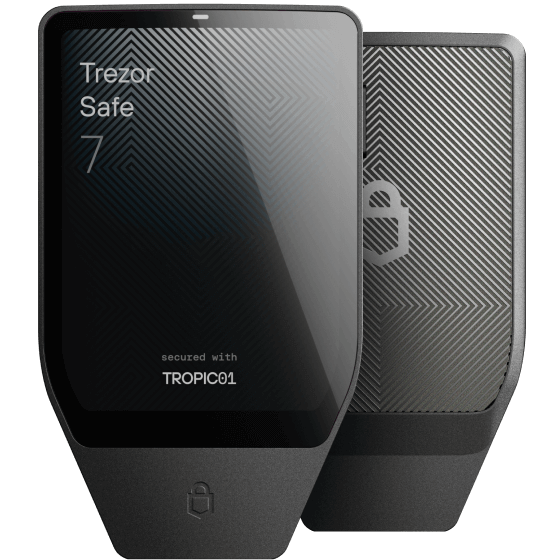
Why is it the safest crypto hardware wallet: The Trezor Safe 7 takes security to a futuristic level with its dual secure elements and transparent TROPIC01 chip. It is also quantum-resistant. Look, if you are a Bitcoin maximist or just value open-source tech, this is the one. Also, unlike the older plastic models, this one feels premium with a Gorilla Glass front and aluminum body.
It has Bluetooth, Qi2 wireless charging, and a crisp 2.5‑inch touchscreen protected by Gorilla Glass. You can use the “Bitcoin-only” firmware to minimize the code and reduce attack risks, or the standard firmware to hold other altcoins.
Key Features of Trezor
| Type of Wallet | Hardware crypto wallet with dual secure elements |
| Supported Cryptos | 9,000+ coins and tokens (Bitcoin, altcoins, NFTs) |
| Fees | Device costs around $219; network fees apply per transaction |
| Mobile App | Trezor Suite for desktop and mobile |
| Connectivity | USB‑C, Bluetooth, Qi2 wireless charging |
| Security Chip | TROPIC01 + EAL6+ secure element |
| Display | 2.5‑inch color touchscreen |
| Battery | Long‑life LiFePO4 (wireless charging) |
Price and Availability
The Safe 7 hardware wallet sells for about $219 in the U.S. market. It’s available directly from Trezor and from authorized resellers in many countries. The box includes the wallet, USB‑C cable, wireless charging pad, seed phrase cards, and a quick‑start guide.
4. ELLIPAL X Card: Most user-friendly hardware wallet for beginners
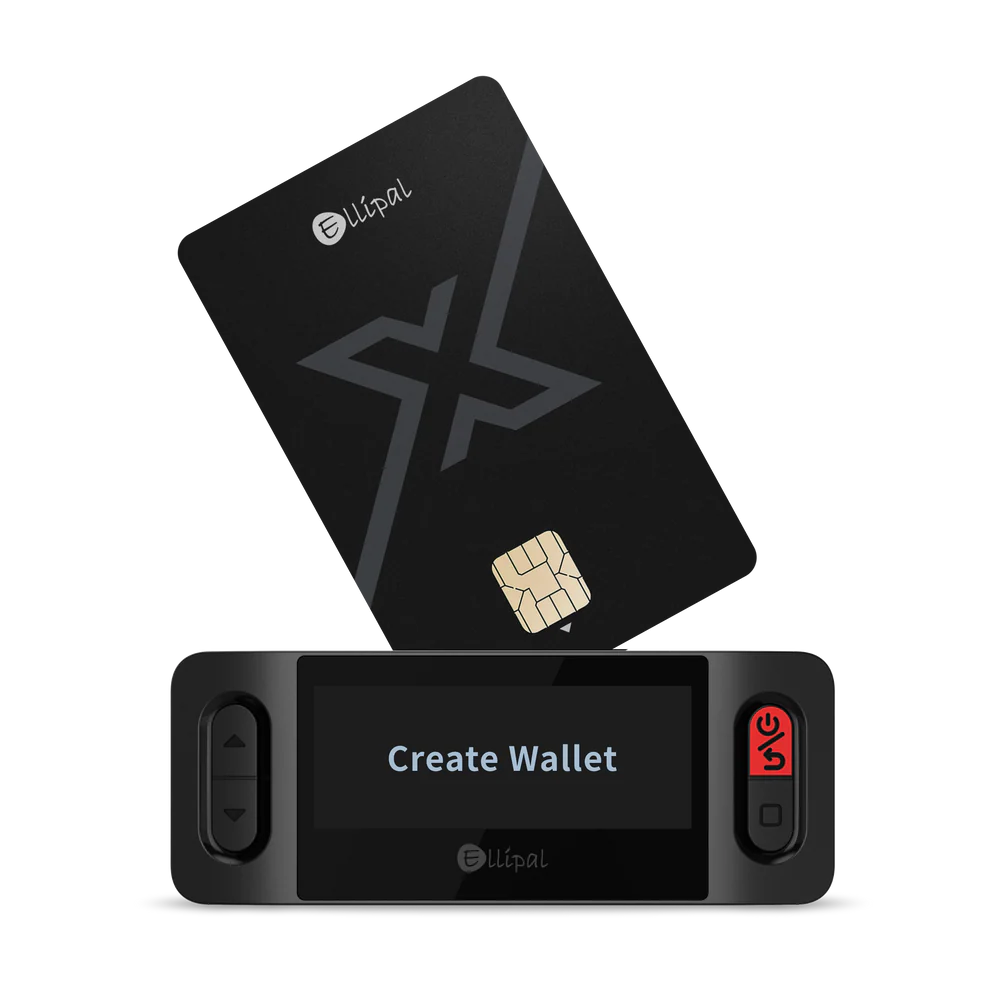
Why is it the easiest hardware wallet to use: ELLIPAL X Card is the best hardware wallet for beginners and daily users. It is essentially a hardware wallet that looks and feels exactly like a credit card, and even works using NFC tech. You can slip it into your actual wallet next to your Visa or ID.
It works seamlessly with the Titan 2.0 or just with the phone app. You just tap it or scan it to sign transactions. Generally, I recommend this for people who travel a lot and want a secondary “decoy” wallet or just something ultra-lightweight for daily use. (Read my full ELLIPAL wallet review)
Key Features of ELLIPAL
| Type of Wallet | NFC card hardware wallet |
| Supported Cryptos | 10,000+ coins and tokens |
| Fees | Single card costs about $69; optional starter kit extra |
| Mobile App | ELLIPAL mobile app |
| Connectivity | NFC (tap‑to‑sign) |
| Security Chip | CC EAL6+ secure element |
| Battery | None (power from phone’s NFC) |
| Backup | Duplicate up to 10 cards |
Pricing & Availability
The X Card is relatively affordable. It’s about $69 USD for one card (as of writing). Ellipal also sells bundles (like 3 cards for $169, etc.). You can buy it on Ellipal’s site or from other retailers. It’s in stock pretty much always; I got mine shipped in a week. Because it’s just a card, shipping is easy; and it’s a great spare backup (I even keep a second card in my travel bag).
5. SafePal S1 Pro: Affordable and cheapest crypto hardware storage solution
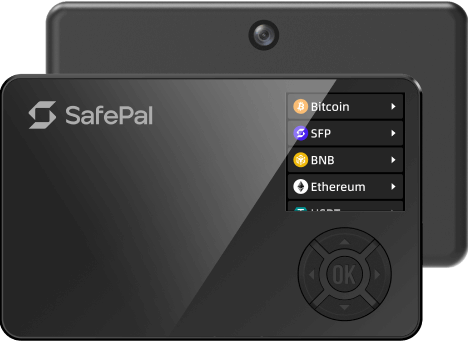
Why is it the best hardware wallet for cryptocurrency: SafePal wallet is another best hardware wallets for crypto assets. It’s a palm‑sized device with a 1.3‑inch color screen and D‑pad controls. The S1 Pro uses a CC EAL6+ secure element and is completely air‑gapped: no Wi‑Fi, Bluetooth, NFC, or USB connectivity when signing.
The S1 Pro is the upgraded version of their original S1. It keeps the 100% air-gapped mechanism (using QR codes like Ellipal) but upgrades the body to a nice metal alloy and improves the camera.
Binance Labs invested in SafePal, so the integration with Binance and DeFi apps is super smooth. Actually, I find it to be the best option if you want to trade actively while keeping funds in cold storage. The camera scanning is fast, and the screen is clear enough to read transaction data.
Key Features of SafePal
| Type of Wallet | Air‑gapped cold hardware wallet |
| Supported Cryptos | 200+ blockchains; unlimited tokens and NFTs |
| Fees | Device costs about $89.99; network fees apply |
| Mobile App | SafePal app for Android, iOS, Windows, macOS |
| Connectivity | QR codes only (no wired/wireless connections when signing) |
| Security Chip | CC EAL6+ secure element |
| Battery | 500 mAh (rechargeable via USB‑C) |
| Self‑Destruct | Yes (anti‑tamper sensors) |
Price and Availability
The SafePal S1 Pro retails for around $89.99. It comes with a USB‑C charging cable, a couple of seed phrase cards, and stickers. You can buy it from SafePal’s online store, Amazon, and various e‑commerce sites.
6. Ledger Flex: Best crypto hard wallet for staking coins and tokens
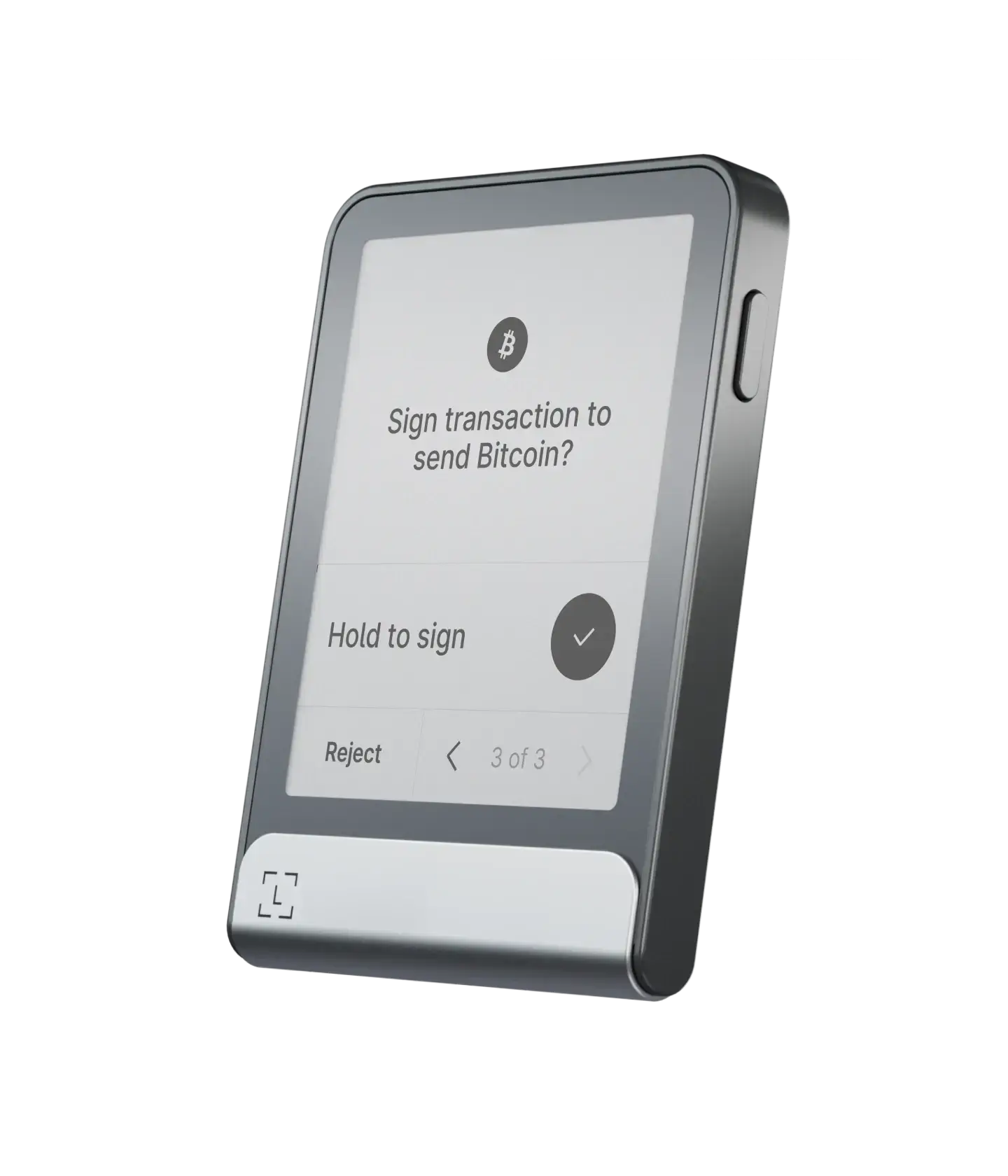
Why is it the latest and best hardware wallet brand right now: The Ledger Flex is another one of the best hardware crypto wallets for staking and altcoins, and it sits between the Stax and the older Nano X. It’s like the middle child that offers premium features at a lower price. It features a 2.8-inch E Ink touchscreen that is incredibly energy efficient. You can leave it on your desk displaying your favorite NFT or QR code for days without draining the battery.
It runs on Ledger’s secure OS and connects via NFC and Bluetooth. The “Flex” name comes from how flexible it is to use across devices. I love using it to stake ETH and SOL directly through Ledger Live because the screen lets me verify the staking contract clearly before I hit sign.
Key Features of Ledger
| Type of Wallet | Cryptocurrency hardware wallet with touchscreen |
| Supported Cryptos | 15,000+ coins and tokens |
| Fees | About $249 for the device; network fees apply |
| Mobile App | Ledger Live (desktop & mobile) |
| Connectivity | USB‑C, Bluetooth 5.2 |
| Security Chip | CC EAL6+ secure element |
| Display | 2.84‑inch E‑ink touchscreen |
| Battery | Up to 10 hours (weeks on standby) |
Price and Availability
Ledger Flex is priced at around $249. It comes with a magnetic folio, USB‑C cable, seed recovery sheets, and a Ledger Recovery Key card. It is widely available on Amazon and Ledger’s official store.
7. Tangem: NFC-based best hardware wallet for crypto Altcoins
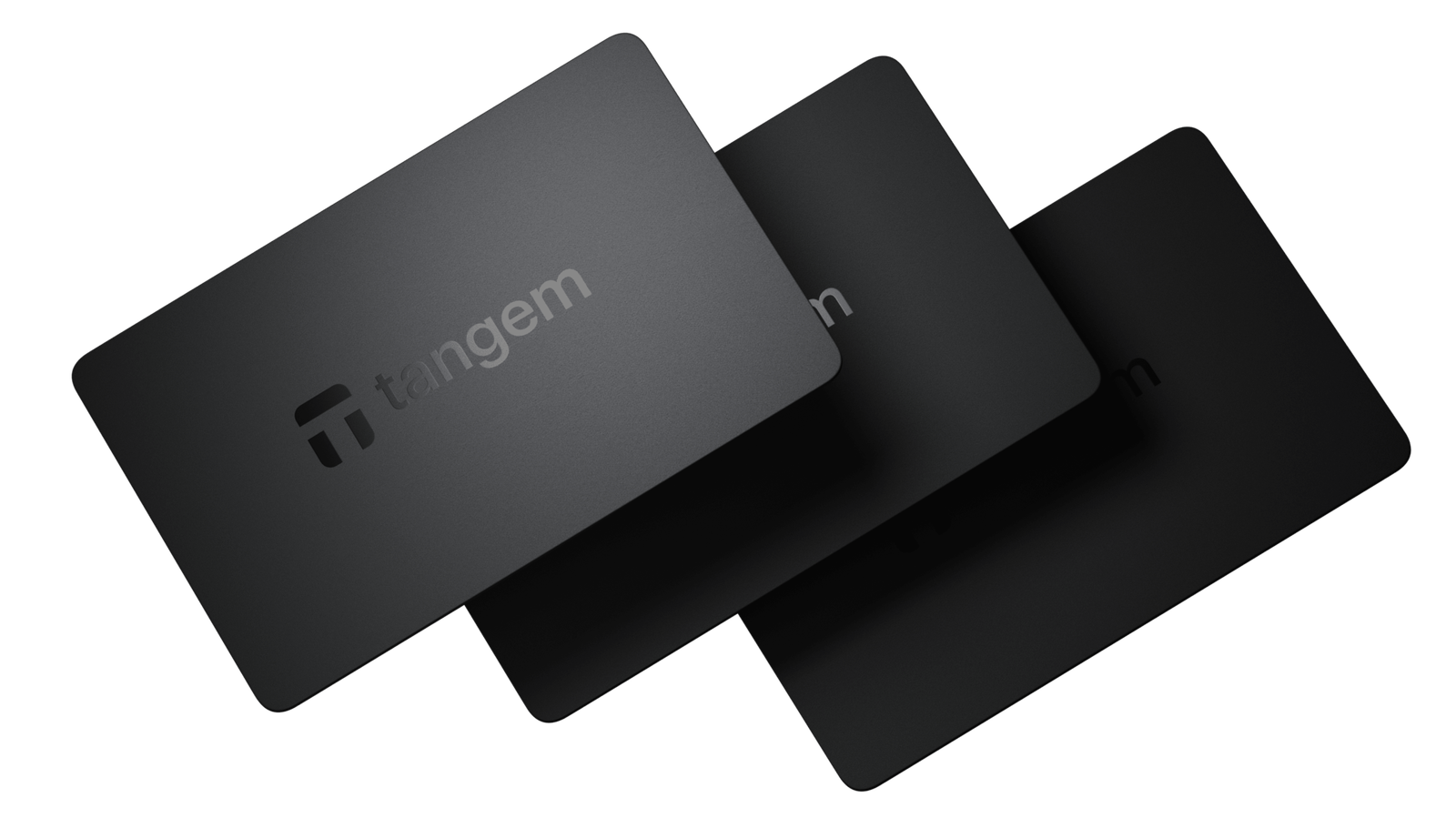
Why is Tangem the best hardware wallet for beginners: Well, Tangem is quite a different crypto hardware wallet. Basically, there is no screen, no buttons, and no batteries. It looks just like a bank card. To use it, you just tap it against the back of your smartphone using NFC. It is incredibly fast and intuitive.
It usually comes in a pack of two or three cards. You use one as your main key and keep the others as backups. Since the key is generated inside the card and never revealed (even to you), it is super secure against phishing because there is no seed phrase to steal unless you choose the seed-phrase option.
They even come with a 25‑year warranty, which is longer than any other wallet I’ve tried. Obviously, these cards are great if you want something simple, durable, and resistant to water and heat.
Key Features of Tangem
| Type of Wallet | NFC card hardware wallet for cryptocurrency |
| Supported Cryptos | 16,000+ coins and tokens |
| Fees | Two‑card set costs about $54.90; three‑card set about $69.90 |
| Mobile App | Tangem app for iOS and Android |
| Connectivity | NFC (tap‑to‑sign) |
| Security Chip | Proprietary secure element |
| Battery | None (25‑year lifespan) |
| Warranty | 25 years |
Price and Availability
Tangem hardware wallet cards are sold in packs of 2, 3, or a family pack of 6. The two‑card set costs around $54.90, and the three‑card set about $69.90. They are available worldwide via Tangem’s website and Amazon.
8. SecuX: Top hard wallet for NFTs
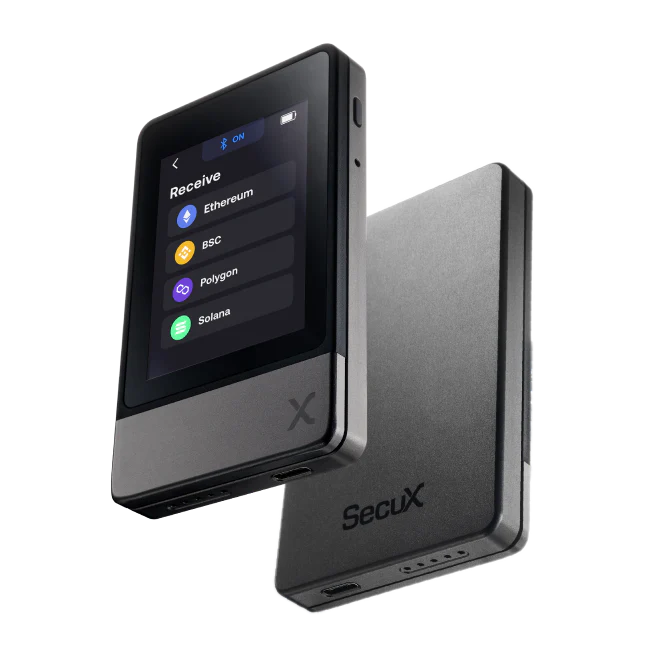
Why is it the best hardware wallet for crypto: SecuX wallet is another top option for hardware crypto storage. Well, if you are heavy into JPEGs and digital collectibles, the SecuX Nifty (or W20) is actually best. The Nifty model specifically has a screen optimized to display your NFTs in full color right on the device. You know, most wallets just show you a transaction hash, but SecuX actually lets you see the artwork.
The V20 is their rounded, shield-shaped wallet. They use a large 2.8-inch color touchscreen, which obviously makes navigating accounts really simple. Actually, it is a “vault” style device that feels substantial in your hand.
Key Features of SecuX
| Type of Wallet | Hardware wallet with touchscreen |
| Supported Cryptos | 1,000+ coins and NFTs on ETH, Polygon, BSC (multi-crypto hardware wallet) |
| Fees | W20 around $99; Nifty around $169–199 |
| Mobile App | SecuX mobile app and web app |
| Connectivity | USB (Micro‑B or C), Bluetooth |
| Security Chip | CC EAL5+ secure element |
| Display | 2.8‑inch color touchscreen (360×240 px) |
| Battery | Several hours; rechargeable via USB |
Price and Availability
The SecuX W20 is priced at about $99. The Nifty (NFT‑focused) often goes for $169–199, sometimes discounted. They come with a charging cable, a velvet pouch, and recovery cards. SecuX sells directly on its site and through retailers.
9. NGRAVE ZERO: Most secure crypto hardware wallet with EAL7 OS
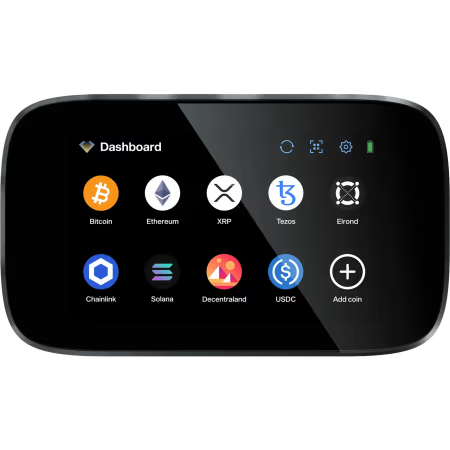
Why is it the most secure hardware crypto wallet for altcoins: NGRAVE calls the ZERO the “coldest crypto hardware wallet,” and they might be right. It is the only financial product with an EAL7 certified OS, which is higher than what banks typically use. The device itself is 100% offline; it has no Bluetooth, no WiFi, no NFC, and no USB data capability (only power).
It uses QR codes to connect to your phone. The build quality is solid; it feels like a military-grade device. It also comes with a stainless steel “GRAPHENE” backup for your seed phrase that is fireproof and waterproof.
Key Features of NGRAVE
| Type of Wallet | Air‑gapped hardware wallet for crypto |
| Supported Cryptos | ~1,000 coins and tokens (multi-chain wallet) |
| Fees | ZERO costs about $398; combo with Graphene about $498 |
| Mobile App | NGRAVE mobile app (Android, iOS) |
| Connectivity | QR codes only |
| Security Chip/OS | EAL7‑certified OS, biometric sensor |
| Display | 4‑inch color touchscreen |
| Backup | Graphene stainless steel plates |
Price and Availability
The standalone ZERO costs around $398, but the combo pack, which includes the Graphene backup plates, costs about $498. There’s also an ultimate pack with extra accessories for around $568. You can order directly from NGRAVE’s official site or from certain retailers.
10. BitBox02: Best hardware storage option for Bitcoin
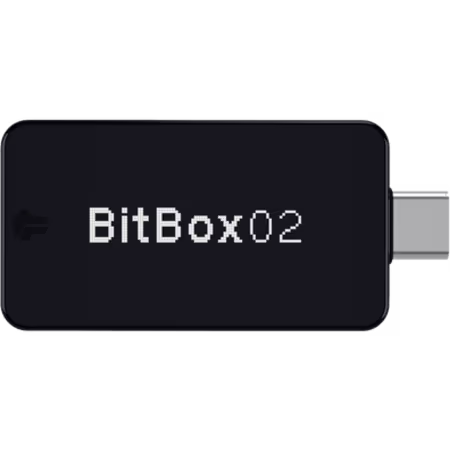
BitBox is the best hardware storage option for Bitcoin users because it offers a Bitcoin-only firmware. It plugs directly into your USB-C port. The “Bitcoin-only” edition strips out all the code for altcoins, making the device leaner and theoretically harder to hack.
It uses touch sensors on the edges of the device instead of buttons or a touchscreen. It takes a minute to get used to, but it works well. The backup is handled automatically onto a microSD card, so you don’t have to write down words if you don’t want to. You can also check out my list of the most secure Bitcoin wallets.
Key Features of BitBox02
| Type of Wallet | USB hardware wallet |
| Supported Cryptos | Bitcoin‑only or multi-coin edition (ETH, ADA, LTC, ERC‑20) |
| Fees | Costs about €109 (~$119); network fees apply |
| Mobile App | BitBoxApp for desktop (Windows, macOS, Linux) |
| Connectivity | USB‑C with USB‑A adapter |
| Security Chip | Secure chip with open‑source firmware |
| Backup | MicroSD card (included) |
| Weight | ~12 g |
Price and Availability
BitBox02 costs around €109 (about $119 at current rates). Both the Bitcoin‑only and multi-crypto editions are available from ShiftCrypto’s site and some resellers. Now, each package includes the wallet, USB‑C extension cable, USB‑A adapter, microSD card, and stickers.
(Bonus) Ledger Nano X: Best crypto hard wallet for MetaMask users
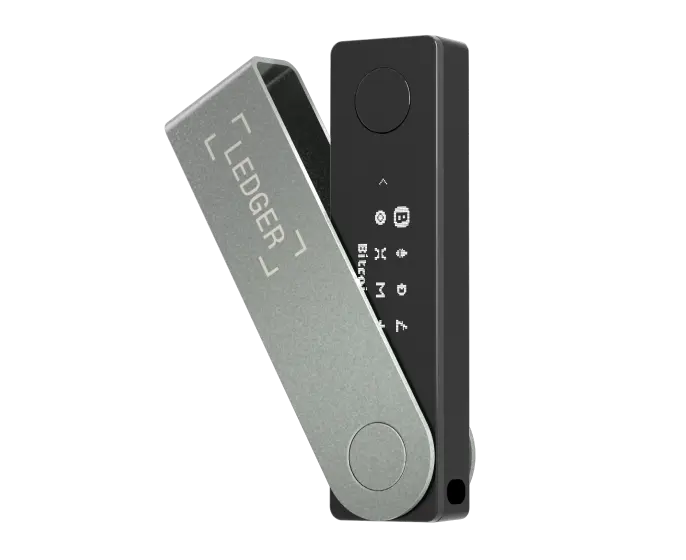
Okay, I know the Nano Gen5 is out, but the Nano X is still one of the best crypto hardware wallets and often cheaper now ($99 only). It is the industry standard for a reason. So, if you use MetaMask for DeFi, the Nano X integrates perfectly via Bluetooth or cable.
The Nano X uses a CC EAL5+ secure element and pairs with Ledger Live for portfolio management. Well, I still use my Nano X when I need to interact with DeFi on the road because it’s light and fits in my pocket like a USB stick.
Key Features of Ledger
| Type of Wallet | USB crypto hardware wallet with battery |
| Supported Cryptos | 15,000+ coins and tokens |
| Fees | Costs about $99; network fees apply |
| Mobile App | Ledger Live mobile and desktop |
| Connectivity | USB‑C, Bluetooth |
| Security Chip | CC EAL5+ secure element |
| Battery | 100 mAh (several hours of use) |
| Storage | Up to 100 apps |
Price and Availability
The Nano X costs around $99. It includes a USB‑C cable, keychain strap, seed recovery sheets, and a quick‑start guide. You can buy it from Ledger’s official store, Amazon, and other retailers.
Comparing the Best Hardware Wallets for Cryptocurrency in 2026
| Wallet | Price (approx.) | Security Certification | Supported Coins/Tokens | Connectivity | Unique Feature |
|---|---|---|---|---|---|
| ELLIPAL Titan 2.0 | $119 | CC EAL5+ | 10,000+ | QR codes only | Air‑gapped touchscreen |
| Ledger Nano Gen5 | $179 | CC EAL6+ | 15,000+ | USB‑C, Bluetooth, NFC | Clear Signing E‑ink display |
| Trezor Safe 7 | $249 | TROPIC01 + EAL6+ | 9,000+ | USB‑C, Bluetooth, Qi2 | Transparent secure element |
| ELLIPAL X Card | $69 | CC EAL6+ | 10,000+ | NFC only | Thin tap‑and‑go card |
| SafePal S1 Pro | $89.99 | CC EAL6+ | 200+ blockchains | QR codes only | Self‑destruct mechanism |
| Ledger Flex | $249 | CC EAL6+ | 15,000+ | USB‑C, Bluetooth 5.2 | Touchscreen with 16 shades of gray |
| Tangem | $54.90 (2 cards) | Proprietary | 16,000+ | NFC | 25‑year warranty |
| SecuX (W20/Nifty) | $99–199 | CC EAL5+ | Thousands | USB, Bluetooth | NFT image preview |
| NGRAVE ZERO | $398–498 | EAL7 OS | ~1,000 | QR codes only | Multi‑layer authentication |
| BitBox02 | $119 | Secure chip (open source) | ~1,000 | USB‑C | MicroSD card backup |
| Ledger Nano X | $149 | CC EAL5+ | 5,500+ | USB‑C, Bluetooth | Up to 100 apps, great for MetaMask |
What is a Hardware Crypto Wallet?
A hardware crypto wallet is a physical device designed to securely store your cryptocurrency private keys offline. You might have seen these wallets, as they often look like a USB stick or a small gadget. You can generally use a hardware wallet to manage your coins (whether it’s Bitcoin or various altcoins) without ever exposing your private keys to the internet.
Or, in simple terms, it’s a cold storage solution that keeps your crypto safe by staying offline except when you plug it in to make a transaction. Well, this way, even if your computer or phone gets malware, your crypto assets remain secure on the hardware device.
Read: Best crypto wallets (cold + hot)
How does a cryptocurrency hardware wallet work?
Okay, this hardware wallet working part might sound technical, but it is actually pretty simple once you break it down. Your crypto doesn’t actually live “in” the wallet. A lot of people get this wrong and worry that if they break the device, the coins are inside the broken plastic. Your Bitcoin or Solana lives on the blockchain, which is just a public ledger on the internet that tracks who owns what.
Your best crypto hardware wallet just holds the Private Keys, which are the cryptographic proof that you own a specific slice of that blockchain.
Here is how the process works when you want to send money:
- Creation: You create a transaction on your computer or phone app (like Ledger Live or Trezor Suite). You say, “Send 1 BTC to Bob.” At this stage, the transaction is just a proposal; it hasn’t been approved yet.
- Transfer: The app sends this unsigned request to your hardware wallet via a USB cable, a Bluetooth connection, or a QR code. The computer is asking your chosen best hardware wallet for permission.
- Signing: Your hardware wallet shows you the details on its own little trusted screen. It asks, “Do you really want to send 1 BTC to Bob?” This step is critical because malware on your PC could change the screen to show “Send 1 BTC to Bob” while actually sending “10 BTC to Hacker.” The hardware wallet screen tells the truth.
- Confirmation: You physically press a button on the device to say “Yes.” The wallet uses your private key to digitally “sign” the transaction. This creates a unique cryptographic signature that proves you approved the move without ever revealing the key itself.
- Broadcasting: The signed message goes back to your computer, and your computer publishes it to the network. The blockchain miners see the valid signature and process the payment.
What are the different types of hardware wallet brands?
#1. USB Hardware Wallets
Well, these are the most common types that plug into your computer or phone via USB (or connect via Bluetooth). They often look like small USB drives. You can connect it when you need to manage your crypto and disconnect when you’re done.
Basically, the best hardware wallets, like older Ledgers and Trezors, fall in this category, and some newer ones also have Bluetooth for wireless use with mobile (e.g., Ledger Nano Gen5), but fundamentally, they establish a direct link to your device when in use.
#2. Air-Gapped Cold Wallets
You see, an air-gapped hardware wallet never connects directly via USB or Bluetooth at all. But instead, it stays completely offline and often uses QR codes or a microSD card to communicate.
So, for example, the ELLIPAL Titan 2.0 is an air-gapped wallet. You need to use its camera to scan QR codes for transactions. Because there’s no USB, no Wi-Fi, no Bluetooth, it’s isolated from networks, which makes it extremely secure against remote attacks.
Also, these top hardware wallets typically have a screen (sometimes a big 4-inch touchscreen, say ELLIPAL or Keystone) to show transaction details and a camera to scan data. They’re like a little offline computer for your crypto.
#3. Card-Based / NFC Wallets
These hardware wallets are kinda new and really cool. They look exactly like a credit card, often just as thin. You just have to tap them on the back of your phone to sign a transaction using NFC (Near Field Communication), the same tech used for Apple Pay.
Also, they are super durable, waterproof, and easy to carry in a regular wallet. The downside is they usually don’t have a screen, so you have to trust what your phone displays, or they use a companion app to verify details. The best NFC-based hardware wallets are ELLIPAL X Card and Tangem Wallet.
Advantages and Disadvantages of Using a Cryptocurrency Hardware Wallet
Benefits of using a crypto hard wallet
Now, you might be thinking, “Why spend money on a hardware wallet when I can use a free crypto app on my phone?” Well, here is why that free app might cost you everything…
- Unhackable Remote Security: You know, since the device is offline, remote attacks are basically impossible. A software wallet on your PC is vulnerable to keyloggers, screen capture malware, and clipboard hijackers. A hardware wallet ignores all of that. To steal your funds, a thief would need to physically break into your house, steal the device, and then somehow guess your PIN code before the device wipes itself.
- Full Ownership: You have probably heard people saying: “Not your keys, not your coins.” If you leave money on a crypto exchange like Binance or Coinbase, they technically own it. You just have an IOU. Now, if they go bankrupt, get sued, or just decide they don’t like your activity, your money is gone or frozen. But with a hardware wallet, you own the private keys directly. You are your own bank. Nobody can freeze your account or stop a transaction.
- Wide Asset Support: Most of my listed best hardware wallets support thousands of coins and tokens. You can hold Bitcoin, Ethereum, NFTs, and even new meme coins all on one device. You don’t need a separate wallet for every coin. Also, you can check out my guide on the best multi-coin hardware wallets.
- Pin Protection: Even if you lose the device, it is locked with a PIN code that you set up. Most of the top crypto hardware wallets have a security feature where they wipe themselves clean after 3 to 10 wrong guesses.
Risks of using a crypto hard wallet
- Losing the Seed Phrase: Well, this is probably the big one. You see, when you set up the wallet, it gives you 12 or 24 words known as a “seed phrase.” This is your master backup. Now, if you lose your device AND you lose this paper with the words, your money is gone forever. There is no “Forgot Password” button in crypto. No customer support can help you recover it. You have to be responsible enough to keep that piece of paper safe.
- Supply Chain Attacks: This is actually rare but scary. If you buy a hardware wallet from a random eBay seller or a sketchy third-party site, they might have tampered with it. They could put a modified chip or virus on it before you even open the box. A common scam is receiving a device that already has a seed phrase written on a card in the box. That means the scammer has the copy. So, I say, you should always buy from the official website to ensure you get a clean unit.
- Complexity: For a total beginner, understanding firmware updates, blind signing, and address verification can be a bit overwhelming. You have to learn a little bit to use them safely, and if you rush through the setup or don’t pay attention to the screen prompts, you could accidentally send money to the wrong network or sign a malicious contract.
Why You Should Use a Crypto Hardware Wallet?
You should use a crypto hardware wallet if you want to truly control and secure your digital assets with cold storage tech. Honestly, it’s the single most effective way to guard against the common threats that put your coins at risk.
Look, the crypto world is the Wild West. There is no FDIC insurance like a bank has. If your money is stolen, it is gone.
You know, in the last few years, we saw giants like FTX and Celsius collapse overnight. People who thought their funds were safe lost millions in seconds. It happens fast, and it happens without warning.
You should use a hardware wallet because it is the only way to sleep soundly at night. When the market is crashing or exchanges are halting withdrawals, you don’t have to panic. Your coins are sitting safely in your wallet, immune to corporate bankruptcy.
Also, as your portfolio grows, the risk grows. Keeping $50 on an exchange is fine; the risk is low. Keeping $50,000 on an app on your phone? That is just reckless. If your phone gets SIM-swapped or hacked, that money vanishes. A hardware wallet costs maybe $60 to $200. That is a tiny insurance premium to pay for protecting thousands of dollars of your hard-earned wealth.
Read more: Best NFT hardware wallets
How to Choose the Right Crypto Hardware Wallet Option?
To choose the best crypto hardware wallets, you need to look for some very important factors like supported coins, security measures, ease of use, connectivity options, pricing, and additional features like NFT storage, staking, or dApp access.
Supported Coins
You need to make sure that your best hardware wallet supports all the cryptocurrencies you plan to store. This is crucial for altcoin holders. The best crypto hardware wallets for altcoins typically support a long list of coins and tokens.
So, for example, Ledger hardware wallets support thousands of coins (pretty much all the major ones and many minor ones), and Trezor with its software can handle a wide range as well. You should always double-check that your favorite altcoins are supported by the wallet or its companion software.
Security Features
You need to look at what security measures each crypto wallet offers. You know, almost all will keep keys offline, but some go further.
- Does the device have a secure element chip (a tamper-resistant chip rated at something like EAL5+ or higher)?
- Does it allow a passphrase (an extra word you can add to your seed for added security)?
- Is the firmware open-source (which some users prefer for transparency) or proprietary?
Also, check the track record – have there been any known hacks or issues with that model? Generally, established latest crypto hardware wallet brands like Ledger, Trezor, or devices like ELLIPAL, etc., have good security track records. But yes, it never hurts to do a quick search on any wallet you’re considering to see if security researchers have flagged anything.
Ease of Use
Some cryptocurrency hardware wallets are more user-friendly than others. Consider the user interface:
- Does it have a screen (touchscreen vs. tiny OLED with two buttons)? Larger touchscreens (like on Ledger Stax/Flex or Trezor Safe series) can make it easier to navigate and read details.
- Also, how intuitive is the companion app? Ledger’s app (now Ledger Wallet, formerly Ledger Live) and Trezor Suite are designed to be pretty friendly.
Connectivity & Form Factor
You should think about how you’ll be using the wallet day-to-day. Now, if you mostly use a desktop computer, a USB-connected hardware wallet is perfectly fine. But if you rely on your phone, you might prefer a wallet with Bluetooth or an NFC card wallet for mobile convenience.
Also, air-gapped crypto hardware wallets (like ELLIPAL Titan 2.0 or Keystone) are a bit bigger (they look like mini smartphones). They’re super secure but less pocketable. Also, if you want a wallet that’s more durable, obviously, you need to look at the build materials. Some have metal cases, others are plastic.
Budget (Cost or Pricing)
You can get a solid, basic hardware wallet for around $50-$70 (like an older Ledger Nano S Plus, or something like a Trezor Safe 3, maybe). Next, most of the premium models with big screens or extra features can cost $150-$300.
While it’s generally true that any amount spent is worth protecting your crypto, you don’t necessarily need the fanciest device if your needs are basic. So, you should determine the features you need and see what fits your price range.
Brand Reputation & Support
This might not be immediately obvious, but going with a reputable brand can save you headaches. Most trusted crypto hardware wallet brands like Ledger and Trezor have been around for years, have large user communities, and offer regular firmware updates and customer support.
You just need to see if the company has a history in the industry or if they’re brand new. That doesn’t mean new entrants aren’t good; yes, some are excellent, but you want to be sure they’ll stick around and continue updating the product.
Also, a well-established crypto cold wallet brand’s device is more likely to be compatible with third-party wallets and services (for example, many dApps specifically support Ledger or Trezor for hardware wallet connections).
Additional Features
You need to consider whether you need any special features, as some wallets now can also store things like NFT artwork (displaying NFTs on the screen), or have integrated stake/earn functions in their apps.
A few can act as security keys for logging into accounts as well (e.g., Ledger can function as a U2F security key). Now, conversely, if you only care about basic send/receive of crypto, you might not need a device that does it all.
How to Use a Cryptocurrency Hardware Wallet?
Step 1: Purchase and Unbox
First, you really should get your BEST hardware wallet from an official source only. When the package arrives, you need to check the packaging for anything suspicious immediately.
The box should generally be unopened and factory-sealed. You will typically find the device, a USB cable, and some recovery seed cards inside the box for writing down your secret words.
Step 2: Initial Setup
You can power on the device now. For some wallets, this means plugging it into your computer or mobile phone via USB cable, and for others, it could mean just turning it on if it has a battery.
You will likely be prompted to choose a PIN code on the device screen, so you must choose a strong PIN that is not easily guessable. You will need this PIN each time you use your best crypto hardware wallet.
Step 3: Write Down the Recovery Seed
Next, the device will generate your recovery seed phrase for you, and it usually consists of 24 words, or sometimes 12 words, depending on the wallet brand. The device will display these words one by one on its screen.
You have to carefully write down all the words in the correct order on the provided recovery sheet. You should double-check the spelling too, and must not take a photo of it or save it on a computer, so keep it strictly offline. This list of words is the only backup to all your crypto accounts.
Step 4: Confirm the Recovery Phrase
Most of these best hardware wallets for altcoins will make you confirm the seed phrase after showing it. For example, after you write them down, the device might ask you to select a few of the words in the correct order.
Well, this ensures you didn’t make a mistake during the writing process. It might feel a bit tedious, but it is worth it for your peace of mind. You just need to complete that verification on the device to proceed.
Step 5: Install the Companion App and Connect
Now, you need to install the wallet’s companionmobile app on your computer or smartphone. For Ledger, you download Ledger Live; for Trezor, you can use Trezor Suite. Once installed, you connect your hardware wallet to the app.
Step 6: Add Cryptocurrency Accounts
Now, within the companion app, you can add the accounts for the cryptocurrencies you plan to use. Typically, most of the best cryptocurrency hardware wallets require you to install specific coin “apps” or enable accounts first.
So, for instance, on Ledger, you might install the Bitcoin app onto the device itself. This setup allows the device to manage addresses for those specific coins. After installing, you will be able to see your wallet addresses for each crypto.
Step 7: Receiving Crypto
To receive crypto, you use the companion app to get an address from your hardware wallet. For example, if you want to receive Bitcoin, you open the Bitcoin account in the app and click “Receive”.
The app will show you a Bitcoin address, and usually, the hardware wallet will allow you to verify that address on its screen. You must check that the address shown on your computer matches exactly what is on the device’s screen.
Step 8: Sending Crypto
Again, when you want to send crypto, you will need to create the transaction in the companion app first. You should enter the recipient’s address and the amount in the app. Once you hit send, the app will recognize that you need to approve this on the hardware wallet.
The hardware device will then prompt you to confirm the transaction details. You must review these details carefully on the device’s screen, and if everything looks right, you can approve on the device by pressing its buttons.
Security Tips for Keeping Your Crypto Hardware Wallet Safe
- Never Type Your Seed Phrase Online: I cannot stress this enough. No legitimate company will EVER ask for your 12 words online. Not Ledger support, not a decentralized app, nobody. If a website, pop-up, or email asks for those words, it is a scam. Period. The only place those words enter is into the hardware device itself.
- Use a Passphrase (Hidden Wallet): Most of these best hardware wallets for crypto let you add a “25th word” or a passphrase. This creates a completely hidden wallet behind the main one. Even if someone holds a gun to your head and demands your PIN, you can give them the PIN to your “decoy” wallet with $50 in it, while your real savings are safe in the hidden wallet that requires the passphrase.
- Get a Steel Backup: Paper burns, tears, and gets wet. Water destroys ink. For really long-term storage, buy a steel cassette or plate (like Cryptotag or Billfodl). You punch or slide your seed words into metal tiles. It is fireproof, waterproof, and basically indestructible.
- Check the Address Every Time: There is malware called “Clipboard Hijacker” that swaps addresses in your clipboard. You copy a friend’s address, but when you paste it, the virus changes it to the hacker’s address. You need to check the first 4 and last 4 characters on your device screen before clicking send.
- Keep Firmware Updated: Companies release updates to fix bugs, patch security vulnerabilities, and add new coins. You should update your best crypto hardware wallets when the official app tells you to. However, always make sure you have your seed phrase handy before updating, just in case the device resets.
Conclusion: Top Hard Wallets for Crypto in 2026
In a nutshell, the best crypto hardware wallets are ELLIPAL Titan 2.0, Ledger Flex, Trezor Safe 5, Keystone 3 Pro, and Tangem wallet due to secure cold storage, multiple supported altcoins along with Bitcoin, and trusted brands with millions of HODLers.
Ultimately, the best hardware wallets for altcoins and all cryptocurrencies share the same core goal: keeping your private keys safe. Now, choosing among them requires knowing your budget and whether you value portability, openness, or maximum isolation, but any of these will secure your crypto far better than leaving it on a crypto exchange.
FAQs: Best Crypto Hardware Wallets for Beginners
What are the latest crypto hardware wallet brands?
The latest crypto hardware wallet brands include the Ledger Nano Gen5 and Flex models, which debuted in late 2025 with touchscreens and E Ink displays. Trezor’s Safe 7, announced in mid‑2025, brings dual secure elements and quantum resistance.
Tangem’s card sets continue to expand with colorful limited editions, while Ellipal’s X Card and Titan 2.0 refresh the air‑gapped category.
What is the best hard wallet for cryptocurrency?
The best hard wallets for cryptocurrency are ELLIPAL Titan 2.0, Ledger Flex, Trezor Safe 5, Keystone 3 Pro, and Tangem wallet due to secure cold storage, multiple supported altcoins along with Bitcoin, and trusted brands with millions of HODLers.
Which is the safest crypto hardware wallet in 2026?
The safest crypto hardware wallets are ELLIPAL Titan 2.0, Ledger Flex, Trezor Safe 5, Keystone 3 Pro, and Tangem wallet due to secure cold storage.
What happens if I lose my hardware crypto wallet?
No, losing the device doesn’t mean losing your coins if you’ve backed up your recovery phrase or cards. For seed‑based wallets like Ledger, Trezor, BitBox, and Ellipal, you can restore your wallet on a new device using the 12/24‑word seed.
Where should I buy a crypto hardware wallet?
You should always buy your best crypto hardware wallets directly from the manufacturer’s website (like ledger.com, trezor.io, or tangem.com). Never buy from Amazon, eBay, or a random electronics store, as the risk of a “Supply Chain Attack” is real on third-party sites.
Are hardware wallets worth buying?
Yes, absolutely. If you have more than $5,000 in crypto, spending $60 on a basic wallet is a no-brainer. It is peace of mind. You wouldn’t walk around with $5,000 cash in your pocket, so don’t keep $5,000 in a hot wallet.
What are the best Web3 hardware wallets?
The Ledger Flex and ELLIPAL Titan 2.0 are currently the best crypto hardware wallets for Web3 enthusiasts. They connect easily to browser extensions like MetaMask and Rabby, and allow you to interact with DeFi protocols, swap tokens on Uniswap, and buy NFTs on OpenSea securely.
They even have large screens that can decipher “smart contract” transactions, so you actually know what you are signing. You see, older wallets often just show “Blind Sign,” which is risky. These newer models give you “Clear Signing” capabilities for complex Web3 tasks.
Is a crypto hardware storage solution necessary?
Well, if you actively trade small amounts, a software or exchange wallet may suffice. But if you’re investing, holding, or accumulating altcoins for the long term, hardware storage greatly reduces the risk of theft or loss.
Which hardware wallet is best value for money right now?
Ledger Nano Gen5 offers a strong mix of features and affordability at around $179. It includes a secure element, touchscreen, Bluetooth/NFC connectivity, and support for 5,500+ coins. Plus, Tangem’s two‑card set is the cheapest option at about $55 and still secures more than 16,000 tokens, making it a good entry point for newcomers.
Which is the most legit crypto hardware option?
Ledger and Trezor hardware wallets have been around for years and are widely used. Their devices undergo independent security audits and comply with strict certification standards.
They are the industry standards, so if you want the “Toyota” or “Honda” of wallets – reliable, proven, and everywhere – you go with them.
Their code has been scrutinized by thousands of security experts. While newer hardware wallet brands are exciting, these two have the track record that builds real trust.
Can hardware wallets be hacked?
No, it is extremely difficult and rare to hack a hardware wallet. Researchers have hacked old models in labs using high-powered lasers and voltage glitching, but it required physical access to the device for hours and thousands of dollars in equipment.
Also, remote hacking over the internet is virtually impossible because the private keys never touch the web. Unless you hand your device to a genius hacker and leave them alone with it for a week, you are safe. The real “hack” is usually phishing, where you get tricked into typing your words into a fake website.