
You see, Bitcoin blockchain does not offer DeFi services like Ethereum, and it does not require constant interaction with smart contracts or daily on-chain activity. It is a store of value. Hence, you should definitely store your BTC in a hardware wallet, and strictly no to software wallets for Bitcoin if you are holding over $5,000.
In this guide, I will cover the most secure hardware wallets for Bitcoin and explain why cold storage remains the safest choice for serious holders.
Quick verdict: The most secure hardware wallets for Bitcoin are ELLIPAL 2.0, Ledger Flex, Trezor Safe 7, X Card, SafePal S1 Pro, and Tangem Wallet due to high security & popularity, trusted by millions of users, and support for BTC with both legacy and SegWit transfers.
Top 10 Most Secure Hardware Wallets for Bitcoin Ranked
Here is my list of the most secure Bitcoin wallets right now…
- ELLIPAL Titan 2.0 – Overall best Bitcoin cold wallet for 2026 (no WiFi, no Bluetooth, no Cellular; QR-code based)
- Ledger Nano Gen5 – Most trusted and secure hardware wallet for Bitcoin (trusted by 10M HODLers)
- Trezor Safe 7 – Best Bitcoin-only cold wallet (open-source, Tor browser, and transaction mixing for anonymity)
- ELLIPAL X Card – Most user-friendly Bitcoin wallet in 2026 (NFC-based credit card style)
- SafePal S1 Pro – Cheapest Bitcoin wallet for beginners (costs only $79, but not user-friendly)
- Ledger Flex – Most Popular Bitcoin wallet for advanced users (e-ink touchscreen display)
- Tangem – NFC-based easiest BTC wallet to use for new users (Tap-and-go)
- NGRAVE ZERO – Safest hardware wallet for Bitcoin with EAL7 OS (highly pricy, not recommended)
- BitBox02 – Best cold storage option for Bitcoin (BTC-only firmware option available)
- Ledger Nano X: Oldest popular, and user-friendly crypto wallet for Bitcoin
My Safest Bitcoin Hardware Wallets for Long-Term Storage (No Doubt)
These 2 are my personal favorite and most secure hardware wallets for Bitcoin. I have been using them for over three years, and without any doubt, these are the top options to store Bitcoin offline…
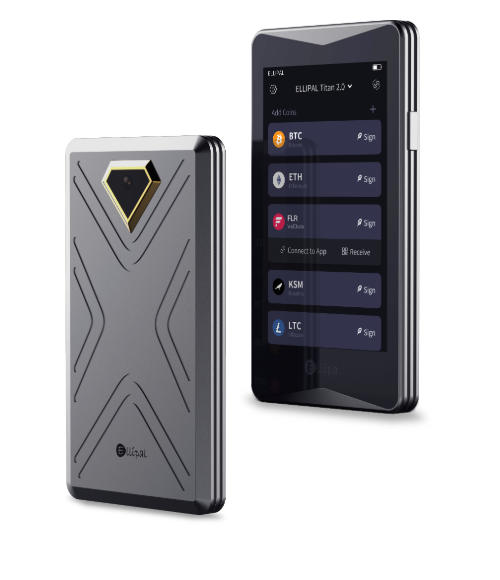
ELLIPAL Titan 2.0
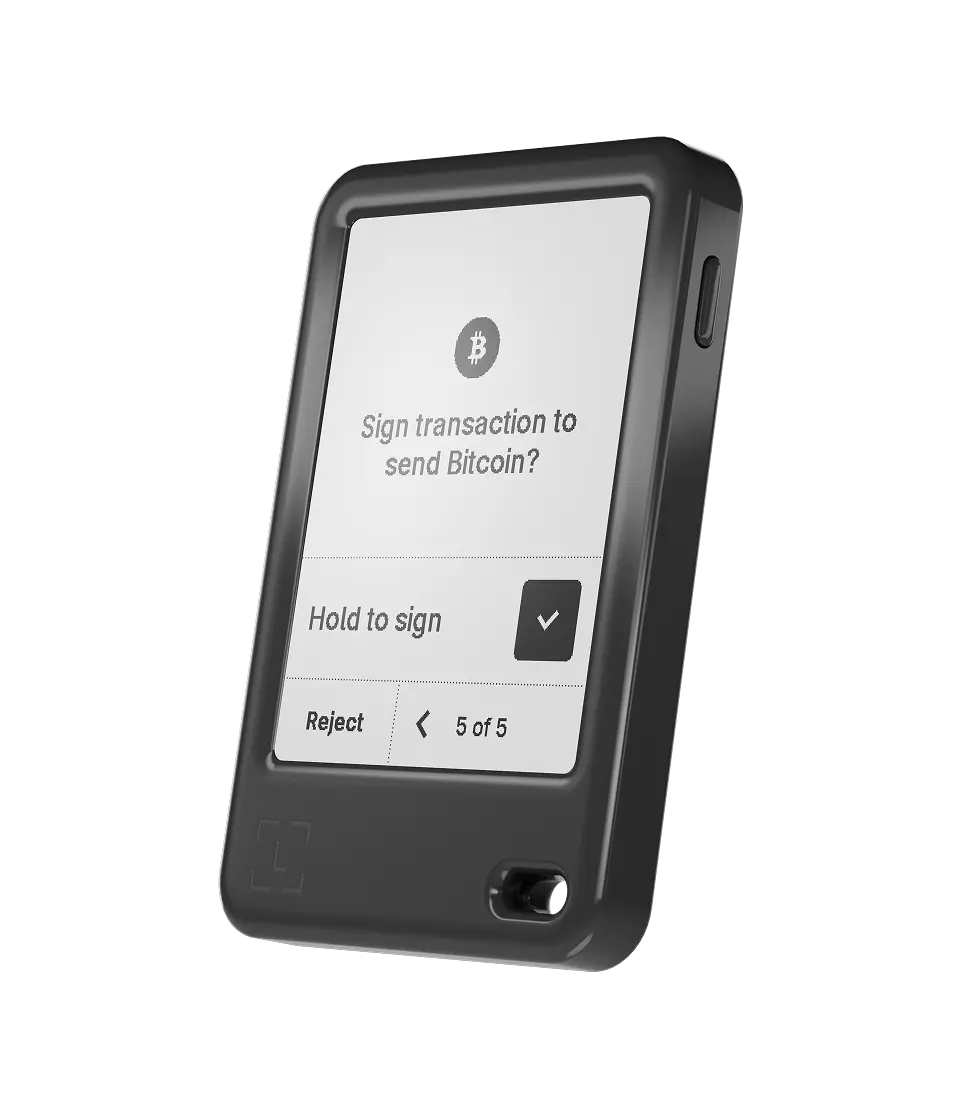
Ledger Nano Gen5
In-Depth Review of Best Bitcoin Wallets in 2026
Okay, so here is the full in-depth review of these top 10 most secure hardware wallets for Bitcoin, along with their key features, price, pros, and cons.
1. ELLIPAL Titan 2.0: Overall best Bitcoin cold wallet for 2026
Why is it the best Bitcoin wallet: The ELLIPAL Titan 2.0 is the most secure Bitcoin wallet I’ve used, with military‑grade security and a friendly interface. Well, it is 100% air‑gapped: it doesn’t have Wi‑Fi, Bluetooth, USB, or NFC. So, it communicates only by scanning and displaying QR codes.
The 4‑inch HD touchscreen makes it easy to view and confirm transactions, and the CC EAL5+ secure element chip provides hardware‑level protection. It supports Bitcoin (BTC) along with legacy and SegWit addresses.
Also, I like that it self‑destructs if tampered with and that firmware updates are done offline using an SD card. Hence, in my opinion, this is the best wallet for Bitcoin for someone who wants to store their coins 100% offline.
| Type of Wallet | Cold wallet for Bitcoin (air‑gapped) |
| Supported Cryptos | 10,000+ coins and tokens (BTC, ETH, ERC‑20, NFTs) |
| Fees | Hardware costs around $119; network fees apply per transaction |
| Mobile App | Yes (ELLIPAL App for iOS and Android) |
| Connectivity | QR codes only (no Wi‑Fi/Bluetooth/USB) |
| Security Chip | CC EAL5+ secure element |
| Display | 4‑inch full‑color IPS touchscreen |
| Weight | About 140 g (heavy) |
Price and availability
ELLIPAL Titan 2.0 is widely available on the official ELLIPAL store and on Amazon. It costs about $119 for the device alone, and each package includes the wallet, a Type-C charging cord, a security adapter, a user manual, two seed phrase sheets, and a microSD card for firmware updates.
2. Ledger Nano Gen5: Most secure hardware wallet for Bitcoin
Why is it the best Bitcoin wallet: Ledger is another most secure hardware wallet for Bitcoin, and they have finally upgraded their wallet with the “Nano Gen5,” and it is a massive leap forward from the older Nano X. Basically, they kept the familiar stick shape but replaced the tiny screen with a clearer and larger E-Ink touch panel. It makes verifying addresses way easier on the eyes.
Now, security is still the main selling point here. The Gen5 uses a new EAL6+ certified chip, which is a step up in safety standards compared to older models. Plus, it connects via Bluetooth to your phone, so you can manage your Bitcoin on the go without needing a laptop.
I found the battery life is pretty solid too, lasting weeks on a single charge if you aren’t spamming transactions every hour. Also, in my testing, it was actually simple to stake coins directly from the wallet thanks to built‑in integrations.
| Type of Wallet | Bitcoin hardware wallet |
| Supported Cryptos | 15,000+ coins and tokens (BTC, ETH, altcoins) |
| Fees | Device costs about $179; network fees apply per transaction |
| Mobile App | Ledger Wallet app for iOS, Android, and desktop |
| Connectivity | USB‑C, Bluetooth, NFC |
| Security Chip | CC EAL6+ secure element |
| Display | 2.8‑inch E‑ink (Clear Signing) |
| Battery | Up to 10 hours; rechargeable |
Price and Availability
The Ledger Nano Gen5 is priced at around $179.00. You can grab it directly from the manufacturer’s site or authorized retailers. It comes with a USB‑C cable, seed recovery sheets, a free Ledger Recovery key, and the Ledger Recovery option (optional subscription).
3. Trezor Safe 7: Most anonymous Bitcoin wallet (Tor browser and CoinJoin support)
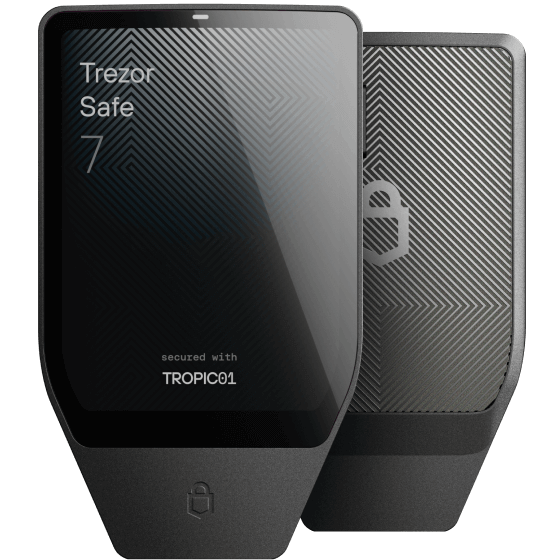
Why is it the best Bitcoin wallet: The Trezor Safe 7 takes security to a futuristic level with its dual secure elements and transparent TROPIC01 chip. It is also quantum-resistant. Look, if you are a Bitcoin maximist or just value open-source tech, this is the one. Also, unlike the older plastic models, this one feels premium with a Gorilla Glass front and aluminum body.
It has Bluetooth, Qi2 wireless charging, and a crisp 2.5‑inch touchscreen protected by Gorilla Glass. You can use the “Bitcoin-only” firmware to minimize the code and reduce attack risks, or the standard firmware to hold other altcoins.
| Type of Wallet | Most anonymous Bitcoin wallet |
| Supported Cryptos | 9,000+ coins and tokens (Bitcoin, altcoins, NFTs) |
| Fees | Device costs around $219; network fees apply per transaction |
| Mobile App | Trezor Suite for desktop and mobile |
| Connectivity | USB‑C, Bluetooth, Qi2 wireless charging |
| Security Chip | TROPIC01 + EAL6+ secure element |
| Display | 2.5‑inch color touchscreen |
| Battery | Long‑life LiFePO4 (wireless charging) |
Price and Availability
The Safe 7 cold wallet sells for about $219 in the U.S. market. It’s available directly from Trezor and from authorized resellers in many countries. The box includes the wallet, USB‑C cable, wireless charging pad, seed phrase cards, and a quick‑start guide.
4. ELLIPAL X Card: Most user-friendly Bitcoin wallet in 2026
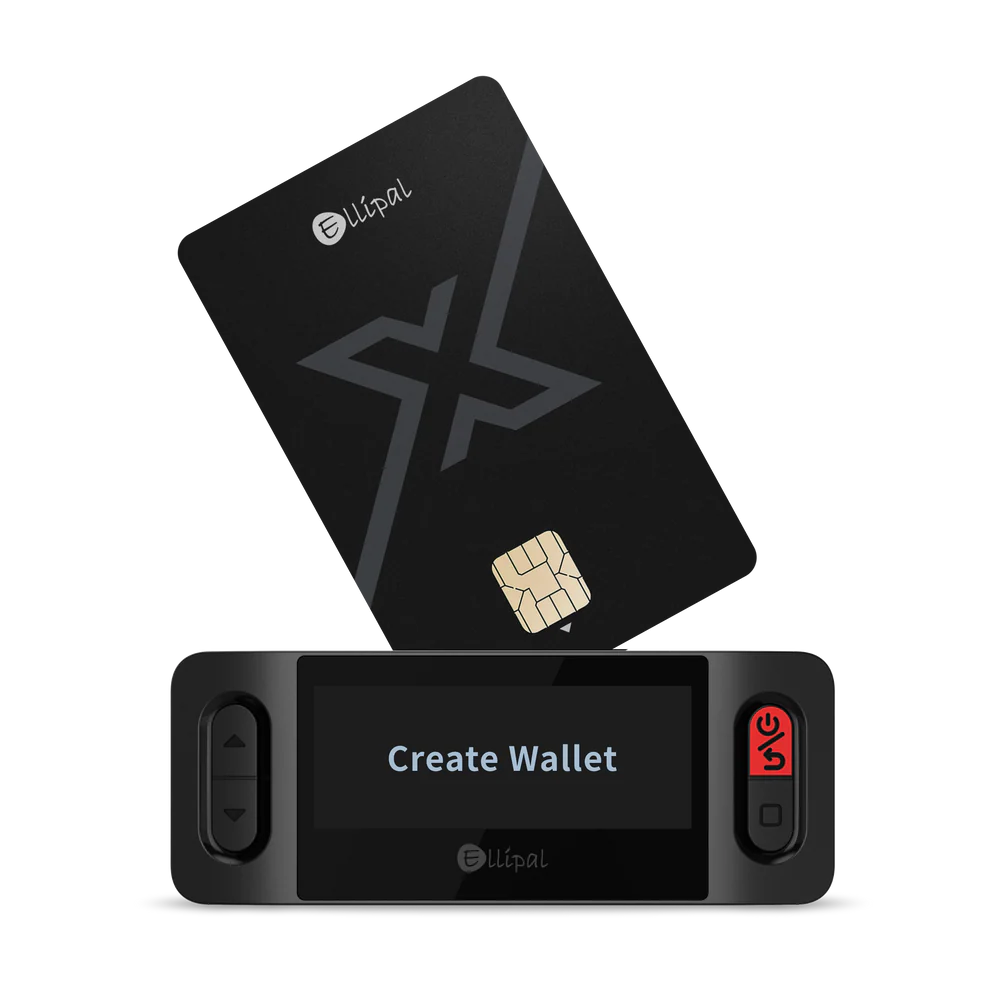
Why is it the best Bitcoin wallet: ELLIPAL X Card is the new credit-card type Bitcoin wallet for beginners and daily users. It is also the most user-friendly Bitcoin wallet for beginners, with just tap-and-go transaction signing. It is essentially a hardware wallet that looks and feels exactly like a credit card, and even works using NFC tech. You can slip it into your actual wallet next to your Visa or ID.
It works seamlessly with the Titan 2.0 or just with the phone app. You just tap it or scan it to sign transactions. Generally, I recommend this for people who travel a lot and want a secondary “decoy” wallet or just something ultra-lightweight for daily use. (Read my full ELLIPAL wallet review)
| Type of Wallet | NFC-based Bitcoin wallet (very user-friendly) |
| Supported Cryptos | 10,000+ coins and tokens (Bitcoin, Ethereum, and more) |
| Fees | Single card costs about $69; optional starter kit extra |
| Mobile App | ELLIPAL mobile app |
| Connectivity | NFC (tap‑to‑sign) |
| Security Chip | CC EAL6+ secure element |
| Battery | None (power from phone’s NFC) |
| Backup | Duplicate up to 10 cards |
Pricing & Availability
The X Card is relatively affordable. It’s about $69 USD for one card (as of writing). Ellipal also sells bundles (like 3 cards for $169, etc.). You can buy it on Ellipal’s site or from other retailers. It’s in stock pretty much always; I got mine shipped in a week. Because it’s just a card, shipping is easy; and it’s a great spare backup (I even keep a second card in my travel bag).
5. SafePal S1 Pro: Cheapest Bitcoin wallet for beginners
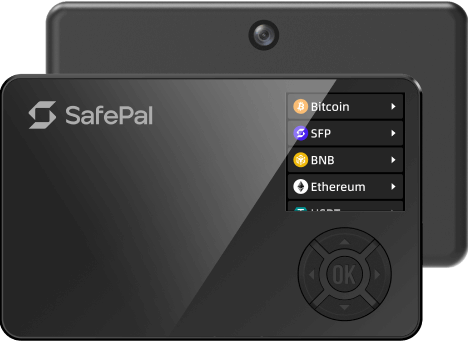
Why is it the best BTC wallet: SafePal wallet is another affordable and top Bitcoin wallet for beginners. It’s a palm‑sized device with a 1.3‑inch color screen and D‑pad controls. The S1 Pro uses a CC EAL6+ secure element and is completely air‑gapped: no Wi‑Fi, Bluetooth, NFC, or USB connectivity when signing.
The S1 Pro is the upgraded version of their original S1. It keeps the 100% air-gapped mechanism (using QR codes like Ellipal) but upgrades the body to a nice metal alloy and improves the camera.
Binance Labs invested in SafePal, so the integration with Binance and DeFi apps is super smooth. Actually, I find it to be the best option if you want to trade actively while keeping funds in cold storage. The camera scanning is fast, and the screen is clear enough to read transaction data.
| Type of Wallet | Air‑gapped Bitcoin wallet |
| Supported Cryptos | 200+ blockchains; unlimited tokens and NFTs |
| Fees | Device costs about $89.99; network fees apply |
| Mobile App | SafePal app for Android, iOS, Windows, macOS |
| Connectivity | QR codes only (no wired/wireless connections when signing) |
| Security Chip | CC EAL6+ secure element |
| Battery | 500 mAh (rechargeable via USB‑C) |
| Self‑Destruct | Yes (anti‑tamper sensors) |
Price and Availability
The SafePal S1 Pro retails for around $89.99. It comes with a USB‑C charging cable, a couple of seed phrase cards, and stickers. You can buy it from SafePal’s online store, Amazon, and various e‑commerce sites.
6. Ledger Flex: Most Popular Bitcoin wallet for advanced users (e-ink display)
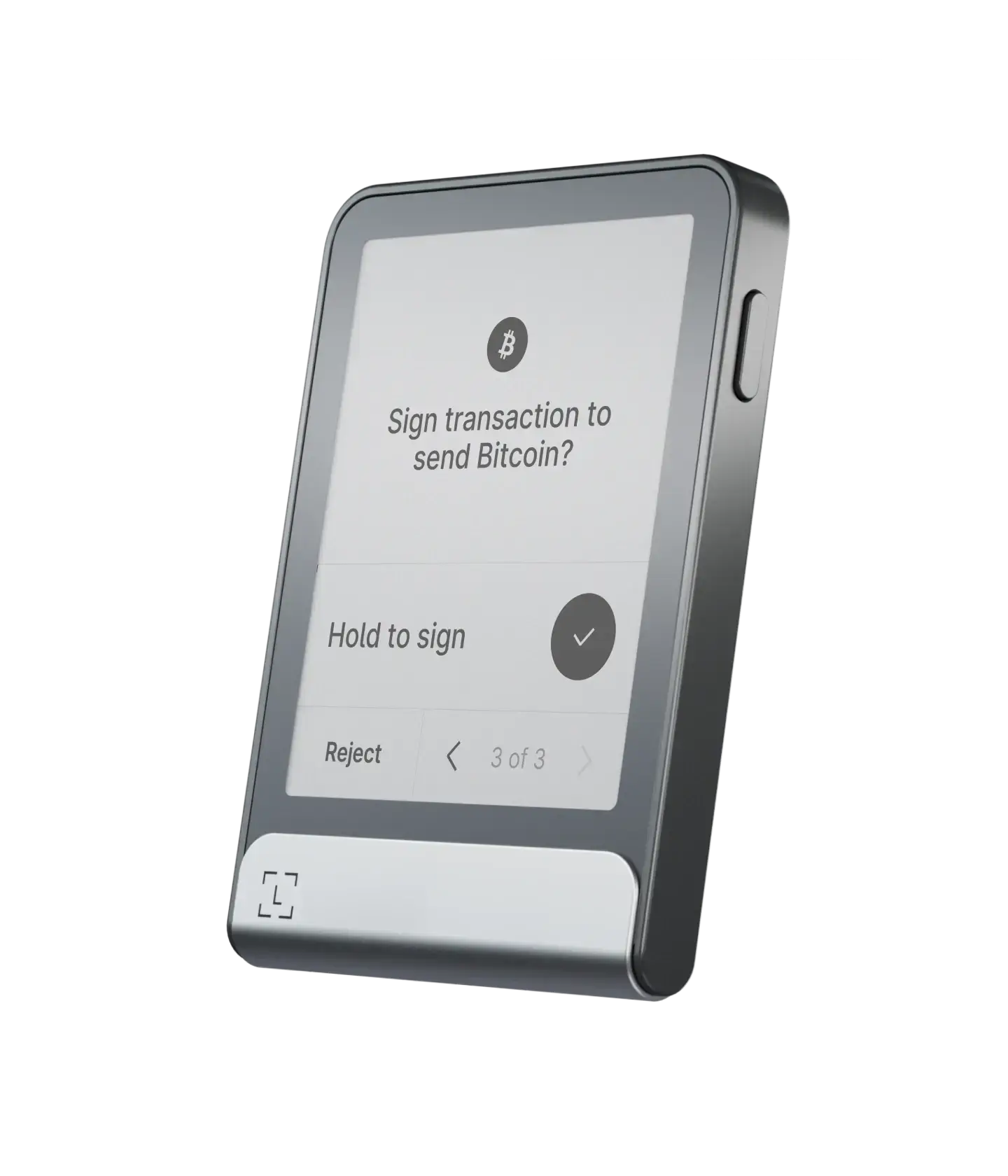
Why is it the best BTC wallet: The Ledger Flex is another one of the most popular Bitcoin wallets with over 10M users, and it sits between the Stax and the older Nano X. It’s like the middle child that offers premium features at a lower price. It features a 2.8-inch E Ink touchscreen that is incredibly energy efficient. You can leave it on your desk displaying your favorite NFT or QR code for days without draining the battery.
It runs on Ledger’s secure OS and connects via NFC and Bluetooth. The “Flex” name comes from how flexible it is to use across devices. I love using it to stake ETH and SOL directly through Ledger Live because the screen lets me verify the staking contract clearly before I hit sign.
| Type of Wallet | Hardware wallet for Bitcoin |
| Supported Cryptos | 15,000+ coins and tokens along with Bitcoin (BTC) |
| Fees | About $249 for the device; network fees apply |
| Mobile App | Ledger Live (desktop & mobile) |
| Connectivity | USB‑C, Bluetooth 5.2 |
| Security Chip | CC EAL6+ secure element |
| Display | 2.84‑inch E‑ink touchscreen |
| Battery | Up to 10 hours (weeks on standby) |
Price and Availability
Ledger Flex is priced at around $249. It comes with a magnetic folio, USB‑C cable, seed recovery sheets, and a Ledger Recovery Key card. It is widely available on Amazon and Ledger’s official store.
7. Tangem: Easiest Bitcoin wallet to use for new users
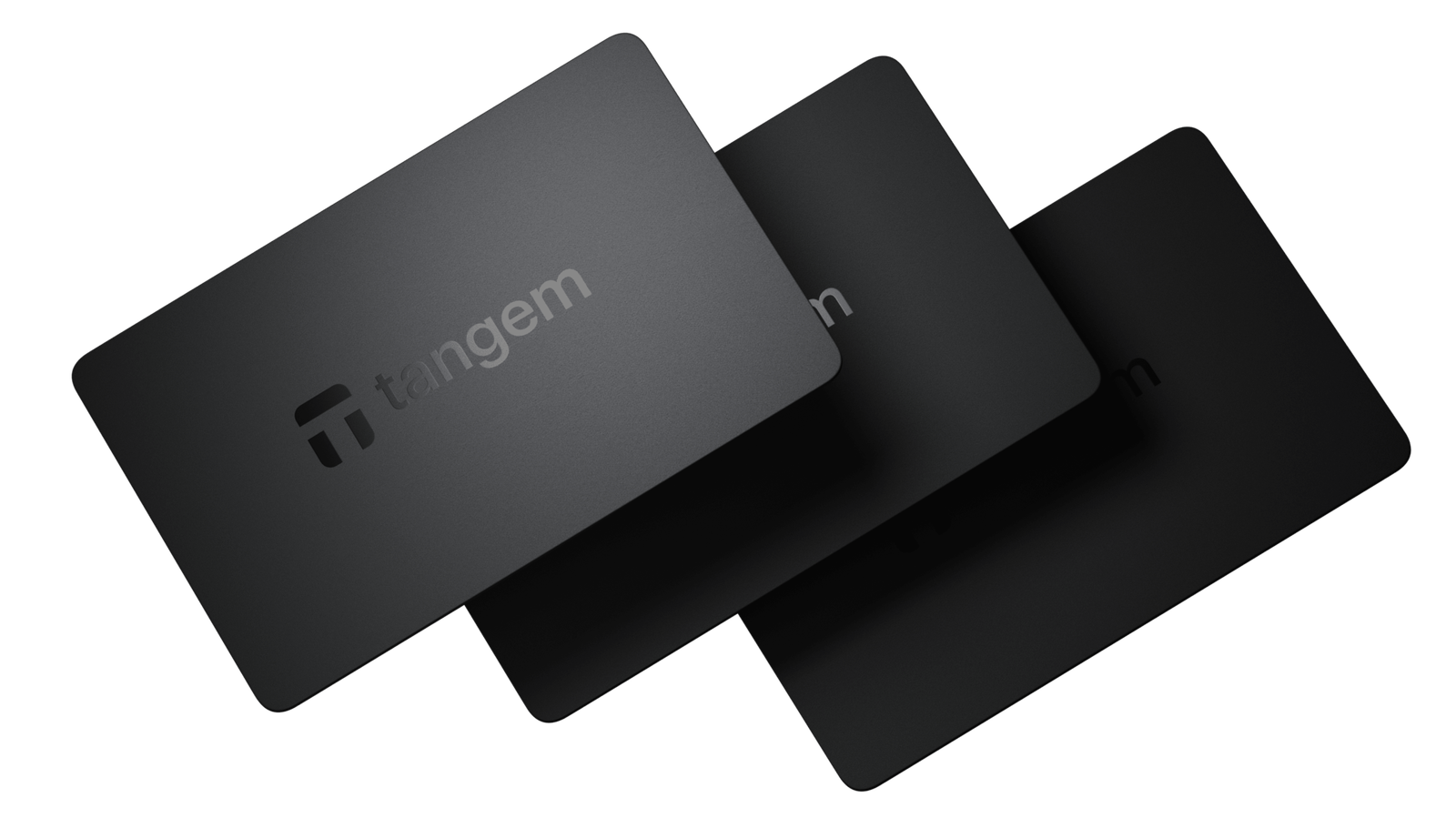
Why is it the best Bitcoin wallet: Tangem is a very different Bitcoin hardware wallet. Basically, there is no screen, no buttons, and no batteries. It looks just like a bank card. To use it, you just tap it against the back of your smartphone using NFC. It is incredibly fast and intuitive.
It usually comes in a pack of two or three cards. You use one as your main key and keep the others as backups. Since the key is generated inside the card and never revealed (even to you), it is super secure against phishing because there is no seed phrase to steal unless you choose the seed-phrase option.
They even come with a 25‑year warranty, which is longer than any other wallet I’ve tried. Obviously, these cards are great if you want something simple, durable, and resistant to water and heat.
| Type of Wallet | Hardware wallet for Bitcoin |
| Supported Cryptos | 16,000+ coins and tokens |
| Fees | Two‑card set costs about $54.90; three‑card set about $69.90 |
| Mobile App | Tangem app for iOS and Android |
| Connectivity | NFC (tap‑to‑sign) |
| Security Chip | Proprietary secure element |
| Battery | None (25‑year lifespan) |
| Warranty | 25 years |
Price and Availability
Tangem cold wallet cards are sold in packs of 2, 3, or a family pack of 6. The two‑card set costs around $54.90, and the three‑card set about $69.90. They are available worldwide via Tangem’s website and Amazon.
8. NGRAVE ZERO: Safest hardware wallet for Bitcoin with EAL7 OS
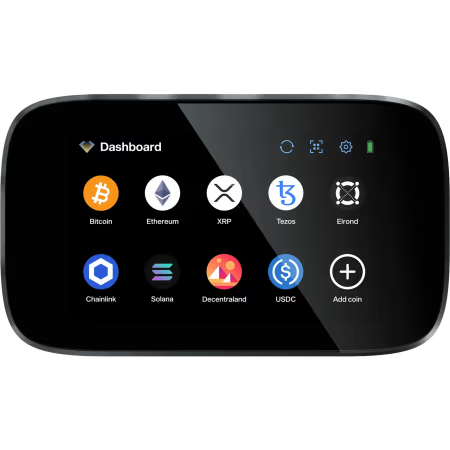
Why is it the best Bitcoin wallet: NGRAVE calls the ZERO the “coldest Bitcoin wallet,” and they might be right. It is the only financial product with an EAL7 certified OS, which is higher than what banks typically use. The device itself is 100% offline; it has no Bluetooth, no WiFi, no NFC, and no USB data capability (only power).
It uses QR codes to connect to your phone. The build quality is solid; it feels like a military-grade device. It also comes with a stainless steel “GRAPHENE” backup for your seed phrase that is fireproof and waterproof.
| Type of Wallet | cold wallet for Bitcoin |
| Supported Cryptos | ~1,000 coins and tokens (multi-chain cold wallet) |
| Fees | ZERO costs about $398; combo with Graphene about $498 |
| Mobile App | NGRAVE mobile app (Android, iOS) |
| Connectivity | QR codes only |
| Security Chip/OS | EAL7‑certified OS, biometric sensor |
| Display | 4‑inch color touchscreen |
| Backup | Graphene stainless steel plates |
Price and Availability
The standalone ZERO costs around $398, but the combo pack, which includes the Graphene backup plates, costs about $498. There’s also an ultimate pack with extra accessories for around $568. You can order directly from NGRAVE’s official site or from certain retailers.
9. BitBox02: Best cold storage option for Bitcoin (BTC-only firmware)
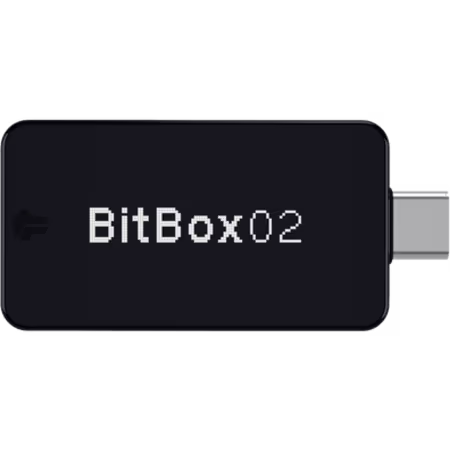
Why is it the best BTC wallet: BitBox is the best cold storage option for Bitcoin users because it offers a Bitcoin-only firmware. It plugs directly into your USB-C port. The “Bitcoin-only” edition strips out all the code for altcoins, making the device leaner and theoretically harder to hack.
It uses touch sensors on the edges of the device instead of buttons or a touchscreen. It takes a minute to get used to, but it works well. The backup is handled automatically onto a microSD card, so you don’t have to write down words if you don’t want to.
| Type of Wallet | USB cold wallet for Bitcoin |
| Supported Cryptos | Bitcoin‑only or multi-coin edition (ETH, ADA, LTC, ERC‑20) |
| Fees | Costs about €109 (~$119); network fees apply |
| Mobile App | BitBoxApp for desktop (Windows, macOS, Linux) |
| Connectivity | USB‑C with USB‑A adapter |
| Security Chip | Secure chip with open‑source firmware |
| Backup | MicroSD card (included) |
| Weight | ~12 g |
Price and Availability
BitBox02 costs around €109 (about $119 at current rates). Both the Bitcoin‑only and multi-crypto editions are available from ShiftCrypto’s site and some resellers. Now, each package includes the wallet, USB‑C extension cable, USB‑A adapter, microSD card, and stickers.
10. Ledger Nano X: Oldest popular, and user-friendly crypto wallet for Bitcoin
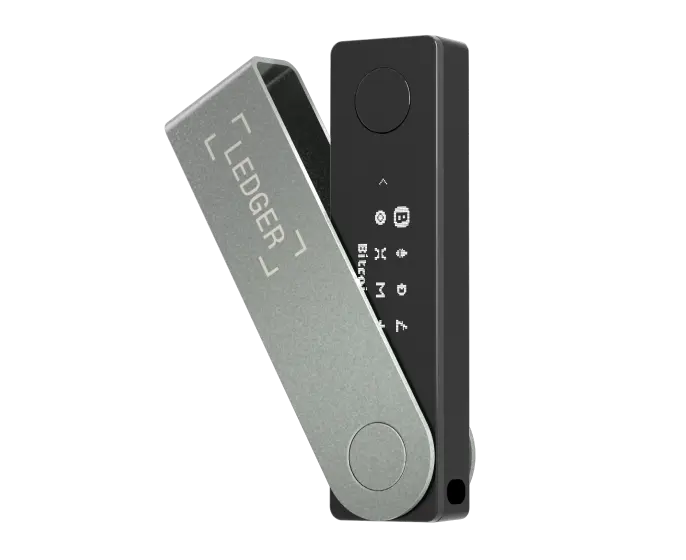
Why is it the best BTC wallet: Okay, I know the Nano Gen5 is out, but the Nano X is still one of the best cold storage wallets for Bitcoin and often cheaper now ($99 only). It is the industry standard for a reason. So, if you use MetaMask for DeFi, the Nano X integrates perfectly via Bluetooth or cable.
The Nano X uses a CC EAL5+ secure element and pairs with Ledger Live for portfolio management. Well, I still use my Nano X when I need to interact with DeFi on the road because it’s light and fits in my pocket like a USB stick.
| Type of Wallet | Hardware wallet for Bitcoin |
| Supported Cryptos | 15,000+ coins and tokens |
| Fees | Costs about $99; network fees apply |
| Mobile App | Ledger Live mobile and desktop |
| Connectivity | USB‑C, Bluetooth |
| Security Chip | CC EAL5+ secure element |
| Battery | 100 mAh (several hours of use) |
| Storage | Up to 100 apps |
Price and Availability
The Nano X costs around $99. It includes a USB‑C cable, keychain strap, seed recovery sheets, and a quick‑start guide. You can buy it from Ledger’s official store, Amazon, and other retailers.
Comparing Most Secure Bitcoin Wallets for 2026
Here is my quick comparison between the best Bitcoin wallets to see them side-by-side…
| Wallet | Price (approx.) | Security Certification | BTC Storage | Connectivity | Unique Feature |
|---|---|---|---|---|---|
| ELLIPAL Titan 2.0 | $119 | CC EAL5+ | Yes | QR codes only | Air‑gapped touchscreen |
| Ledger Nano Gen5 | $179 | CC EAL6+ | Yes | USB‑C, Bluetooth, NFC | Clear Signing E‑ink display |
| Trezor Safe 7 | $249 | TROPIC01 + EAL6+ | Yes | USB‑C, Bluetooth, Qi2 | Transparent secure element |
| ELLIPAL X Card | $69 | CC EAL6+ | Yes | NFC only | Thin tap‑and‑go card |
| SafePal S1 Pro | $89.99 | CC EAL6+ | Yes | QR codes only | Self‑destruct mechanism |
| Ledger Flex | $249 | CC EAL6+ | Yes | USB‑C, Bluetooth 5.2 | Touchscreen with 16 shades of gray |
| Tangem | $54.90 (2 cards) | Proprietary | Yes | NFC | 25‑year warranty |
| NGRAVE ZERO | $398–498 | EAL7 OS | Yes | QR codes only | Multi‑layer authentication |
| BitBox02 | $119 | Secure chip (open source) | Yes | USB‑C | MicroSD card backup |
| Ledger Nano X | $99 | CC EAL5+ | Yes | USB‑C, Bluetooth | Up to 100 apps, great for MetaMask |
How to Pick Your Safest Wallet to Store Bitcoin Offline?
You are probably thinking, “Which Bitcoin wallet actually fits me?” Well, here are some top criteria you need to check before buying your best BTC wallet…
- Security Features (Secure Element): You must check if it has a “Secure Element.” It is a security chip like in your credit card. Most of the best Bitcoin wallets on my list have this now. Basically, this chip fights against physical attacks.
- Open Source Software: Actually, this is a big deal for Bitcoiners. You know, open source means anyone can read the code of the wallet. Now, if there is a hidden backdoor or a bug, experts can find it. Trezor, BitBox, and Keystone are fully open source. Ledger is not. You need to decide if that matters to you.
- Ease of Use: Honestly, if the Bitcoin wallet is too hard to use, you might make a mistake. You might lose your BTC by sending them to the wrong place. If you are not a tech guy, get something with a nice screen and a simple Bitcoin app. ELLIPAL and Ledger are great for this.
- Connection Type (Air-gapped vs USB): You see, some people really don’t like plugging a device into a computer. Air-gapped BTC wallets like ELLIPAL or SafePal use cameras and QR codes. They never physically touch the internet or your laptop. USB Bitcoin wallets are easier but technically connected.
- Mobile Compatibility: You need to check if the wallet works with your phone. Ledger wallet and ELLIPAL work great with iPhones and Androids. But some older BTC wallets only work with desktop computers. Well, if you travel a lot, mobile support is a must.
- Battery Life: Some crypto wallets have batteries, and some don’t. Ledger Flex has a battery because it has a screen. Tangem has no battery. If you store your wallet in a safe for 5 years, a battery might die or swell. For long storage, no battery is better.
- Multi-Signature Support: This is for advanced Bitcoin users. It means you need two or more devices to sign a transaction. Not all of these best Bitcoin wallets in my list support this easily. Ledger and Trezor are the best multisig Bitcoin wallets.
What is a Bitcoin Wallet?
You need to know that a Bitcoin wallet does not actually store your BTC inside it. No way. Your Bitcoin lives on the blockchain, which is a public record on the internet.
So, what does the wallet do? It holds your “Private Keys.” So, you can actually think of the private key like a password or a physical key to a safe. Anyone who has this key can move the money. The wallet is just a tool to manage these keys.
Okay, again, think of it like your email. Your emails are not stored on your computer screen. They are on the Google server. Your computer just has the password to access them. Bitcoin is the same. The coins are on the network. The wallet holds the password.
Actually, a wallet also manages your “Public Address.” This is like your email address. You can give this to anyone to receive money. But the private key must stay secret. The cryptocurrency wallet uses complex math to link them together without revealing your secret key.
Read more: Best Ledger wallet alternatives
How does a Bitcoin wallet app work?
You need to download a Bitcoin app on your phone or computer. This app connects to the blockchain. It shows you your balance, and when you want to send money, you have to enter the public address and the amount in the app.
Then, the app asks your hardware wallet to sign it. You need to connect the Bitcoin hardware wallet, check the screen on the device, and press a button to confirm. The device uses the private key inside to sign the digital paper, and then the app broadcasts it to the network. The private key never leaves the device. That is why it is safe.
Basically, the software app prepares the transaction. It says, “I want to send 1 BTC to Amit.” But the app cannot sign it because it does not have the key. It sends this unsigned letter to your best hardware wallet for Bitcoin. Your hardware wallet signs it offline and sends the signed letter back. The blockchain network sees the signature and knows it is valid. It moves the money.
Types of Bitcoin wallets
1. Custodial Bitcoin wallets
A custodial Bitcoin wallet stores your Bitcoin through a third party. The company controls the private keys and manages security on your behalf. You can easily access the wallet using a username, password, and sometimes two-factor authentication.
Well, this kind of wallet makes Bitcoin (BTC) easy to use for beginners because it removes technical responsibility. You can easily send, receive, and trade Bitcoin quickly without worrying about backups or seed phrases.
But yes, the custodial company can freeze accounts or restrict withdrawals if rules or regulations require it. You do not fully own your Bitcoin because the provider holds the keys. This structure works well for frequent trading and short-term holding.
An example of the best custodial Bitcoin wallets is Binance and Coinbase, where the platform holds your Bitcoin while you interact through an app or website.
2. Non-Custodial Bitcoin wallets
A non-custodial Bitcoin wallet gives you full control over your Bitcoin. The wallet stores private keys on your device and never shares them with anyone. You become fully responsible for security, backups, and recovery phrases.
The wallet allows you to send and receive Bitcoin without permission from any company. You remain protected from account freezes or service shutdowns. You must store the recovery phrase carefully because losing it means losing access forever. The wallet works well for long-term holders who value independence and ownership.
An example of a non-custodial BTC wallet is Trust Wallet or Electrum, which allows you to control keys while keeping transactions simple and fast.
2.1 – Bitcoin hardware / cold wallet
A hardware wallet for Bitcoin stores private keys on a physical device that stays offline most of the time. The wallet protects Bitcoin from hacking, malware, and online attacks.
You can connect the device to a computer or phone only when signing a transaction. The cold wallet signs transactions internally and never exposes private keys to the internet. You control the wallet using buttons and a screen on the device. The wallet requires a PIN and recovery phrase for safety.
The most secure hardware wallets for Bitcoin are ELLIPAL Titan 2.0, Ledger Flex, and Trezor Safe 7.
You can also check out my guide on the best multi-chain hardware wallets for crypto…
2.2 – Paper Bitcoin wallet
A paper Bitcoin wallet stores Bitcoin information on a printed piece of paper. The paper shows a public address and a private key, often as QR codes. You can generate the wallet offline to avoid exposure to the internet.
The wallet offers strong protection from online attacks because it never touches a digital system. But you must protect the paper from fire, water, and physical damage. You can lose access permanently if the paper gets destroyed or misplaced. The wallet works best for long-term storage without frequent transactions. You should import the private key into the software when spending Bitcoin. An example of a paper wallet comes from offline generators like “bitaddress.org” when used securely.
2.3 – Mobile Bitcoin wallet
A mobile Bitcoin wallet runs on a smartphone and allows daily Bitcoin use. The wallet stores private keys on the phone and gives you full control. You can send and receive Bitcoin quickly using QR codes. The BTC wallet supports payments in stores and online services.
How to Set Up and Use a Bitcoin Hardware Wallet Securely?
Step 1: Choosing the Right Hardware Wallet for Bitcoin
You should first choose a trusted hardware wallet for Bitcoin from a well-known manufacturer. The wallet must support BTC securely and receive regular firmware updates. Also, you should buy the wallet directly from the official website to avoid tampered devices, and the wallet must arrive sealed and unused to ensure safety.
Again, you should avoid buying second-hand devices because attackers can modify them. The BTC wallet should match your experience level and budget, and you should also confirm compatibility with your computer or phone.
Step 2: Setting Up the BTC Wallet Safely
You should next set up the hardware wallet in a private and quiet environment. The wallet will guide you through the setup process on its screen, so you should create a strong PIN to protect access to the device.
The wallet will then generate a recovery phrase made of 12 or 24 words, and you must write the recovery phrase on paper and store it offline. Also, you should never save the phrase digitally or share it with anyone.
It will even ask you to confirm the phrase to ensure accuracy. You should complete this step carefully because the phrase controls access to your Bitcoin. This setup process ensures full ownership and control.
Step 3: Securing the Recovery Phrase Properly
The recovery phrase acts as the master key to your Bitcoin wallet. You should store the phrase in a safe and hidden physical location. Plus, you can even consider using fireproof or metal backups for extra protection.
You see, the wallet does not store the phrase for you, so responsibility stays with you. You should never take photos or upload the phrase online. Actually, you can create multiple backups and store them in separate secure places.
Step 4: Sending and Receiving BTC coins Securely
You can now connect the crypto wallet to a computer or mobile device, and pair it with companion software to manage transactions. You should always verify the receiving address on the wallet screen.
The wallet signs transactions internally to keep private keys offline, so you must confirm every transaction physically on the device. You should double-check amounts and addresses before approval. The wallet prevents malware from changing transaction details.
Also, you should disconnect the wallet after completing transactions, as this process ensures safe Bitcoin transfers without exposing private keys.
Security Tips for Bitcoin Storage
- Use a Passphrase (The 25th Word): Most of the best Bitcoin wallets allow this. You can actually add a custom word to your 24 words. It creates a completely hidden wallet. Even if a thief finds your paper backup, they cannot access your funds without this extra word. Memorize it, don’t write it with the backup.
- Metal Backups are Mandatory: You see, paper burns in seconds. You should buy a steel plate backup like Cryptosteel. You can then punch your words into the metal. It can survive a house fire or a rust attack. It is the only way to ensure your legacy lasts.
- Avoid Phishing Attacks: Hackers are smart. They send emails pretending to be Ledger or Trezor support. They will ask for your 24 words. Never give your words to anyone. No support team will ever ask for them. If you type them into a website, you lose everything.
- Physical Security: Don’t leave your Bitcoin wallet on your desk. Put it in a safe. Use “tamper-evident” bags. These are special plastic bags that show a “Void” message if someone tries to open them. You will know if someone touched your device while you were away.
- Verify Addresses on Device: You know, malware on your computer can swap the address you copied. So, when you send Bitcoin, always look at the small screen on your Bitcoin hardware wallet. Does the address match what you see on the computer? Trust only the hardware device screen.
FAQs: Best User-friendly Wallet for Bitcoin (BTC)
What are the best Bitcoin wallets for beginners?
Ledger Flex and Tangem Wallet are the absolute best Bitcoin wallets for beginners. Ledger Flex has a clear E-ink screen that explains everything simply, and the app is very easy to navigate. Tangem is even simpler because it works just like tapping a bank credit card on your phone’s NFC, so there are no complicated buttons.
Which is the most secure hardware wallet for Bitcoin?
ELLIPAL Titan 2.0 is the most secure hardware wallet for Bitcoin because it is completely air-gapped. It has no USB ports and no Bluetooth, so hackers have no physical way to enter the device. It uses only QR codes for data transmission, which keeps your private keys 100% isolated from the internet at all times.
Which is the safest wallet to store Bitcoin for 10 years?
ELLIPAL Titan 2.0 is the safest choice for a decade of BTC storage. Its metal body is built to last, and since it is air-gapped, it cannot be infected by future viruses easily. The fully metal-sealed design prevents physical tampering, meaning your investment stays safe even if you leave it in a drawer for years.
Is Ledger wallet safe to store Bitcoin (BTC)?
Yes, the Ledger Flex is extremely safe for storing your Bitcoin. It uses a Certified Secure Element chip, which is the same technology used in passports and credit cards to stop high-tech hacking. Also, over 10M+ users trust it, and the new Flex model adds a better screen to verify transactions clearly.
Are Ledger and Trezor Bitcoin wallets user-friendly for beginners?
Yes, both the Ledger Flex and Trezor Safe 7 are fantastic for beginners. They both offer excellent mobile apps that guide you through every step of the setup process without using confusing jargon.
You can easily view your portfolio and send funds with just a few taps on their modern touchscreens. But again, the Trezor Suite iOS app is quite limited, so it may not be the best for Apple phone users.
Which is the most popular Bitcoin wallet right now?
The ELLIPAL X Card and Ledger Flex are the most popular Bitcoin wallets. People love the X Card because it fits in a physical wallet and is super portable for daily use. The Ledger Flex is gaining huge popularity because of its unique touchscreen and long battery life.